Angler Phishing Attack: How Social Media Hijacking Steals Credentials
Attackers hijack legitimate brand support accounts on social platforms to trick users into surrendering sensitive data through seemingly official replies.
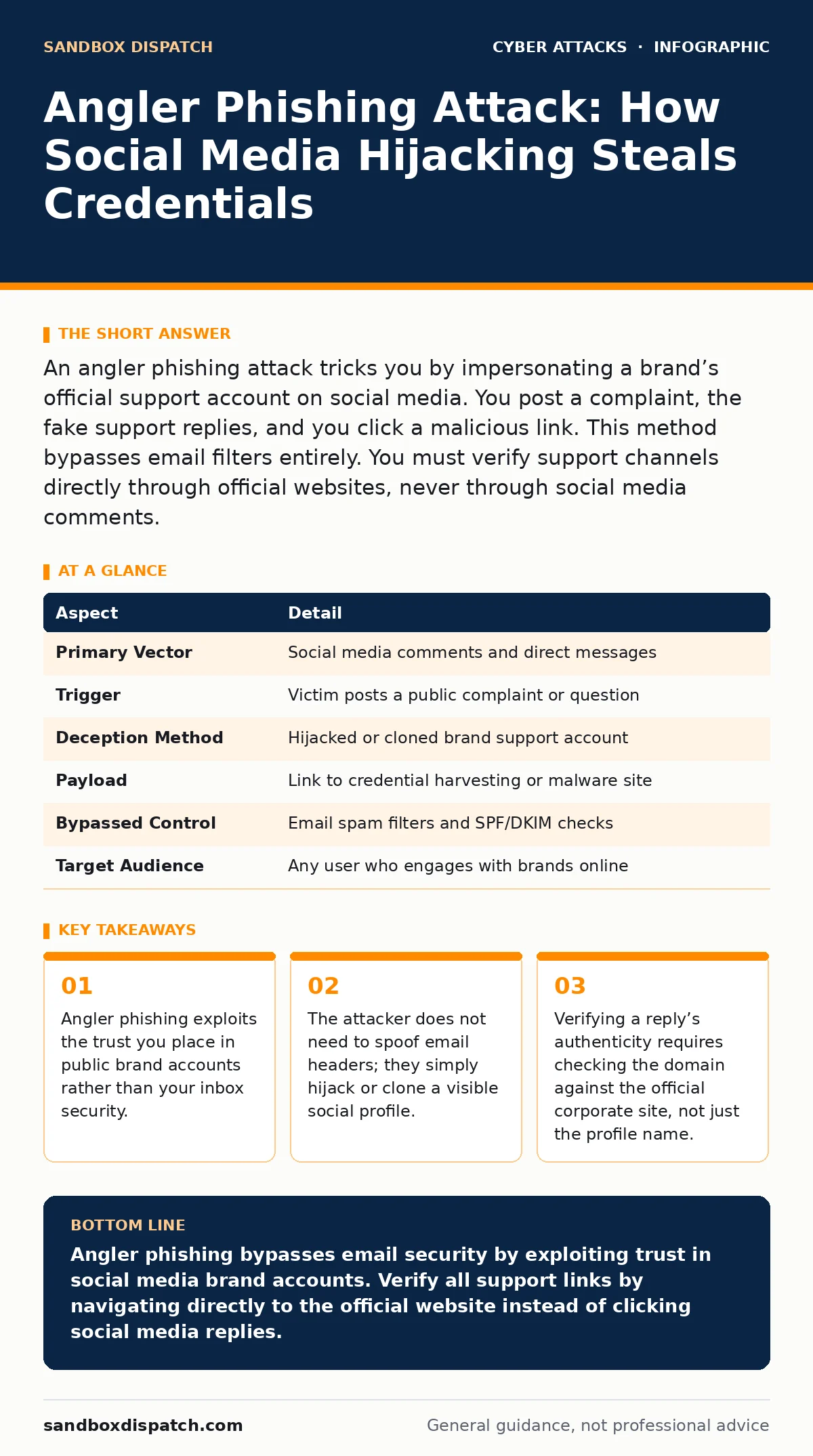
An angler phishing attack tricks you by impersonating a brand’s official support account on social media. You post a complaint, the fake support replies, and you click a malicious link. This method bypasses email filters entirely. You must verify support channels directly through official websites, never through social media comments.
The Bait and the Hook
Imagine you are stuck at an airport. Your flight is canceled, and you are frustrated. You post a complaint on X, tagging the airline’s official account. Within minutes, a reply appears from the airline, offering a refund link. You click it, enter your credit card details to process the refund, and the money vanishes. This is the core mechanism of an angler phishing attack. It shifts the attack surface from email inboxes to public social media feeds. You expect brands to be helpful.
Attackers exploit that expectation. They do not send you a message. They wait for you to speak first. Your public complaint becomes the invitation. The attacker replies with a solution that looks official but leads to a trap. This method works because social media platforms lack the strict sender verification found in email protocols. A profile can look identical to the real brand without owning the domain. The trust you place in the brand’s public face is the vulnerability.
At a Glance: Angler Phishing Mechanics
| Aspect | Detail |
|---|---|
| Primary Vector | Social media comments and direct messages |
| Trigger | Victim posts a public complaint or question |
| Deception Method | Hijacked or cloned brand support account |
| Payload | Link to credential harvesting or malware site |
| Bypassed Control | Email spam filters and SPF/DKIM checks |
| Target Audience | Any user who engages with brands online |
How the Angler Phishing Attack Works
The attack begins with reconnaissance. Attackers monitor hashtags, mentions, and posts related to major brands. They look for frustration. A customer complaining about a billing error is more likely to click a quick fix than a satisfied customer. Once a target post is identified, the attacker responds. They use a profile that mimics the brand’s official support handle. The profile picture, bio, and name are identical to the legitimate account. Sometimes, the attacker has hijacked a real, dormant account belonging to a former employee or a compromised fan page.
Other times, they create a new clone. The reply appears helpful. It offers a direct link to resolve the issue. The link leads to a phishing page that mirrors the brand’s login portal. You enter your credentials. The attacker captures them. They may also install malware if you download a "fix" file. The entire interaction happens in plain sight. Other users see the helpful reply. They trust it because it comes from a familiar name. The social proof of the thread reinforces the deception.
Why Email Filters Fail Here
Traditional security focuses on the inbox. You use email spoofing detection to verify sender domains. You rely on SPF, DKIM, and DMARC to ensure messages are legitimate. These controls are useless against angler phishing. The attack does not use email. It uses social media APIs and public interfaces. There is no envelope header to inspect. There is no domain to verify via DNS records. The platform displays a username, not a cryptographic signature. You see "Support" in the name, and you assume authority.
This is a fundamental gap in most incident response plans. Teams train for email-based threats. They do not train for social media engagement risks. The attacker exploits this blind spot. They move the conversation to a channel where your security tools have no visibility. Your email client cannot warn you about a comment on a post. Your firewall cannot block a link clicked from a social app. The defense must shift from technical filtering to human verification. You must become the filter.
Who Gets Caught in the Net
Angler phishing affects anyone who uses social media to interact with brands. It targets consumers, employees, and even IT staff. A consumer might complain about a delayed package. An employee might troubleshoot a SaaS tool publicly. An IT professional might complain about a vendor’s API failure. The attacker does not care about your role. They care about your willingness to engage. High-value targets are those who manage financial accounts or corporate systems.
If an attacker compromises a developer’s account via a phishing link, they gain access to code repositories. If they compromise a finance user’s account, they gain access to payment systems. The attack is opportunistic. It does not require sophisticated targeting. It requires volume. Attackers cast a wide net. They reply to hundreds of complaints. Those few successes fund the operation. The risk is distributed across the entire user base. You are not safe because you are careful. You are at risk because you are visible.
See also: Password Spraying Mistakes That Leave Your Account Open · Difference Between Intrusion Detection and Prevention System
What People Usually Get Wrong
Most users believe that official brand accounts are secure. They assume that if the profile looks right, it is right. They ignore the URL in the link preview. They trust the platform’s interface. This is a dangerous assumption. Social media platforms are not identity providers. They are content distributors. They do not verify the identity of every poster in real-time. A profile can be renamed, hijacked, or cloned in minutes.
Another common mistake is assuming that direct messages are private and safe. Attackers often move the conversation to DMs after the initial public reply. This creates a false sense of security. You think you are talking to a real person. You are talking to a script or a hacker. You must treat every unsolicited link on social media as hostile. The context of the platform does not change the risk of the link. A link is a link. It leads somewhere. You must verify that destination before you click.
Verification and Defense Strategies
You can defend against angler phishing by changing your engagement habits. First, never enter credentials on a link provided in a social media comment. If a brand offers support, go to their official website directly. Type the URL into your browser. Do not use the link from the post. Second, check the account’s history. A legitimate support account has thousands of posts and followers. A cloned account may have few posts or a recent creation date. Third, look for inconsistencies in language. Official support often uses templates.
Attackers may make grammatical errors or use informal tone. Fourth, use endpoint protection that scans links in real-time. Some security tools can detect known phishing domains even if they appear in social apps. Fifth, report suspicious accounts to the platform. This helps remove the bait for others. Finally, educate your team. If you work in an organization, include social media hygiene in your incident response plans. Train staff to recognize that support does not happen in comments. It happens through verified channels.
Beyond Social Media: Related Threats
Angler phishing is part of a broader ecosystem of social engineering. It shares traits with tech support scams, where attackers impersonate helpers to gain access. It differs from vishing, which uses voice calls to extract information. It is distinct from QR code phishing, which uses scannable codes to redirect traffic.
Understanding these variations helps you build broader defenses. Callback verification can mitigate some risks by forcing the attacker to initiate contact on a known number. Brute force attacks are less relevant here, as the goal is deception, not guessing. However, if credentials are stolen via angler phishing, attackers may use them in brute force attempts against other services. The chain of compromise often starts with a simple click. You must break the chain at the first link. Verify before you trust. Trust before you click.
Key takeaways
- Angler phishing exploits the trust you place in public brand accounts rather than your inbox security.
- The attacker does not need to spoof email headers; they simply hijack or clone a visible social profile.
- Verifying a reply’s authenticity requires checking the domain against the official corporate site, not just the profile name.
Angler phishing bypasses email security by exploiting trust in social media brand accounts. Verify all support links by navigating directly to the official website instead of clicking social media replies.
Frequently asked questions
How do I know if a social media account is fake?
Check the account creation date, follower count, and post history. Fake accounts often have low engagement, recent creation dates, or inconsistent branding compared to the official account.
Can I use email filters to stop angler phishing?
No, email filters cannot monitor social media platforms. Angler phishing occurs outside the email ecosystem, requiring manual verification and user awareness instead of automated filtering.
What should I do if I clicked a suspicious link?
Change your passwords immediately, enable multi-factor authentication, and run a security scan on your device. Monitor your accounts for unauthorized activity and report the incident to the platform.
Is angler phishing only a risk for consumers?
No, it affects anyone who interacts with brands online, including employees and IT staff. Business accounts are particularly valuable targets for credential theft and further compromise.
How this guide was produced: written by the Sandbox Dispatch editorial team with AI assistance, checked against the public references listed below, and reviewed when the facts change. See our editorial policy or report an error.