Browser Extension Vulnerabilities Explained: Risks and Safety Habits
Browser extensions run with deep system access, turning a simple add-on into a potential backdoor for data theft or session hijacking.
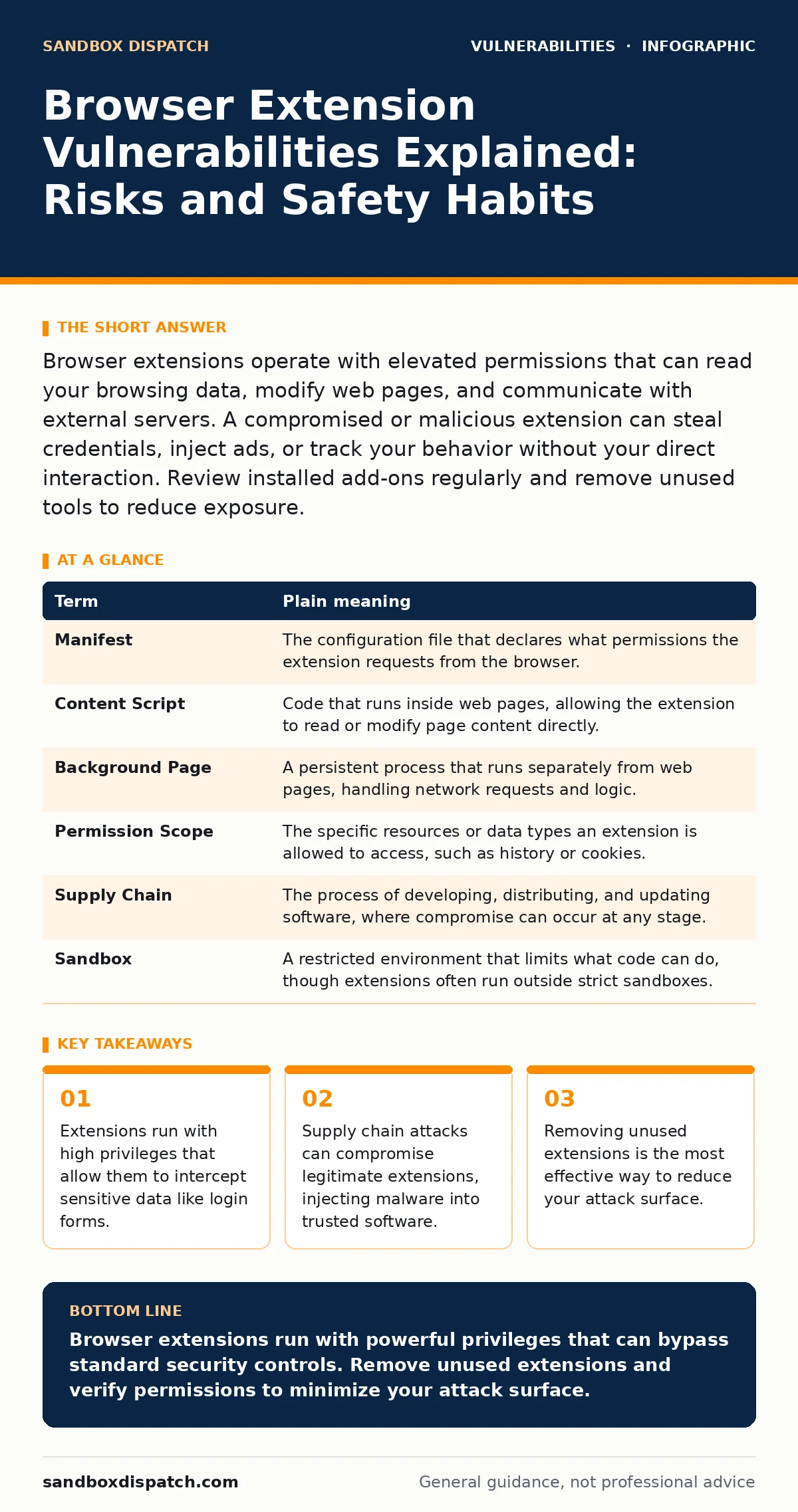
Browser extensions operate with elevated permissions that can read your browsing data, modify web pages, and communicate with external servers. A compromised or malicious extension can steal credentials, inject ads, or track your behavior without your direct interaction. Review installed add-ons regularly and remove unused tools to reduce exposure.
The Trusted Helper Analogy
Imagine your web browser is a secure office building. You are the employee with a keycard. Most websites are visitors in the lobby. They can see the reception desk but cannot enter private offices. Browser extensions are like contractors you hired to fix the plumbing or update the lighting. You gave them a master key because they need access to every room to do their job.
This access is necessary for their function. A password manager needs to see login fields. An ad blocker needs to see page code. But if that contractor is dishonest, or if someone steals their master key, they can open any door, read any file, and install hidden cameras. They do not need to trick you into opening a door. They already have the key.
Key Terms for Extension Security
Understanding the mechanics requires defining how these tools interact with the browser engine. The table below clarifies the technical concepts that govern extension behavior and risk.
| Term | Plain meaning |
|---|---|
| Manifest | The configuration file that declares what permissions the extension requests from the browser. |
| Content Script | Code that runs inside web pages, allowing the extension to read or modify page content directly. |
| Background Page | A persistent process that runs separately from web pages, handling network requests and logic. |
| Permission Scope | The specific resources or data types an extension is allowed to access, such as history or cookies. |
| Supply Chain | The process of developing, distributing, and updating software, where compromise can occur at any stage. |
| Sandbox | A restricted environment that limits what code can do, though extensions often run outside strict sandboxes. |
How Extensions Gain Access
When you install an extension, the browser reads its manifest file. This file lists the permissions the developer claims to need. If an extension asks to "read and change all your data on all websites," it gains the ability to intercept any form submission. This includes credit card numbers, passwords, and personal messages.
The browser trusts this declaration. It does not verify if the code actually needs that access. This trust is the core vulnerability. Developers often request broad permissions to simplify development or to prepare for future features. This creates a hidden cost. You grant broad access for a small convenience feature. The extension then has the technical ability to exfiltrate data even if the developer never intends to misuse it.
The Supply Chain Risk
Most users worry about malicious extensions created by criminals. The greater risk comes from legitimate tools. Imagine a popular open-source library that many extensions use for formatting text. If a hacker compromises that library, they can inject malicious code. When the library updates, thousands of extensions silently distribute the malware to their users.
This is a supply chain attack. The extension developer did not write the bad code. The distribution channel did not catch it. The browser installed it because it came from a trusted source. This mirrors the risks seen in unpatched software, where the vulnerability exists in the underlying components rather than the application itself. The user has no reason to suspect the tool is compromised.
What This Means for You
For an ordinary user, the risk is invisible. An extension can run in the background, sending data to a remote server. It can modify the content of banking sites to display fake error messages. It can log your keystrokes. Because extensions run with high privileges, standard security tools often cannot detect their activity. They appear as legitimate browser processes.
This situation resembles broken access control, where a system allows a component to access data it should not. The extension has the "access" granted by the manifest. The "control" fails because the user cannot easily audit what the extension is doing in real-time. You are relying on the developer's integrity and the browser store's review process. Neither is perfect.
See also: Dependency Scanning Mistakes That Leave Codebases Exposed · Vulnerability Remediation SLAs: Benefits, Limits, and When to Use Them
Simple Safety Habits
You can reduce risk without abandoning useful tools. The following steps focus on minimizing the number of active extensions and verifying their legitimacy.
- Audit your installed extensions monthly. Remove any tool you have not used in the last 30 days. Every active extension is a potential entry point.
- Check the publisher. Prefer extensions from well-known, established organizations. Avoid obscure tools with few reviews or no clear developer identity.
- Review permissions critically. If a dictionary extension asks to read your browsing history, deny it. The permission should match the function.
Understanding Related Vulnerabilities
Extension vulnerabilities are part of a broader security context. They often exploit the same weaknesses found in other software. For example, attack vectors in CVSS rate the severity of these flaws based on how easily an attacker can exploit them. A high score indicates that no user interaction is needed.
This connects to the concept of zero-click exploits, where an attack succeeds without the user clicking anything. While rare in extensions, a compromised update can act similarly. The user expects a safe update, but the new code contains the exploit. This is why patch management is critical. You must ensure your extensions update from trusted sources.
The Limit of Protection
No amount of caution guarantees safety. Browser updates fix engine-level bugs, but they cannot fix a malicious extension that you explicitly granted access. You must balance utility with risk. Each extension adds convenience but also adds a potential backdoor.
Try This Now
Implement these three steps to immediately reduce your exposure.
- Open your browser's extension manager.
- Disable all extensions except those you use daily.
- Review the permissions of the remaining extensions. Remove any that request broad access to "all sites" if a narrower scope would suffice.
Key takeaways
- Extensions run with high privileges that allow them to intercept sensitive data like login forms.
- Supply chain attacks can compromise legitimate extensions, injecting malware into trusted software.
- Removing unused extensions is the most effective way to reduce your attack surface.
Browser extensions run with powerful privileges that can bypass standard security controls. Remove unused extensions and verify permissions to minimize your attack surface.
Frequently asked questions
Can an extension steal my passwords?
Yes, if it has permission to read active tab content, it can capture data entered into login forms before it is encrypted.
Do browser stores check for malware?
Stores perform basic reviews, but they cannot audit all code. Malicious extensions often slip through or become malicious after approval.
Is disabling an extension enough?
Disabling stops the extension from running. It is safer than uninstalling if you might need it later, but it does not remove the installed files.
How do I know if an extension is compromised?
You usually cannot. Look for sudden permission changes, unexpected pop-ups, or performance issues. Check for official notices from the developer.
How this guide was produced: written by the Sandbox Dispatch editorial team with AI assistance, checked against the public references listed below, and reviewed when the facts change. See our editorial policy or report an error.