Dependency Scanning Mistakes That Leave Codebases Exposed
Most scanners miss vulnerabilities hidden in transitive dependencies and misinterpret risk by relying solely on severity scores without context.
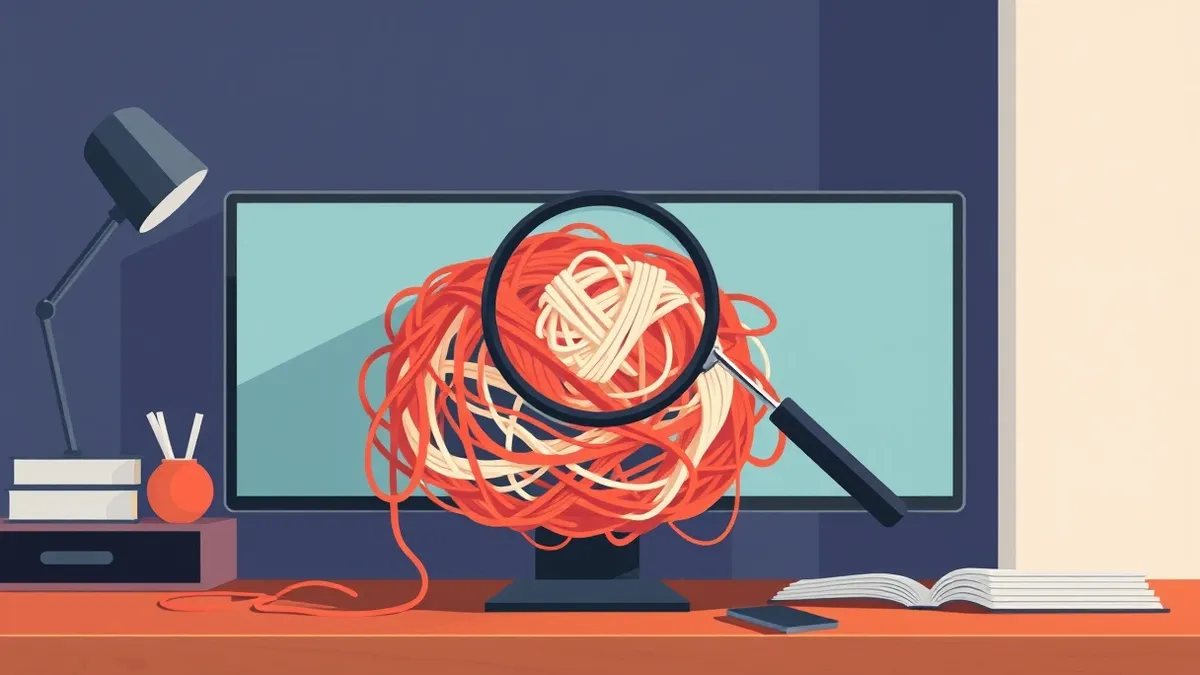
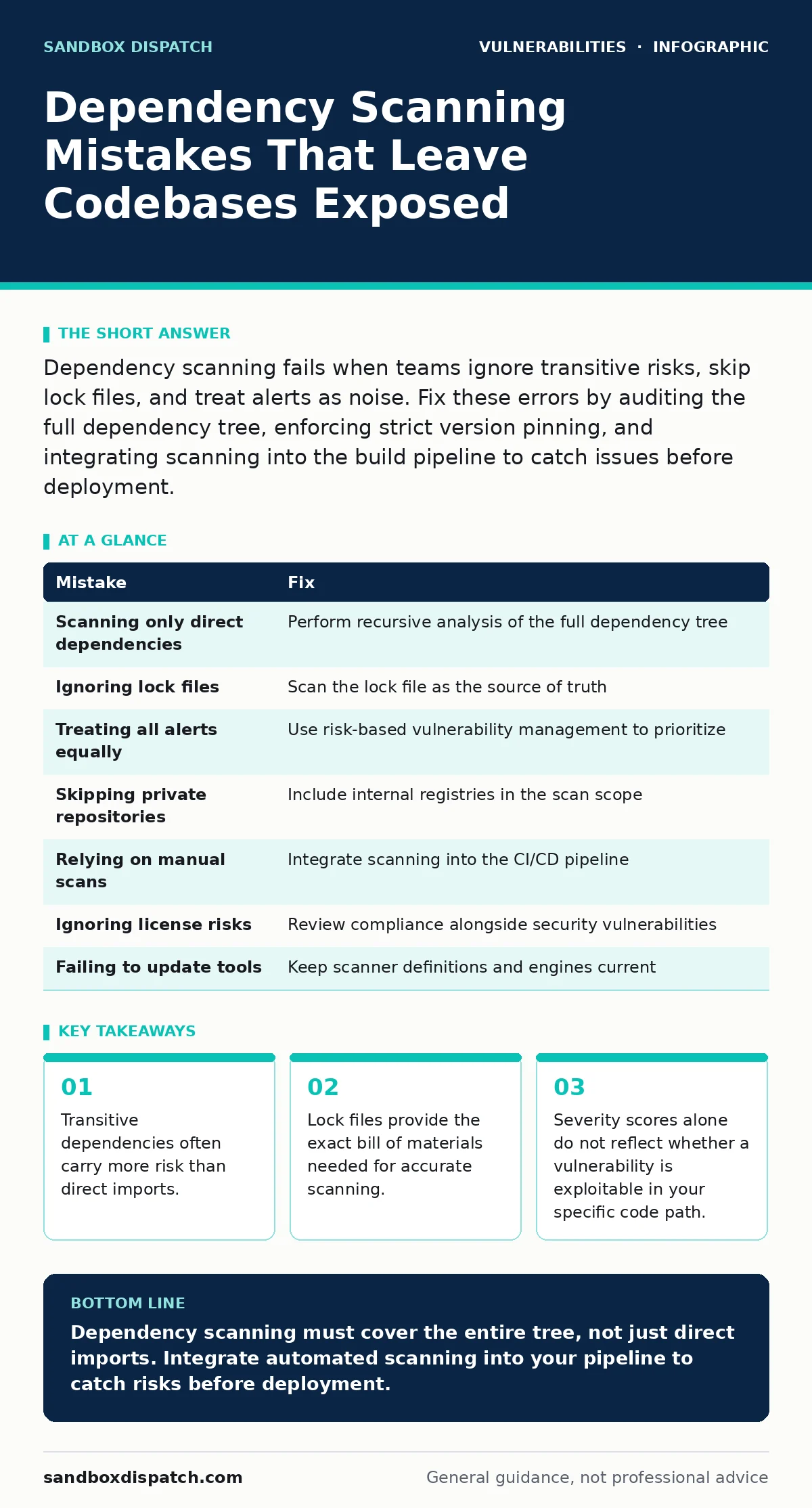
Dependency scanning fails when teams ignore transitive risks, skip lock files, and treat alerts as noise. Fix these errors by auditing the full dependency tree, enforcing strict version pinning, and integrating scanning into the build pipeline to catch issues before deployment.
Mistake 1: Scanning only direct dependencies
Developers often configure scanners to inspect only the packages they explicitly import into their code. This approach ignores transitive dependencies, which are libraries required by those direct packages. A direct dependency might be secure, but the library it relies on could contain critical flaws.
Why it hurts:
An attacker exploits a vulnerable transitive library that your application loads indirectly. The scanner reports zero issues because it never looked deep enough. You ship software with a known backdoor that your security tool missed entirely.
The fix:
Configure your scanner to perform recursive analysis of the entire dependency tree. Use a tool that generates a Software Bill of Materials (SBOM) to visualize every component. Review the SBOM regularly to understand which upstream libraries introduce the most surface area for attack.
Mistake 2: Ignoring lock files and manifests
Many teams run scanners against source code directories without analyzing package lock files or manifest files. These files record the exact versions of all dependencies installed in the environment. Source code often specifies version ranges, leaving the actual installed version ambiguous to a scanner.
Why it hurts:
The scanner assumes the latest compatible version is installed, or it guesses based on the range. The guess is wrong. You patch a vulnerability that does not exist in your runtime, or you miss one that does. The mismatch creates false confidence in your security posture.
The fix:
Always scan the lock file, not just the source tree. Ensure your CI/CD pipeline includes the lock file in the artifact sent to the scanner. Treat the lock file as the single source of truth for what is actually running. Update this file whenever you change dependencies.
Mistake 3: Treating all alerts equally
Security teams often react to every vulnerability alert with the same urgency. They prioritize fixes based on CVSS score alone, ignoring whether the vulnerable function is actually called in their application. This approach wastes developer time on theoretical risks while leaving real threats unaddressed.
Why it hurts:
Developers experience alert fatigue. They start ignoring scanner output because too many high-severity alerts are irrelevant to their specific code paths. Meanwhile, a lower-severity bug in a critical function remains unpatched and gets exploited. The noise drowns out the signal.
The fix:
Adopt a risk-based vulnerability management approach. Correlate scanner findings with code usage data. If a vulnerable function is never invoked, lower the priority. Focus remediation efforts on vulnerabilities that are both reachable and exploitable in your specific architecture.
Mistake 4: Skipping private and internal repositories
Organizations frequently scan public dependencies but neglect private packages hosted on internal registries. They assume internal code is safe because it is not exposed to the internet. This assumption ignores the reality that internal libraries often reuse vulnerable open-source components.
Why it hurts:
A private library inherits a vulnerability from an older public dependency. Since the internal registry is not scanned, the flaw propagates to every application using that library. You face a widespread breach that could have been stopped at the source.
The fix:
Include internal package repositories in your scanning scope. Treat private dependencies with the same scrutiny as public ones. Ensure your scanner can authenticate with your internal registry and resolve the full dependency chain, including private links.
Mistake 5: Relying on manual scans
Many teams run dependency scans only when a developer thinks of it, or once a month. Manual scanning creates gaps between when a vulnerability is disclosed and when it is detected in your codebase. Attackers move faster than monthly schedules.
Why it hurts:
A critical vulnerability is published on Tuesday. Your team scans on Friday. You deploy on Monday. The window of exposure is long enough for automated bots to find and exploit the flaw. You lose control over your deployment timeline.
The fix:
Integrate dependency scanning into your continuous integration pipeline. Run the scanner on every pull request and every commit. Block merges that introduce known vulnerabilities. Make scanning an automatic, non-negotiable step in the development workflow.
See also: What Is a Risk Based Approach to Vulnerability Management · Browser Extension Vulnerabilities Explained: Risks and Safety Habits
Mistake 6: Ignoring license compliance risks
Scanners often flag legal risks alongside security vulnerabilities. Teams sometimes ignore license conflicts, focusing only on technical exploits. They assume legal issues are not immediate security threats. This separation of concerns is dangerous in modern supply chain security.
Why it hurts:
A library with a restrictive license forces you to disclose source code or pay fees. Legal action can halt deployments or force emergency refactoring. This disruption creates pressure to bypass security checks, introducing new vulnerabilities during rushed fixes.
The fix:
Review license compliance as part of your dependency review process. Reject libraries with licenses that conflict with your distribution model. Use tools that flag both security and license risks. Resolve legal issues before they become operational emergencies.
Mistake 7: Failing to update scanning tools
The scanners themselves become outdated if not maintained. New vulnerability types emerge, such as those related to browser extension vulnerabilities or null pointer dereference bugs. An old scanner engine may not recognize these patterns or may misclassify them.
Why it hurts:
You miss new classes of attacks because your tooling lacks the definitions to detect them. You believe you are protected against modern threats, but your scanner is blind to them. Your security posture degrades silently over time.
The fix:
Keep your scanning tools updated to the latest version. Enable automatic updates where possible. Regularly test your scanner against known vulnerable test cases to ensure it detects current threat patterns. Review vendor release notes for new detection capabilities.
| Mistake | Fix |
|---|---|
| Scanning only direct dependencies | Perform recursive analysis of the full dependency tree |
| Ignoring lock files | Scan the lock file as the source of truth |
| Treating all alerts equally | Use risk-based vulnerability management to prioritize |
| Skipping private repositories | Include internal registries in the scan scope |
| Relying on manual scans | Integrate scanning into the CI/CD pipeline |
| Ignoring license risks | Review compliance alongside security vulnerabilities |
| Failing to update tools | Keep scanner definitions and engines current |
Key takeaways
- Transitive dependencies often carry more risk than direct imports.
- Lock files provide the exact bill of materials needed for accurate scanning.
- Severity scores alone do not reflect whether a vulnerability is exploitable in your specific code path.
Dependency scanning must cover the entire tree, not just direct imports. Integrate automated scanning into your pipeline to catch risks before deployment.
Frequently asked questions
How often should I run dependency scans?
Run scans on every code commit and pull request. Continuous scanning ensures that new vulnerabilities are detected immediately after they are introduced into the codebase.
Can I trust scanner results without manual review?
No. Scanners produce false positives. Always verify findings by checking if the vulnerable code path is actually reachable in your application before allocating remediation resources.
What is the difference between a vulnerability and a risk?
A vulnerability is a flaw in the code. Risk is the likelihood of that flaw being exploited in your specific environment. A vulnerability with no risk is a theoretical issue, while a high-risk vulnerability requires immediate attention.
Do I need to scan dependencies for internal tools?
Yes. Internal tools often share dependencies with customer-facing applications. A vulnerability in an internal tool can be a pivot point for attackers to reach critical systems.
How this guide was produced: written by the Sandbox Dispatch editorial team with AI assistance, checked against the public references listed below, and reviewed when the facts change. See our editorial policy or report an error.