Spotting DNS Hijacking: Warning Signs and Immediate Fixes
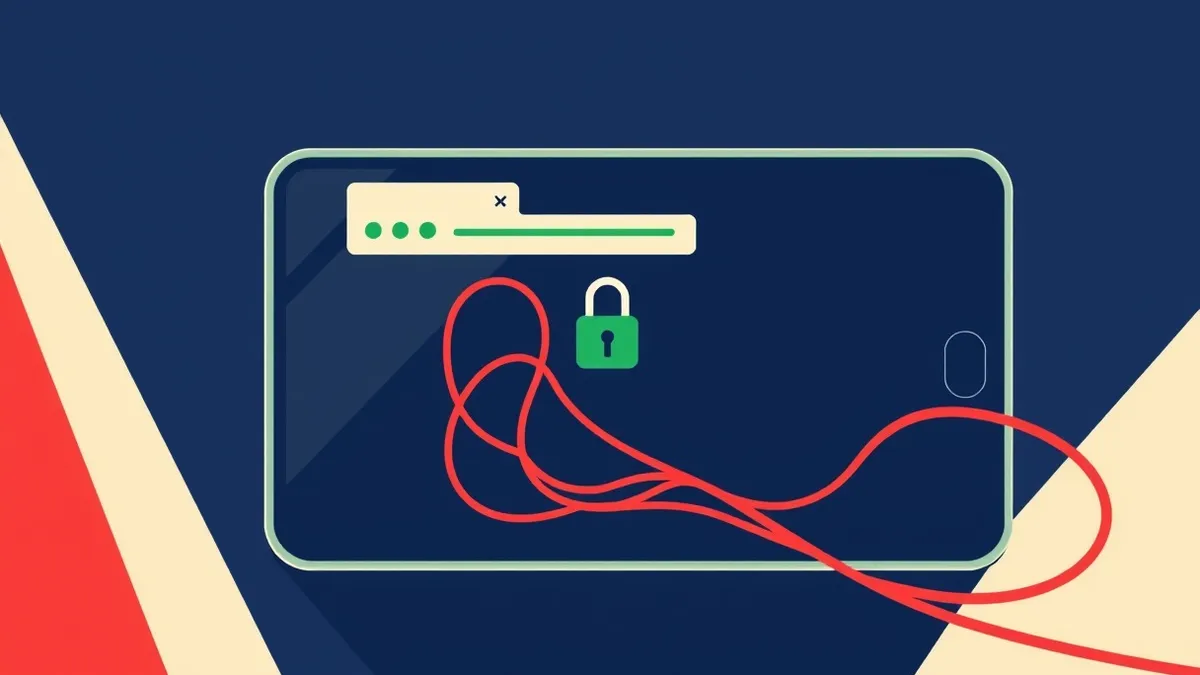
Your browser may show a valid security lock while delivering you to a fraudulent site, masking the compromise until credentials are stolen.
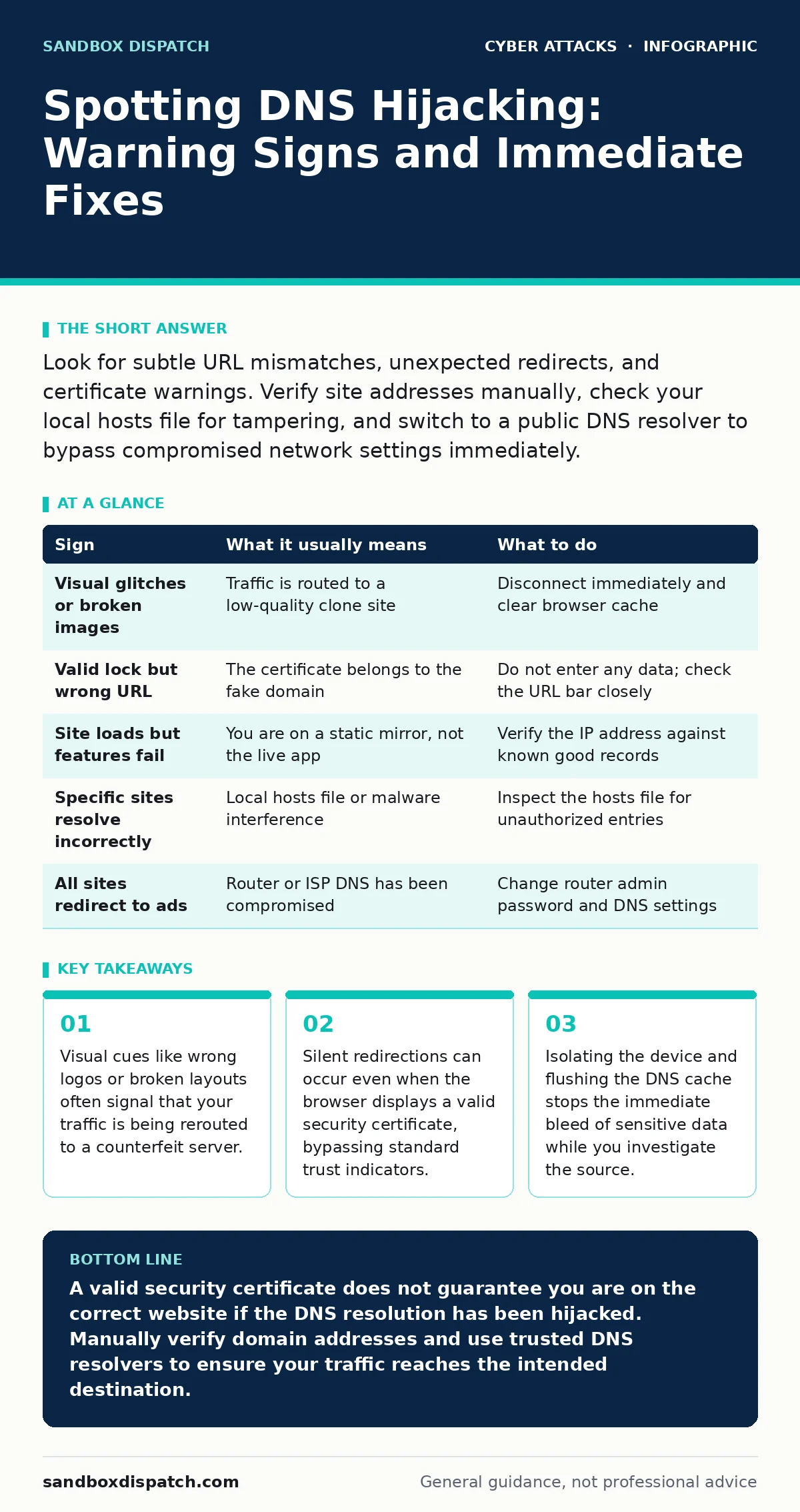
Look for subtle URL mismatches, unexpected redirects, and certificate warnings. Verify site addresses manually, check your local hosts file for tampering, and switch to a public DNS resolver to bypass compromised network settings immediately.
The Illusion of Safety
You type a familiar address into your browser and expect to land on the correct service. Instead, you arrive at a page that looks nearly identical but hosts different content. This is DNS hijacking, where the resolution of domain names is altered to point to malicious servers. The danger lies in the seamlessness of the attack. You may see a green padlock or a valid certificate, which tricks you into trusting the connection. The certificate might be valid for the fake domain, not the one you intended to visit. This disconnect between visual trust signals and actual destination is the core mechanism of the attack.
Obvious Indicators of Compromise
Some signs are difficult to ignore, though they are often dismissed as minor glitches. You might notice that images fail to load or appear distorted on a page that usually renders perfectly. The layout may shift, or fonts might change unexpectedly. These visual artifacts occur because the counterfeit server lacks the exact assets of the legitimate site. Another obvious sign is a sudden change in the URL structure. You might see extra characters appended to the address or a slight misspelling in the domain name. While modern browsers often correct these errors, a persistent mismatch is a red flag.
The Hidden Redirects
More sophisticated attacks leave no visual trace. You enter the correct URL, and the page loads instantly with the correct branding. However, the underlying IP address has changed. This is harder to detect because the attacker has cloned the site perfectly. You might only notice when a specific feature fails to work. For example, a two-factor authentication prompt might not appear, or a secure form might reject valid inputs. These functional failures indicate that the page you are viewing is a static copy, not the live application. The data you enter is sent to the attacker, not the service provider.
Local System Tampering
The hijacking might not occur on the network but on your machine. Attackers often modify the hosts file to override DNS resolution for specific domains. This file maps domain names to IP addresses locally, bypassing the DNS system entirely. If you can access a site that should be down, or if a known site resolves to an unknown address, your hosts file may be compromised. Malware often uses this method to maintain persistence. It ensures that even if you switch networks, the malicious resolution remains in place. Checking this file is a critical step in diagnosing the issue.
Diagnostic Steps and Remediation
When you suspect DNS hijacking, immediate action is required to prevent data loss. First, disconnect the affected device from the network. This stops any further transmission of credentials or sensitive information. Next, verify the issue by accessing the site from a different device or network. If the site loads correctly elsewhere, the problem is local to your original device or network. If it fails everywhere, the domain itself may be compromised. Use the table below to match your observations with the likely cause and necessary action.
| Sign | What it usually means | What to do |
|---|---|---|
| Visual glitches or broken images | Traffic is routed to a low-quality clone site | Disconnect immediately and clear browser cache |
| Valid lock but wrong URL | The certificate belongs to the fake domain | Do not enter any data; check the URL bar closely |
| Site loads but features fail | You are on a static mirror, not the live app | Verify the IP address against known good records |
| Specific sites resolve incorrectly | Local hosts file or malware interference | Inspect the hosts file for unauthorized entries |
| All sites redirect to ads | Router or ISP DNS has been compromised | Change router admin password and DNS settings |
Bypassing Compromised DNS
One effective mitigation is to change your DNS resolver. Your internet service provider or local network may use a compromised DNS server. By configuring your device to use a public, trusted DNS resolver, you bypass the malicious infrastructure. This forces your device to query a different system for domain resolutions. If the site resolves correctly with the new resolver, the issue was with your original DNS source. This step does not remove malware from your device, but it restores correct navigation. It also helps isolate whether the problem is network-wide or device-specific.
Long-Term Prevention Strategies
Preventing DNS hijacking requires a combination of network hardening and user vigilance. Enable DNS Security Extensions, which add cryptographic signatures to DNS data. This prevents attackers from injecting false responses into the DNS cache. Regularly update your router firmware to patch vulnerabilities that allow unauthorized configuration changes.
Use strong, unique passwords for your router administration interface. Additionally, consider using encrypted DNS protocols to prevent eavesdropping on your DNS queries. These measures add layers of defense that make hijacking significantly more difficult. For related threats, see our guide on email spoofing, which often accompanies DNS attacks to trick users further.
Verifying Identity
DNS hijacking is often part of a larger social engineering campaign. Attackers may use the hijacked site to harvest credentials, then use those credentials to bypass login alerts. They might also send phishing emails that direct you to the hijacked domain, making the URL appear legitimate. This combination increases the likelihood of success. Always verify the destination before entering sensitive information. If you receive a link via email, do not click it. Instead, type the address manually or use a bookmark. For more on verifying contact attempts, see our guide on callback verification.
Key takeaways
- Visual cues like wrong logos or broken layouts often signal that your traffic is being rerouted to a counterfeit server.
- Silent redirections can occur even when the browser displays a valid security certificate, bypassing standard trust indicators.
- Isolating the device and flushing the DNS cache stops the immediate bleed of sensitive data while you investigate the source.
A valid security certificate does not guarantee you are on the correct website if the DNS resolution has been hijacked. Manually verify domain addresses and use trusted DNS resolvers to ensure your traffic reaches the intended destination.
Frequently asked questions
Can a VPN prevent DNS hijacking?
A VPN can help by routing your traffic through a secure tunnel, often using the provider's own DNS servers. However, if the VPN itself is compromised or misconfigured, it may not protect you. Always ensure your VPN client forces all DNS traffic through the tunnel.
How do I check my hosts file?
On most operating systems, the hosts file is located in the system directory. Open it with a text editor that has administrative privileges. Look for any lines that map known domains to unfamiliar IP addresses. Remove any unauthorized entries and save the file.
Is DNS hijacking the same as DNS tunneling?
No. DNS hijacking redirects your traffic to a different server than intended. DNS tunneling uses the DNS protocol to exfiltrate data or establish a command channel. Both are malicious, but they operate differently and require different detection methods.
Why does my browser show a secure connection on a fake site?
The attacker may have obtained a valid SSL certificate for the fake domain. The browser verifies that the certificate matches the domain you are visiting, not the domain you intended to visit. Always check the actual domain name in the address bar, not just the lock icon.
How this guide was produced: written by the Sandbox Dispatch editorial team with AI assistance, checked against the public references listed below, and reviewed when the facts change. See our editorial policy or report an error.