Broken Access Control Risks and Protection for Small Businesses
Small teams often inherit default permissions that allow any user to access any data, creating a silent breach path that requires zero technical skill to exploit.

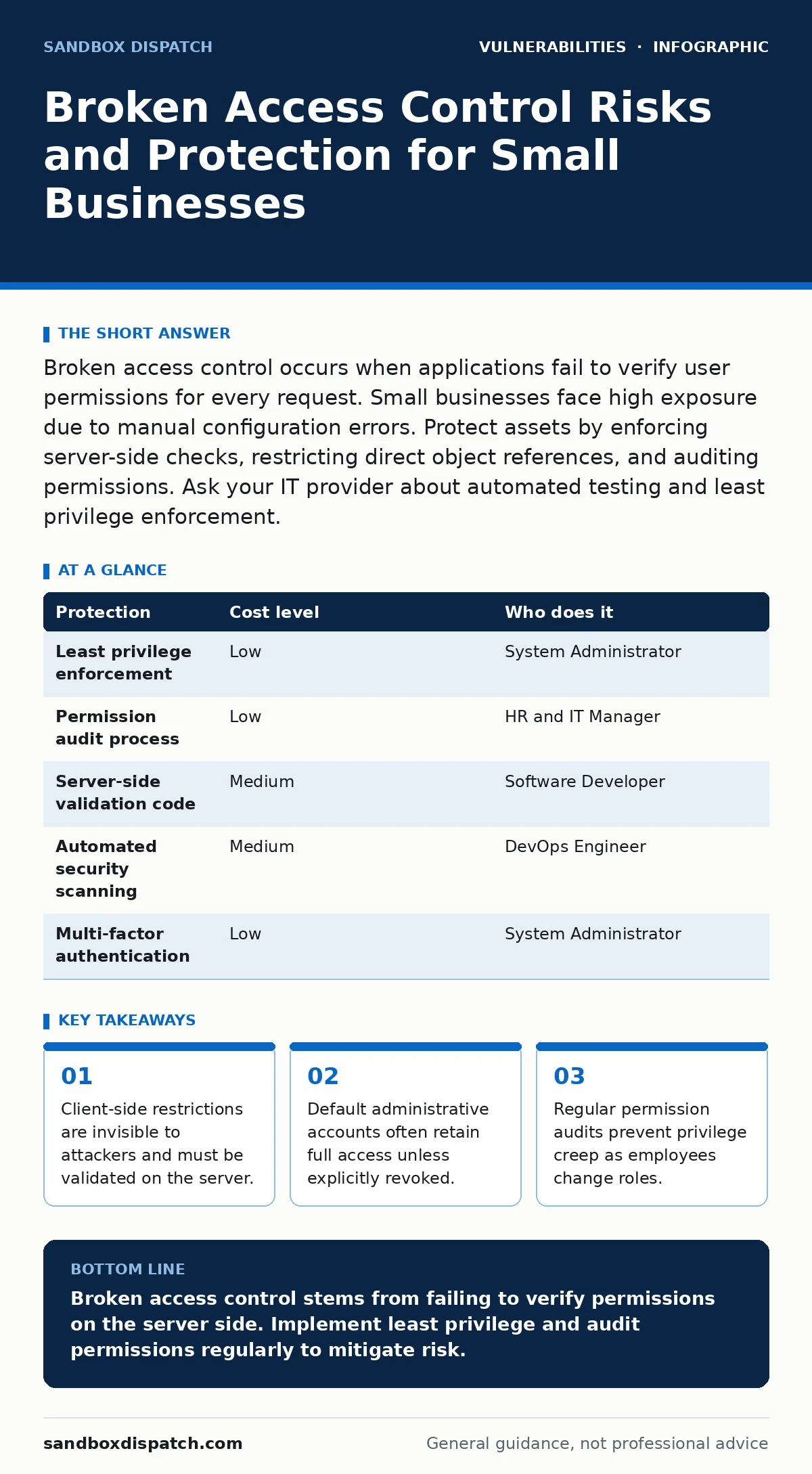
Broken access control occurs when applications fail to verify user permissions for every request. Small businesses face high exposure due to manual configuration errors. Protect assets by enforcing server-side checks, restricting direct object references, and auditing permissions. Ask your IT provider about automated testing and least privilege enforcement.
Why Small Organisations Face Higher Exposure
Small teams often rely on rapid development cycles that prioritize feature delivery over security verification. This speed creates gaps in access control logic. Developers may assume that hiding navigation links prevents unauthorized access, but this assumption fails against any determined user. The application backend must enforce permissions independently of the user interface.
Resource constraints mean small organizations frequently reuse code snippets from public repositories. These snippets may contain default permissions that grant broad access. Without rigorous review, these defaults persist in production environments. The result is a system where any authenticated user can potentially access any other user's data or administrative functions.
Another factor is the lack of dedicated security personnel. Small IT teams often manage multiple roles, leading to oversight in permission management. When an employee changes departments, their access rights are rarely updated promptly. This privilege accumulation creates unnecessary attack surfaces. The longer these excess permissions remain, the higher the risk of internal data leakage or external exploitation.
The Mechanics of Direct Object Reference
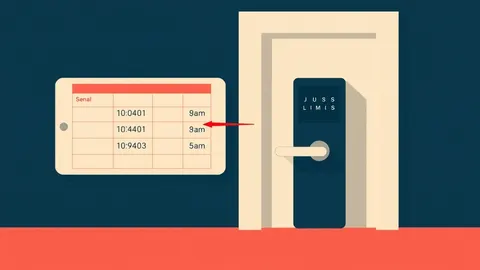
Direct object reference flaws occur when an application exposes internal implementation objects, such as files or database keys, to the user. The application fails to verify that the user has permission to access the specific object requested. An attacker simply modifies the parameter value in the URL or API request.
For instance, a profile page might use a user ID parameter to fetch data. If the server does not check if the requesting user owns that ID, an attacker can iterate through numeric IDs to view other profiles. This technique requires no specialized tools. It relies entirely on the application's failure to validate ownership or authorization for each request.
This vulnerability is particularly dangerous because it often goes unnoticed during standard testing. Functional tests verify that the correct user sees their own data, but they rarely test whether they can see others' data. Automated scanners may miss logical flaws that require understanding the business context. Manual review of the authorization logic is necessary to identify these gaps.
Server-Side Validation Is Non-Negotiable
You must never trust input from the client side. JavaScript checks, CSS hiding, and HTML form constraints are purely cosmetic from a security perspective. An attacker can bypass these controls by sending raw HTTP requests directly to the server. The server must independently verify that the user has permission to perform every action.
Implement role-based access control at the application framework level. This ensures that permission checks are centralized and consistent. Every endpoint should verify the user's role and the specific resource they are trying to access. If the check fails, the server must return a clear error message without revealing why the access was denied.
Consider the implications of session management. If a session token is compromised, the attacker inherits the user's permissions. Strong authentication reduces the likelihood of token theft, but it does not fix broken access control. Even with a valid token, the server must enforce strict boundaries. Refer to best practices on session fixation to ensure tokens are issued and rotated securely.
Low-Cost Protections for Limited Budgets
Small businesses can implement effective controls without expensive security suites. The most impactful measure is enforcing the principle of least privilege. Users should only have access to the data and functions necessary for their current role. This limits the damage if an account is compromised.
Regularly audit user permissions. Create a process for reviewing access rights when employees change roles or leave the organization. This administrative task costs nothing but time. It prevents privilege creep, where users accumulate permissions over time. Automated tools can help track these changes, but manual reviews remain necessary for complex roles.
Disable default accounts and change default passwords immediately after installation. Many vulnerabilities arise from overlooked default configurations. Ensure that administrative interfaces are not accessible from public networks. Restrict access to internal networks or require multi-factor authentication for administrative actions. This adds a layer of protection without significant financial investment.
| Protection | Cost level | Who does it |
|---|---|---|
| Least privilege enforcement | Low | System Administrator |
| Permission audit process | Low | HR and IT Manager |
| Server-side validation code | Medium | Software Developer |
| Automated security scanning | Medium | DevOps Engineer |
| Multi-factor authentication | Low | System Administrator |
What to Ask Your IT Provider
Your IT provider plays a critical role in maintaining access control integrity. You need to verify that they understand the specific risks associated with your application architecture. Ask clear, direct questions to gauge their competence and proactive approach.
- How do you verify that server-side permissions are enforced for every API endpoint?
- What process do you have for detecting and remediating direct object reference flaws?
- Do you perform regular audits of user permissions and role assignments?
- How do you handle permission updates when employees change roles or leave?
- Can you demonstrate how you test for broken access control during deployment?
These questions reveal whether your provider relies on superficial checks or implements deep security validation. If they cannot explain the mechanism of server-side validation, consider seeking a more qualified partner. Security is not just about installing tools; it is about configuring them correctly and maintaining them over time.
See also: Employee Offboarding Security Checklist: Prevent Data Leaks · Detect Tailgating Attempts via Access Logs and Behavioral Signals
Integrating Security into Development
Security must be integrated into the development lifecycle from the start. Waiting until the end of a project to fix access control flaws is inefficient and risky. Incorporate threat modeling during the design phase to identify potential access control weaknesses. This proactive approach reduces the cost of remediation.
Use static application security testing tools to scan code for common vulnerabilities. These tools can identify patterns associated with broken access control, such as missing authorization checks. Combine this with dynamic testing, which simulates real-world attacks against the running application. This dual approach catches both code-level and runtime issues.
Ensure that your development team understands the business logic of the application. Security tests that ignore business context often miss logical flaws. Developers should write unit tests that verify permission checks for every function. This practice builds a habit of security-conscious coding. Refer to guidelines on unpatched software to ensure your development dependencies are also secure.
Monitoring and Incident Response
Even with strong controls, breaches can occur. Monitoring access logs helps detect anomalous behavior. Look for patterns such as a user accessing resources outside their normal scope or frequent failed access attempts. These indicators may signal a compromise or a misconfiguration.
Establish an incident response plan that includes steps for revoking access immediately. If a breach is suspected, disable the affected accounts and rotate credentials. Investigate the extent of the data exposure. Communicate with affected parties as required by law. A clear plan reduces panic and ensures a swift, coordinated response.
Regularly review and update your security policies. Threats evolve, and so should your defenses. Stay informed about new attack vectors and best practices. Continuous improvement is key to maintaining a strong security posture. Do not rely on a one-time fix. Security is an ongoing process that requires vigilance and adaptation.
Key takeaways
- Client-side restrictions are invisible to attackers and must be validated on the server.
- Default administrative accounts often retain full access unless explicitly revoked.
- Regular permission audits prevent privilege creep as employees change roles.
Broken access control stems from failing to verify permissions on the server side. Implement least privilege and audit permissions regularly to mitigate risk.
Frequently asked questions
How do I know if my application has broken access control?
Test if you can access other users' data by modifying URL parameters or API requests. If you can view data you do not own, you have a vulnerability.
Is multi-factor authentication enough to stop access control attacks?
No. MFA verifies identity but does not enforce permissions. An authenticated user with broken access control can still access unauthorized data.
What is the difference between authentication and authorization?
Authentication verifies who you are. Authorization determines what you are allowed to do. Broken access control is an authorization failure.
Should I hire a security consultant for small applications?
Yes. A consultant can perform a thorough review of your access control logic and identify flaws that automated tools might miss.
How this guide was produced: written by the Sandbox Dispatch editorial team with AI assistance, checked against the public references listed below, and reviewed when the facts change. See our editorial policy or report an error.