Detect Unpatched Software: Logs, Signals and Blind Spots
Unpatched software reveals itself through silent version mismatches and anomalous system calls long before an exploit chain triggers a breach.

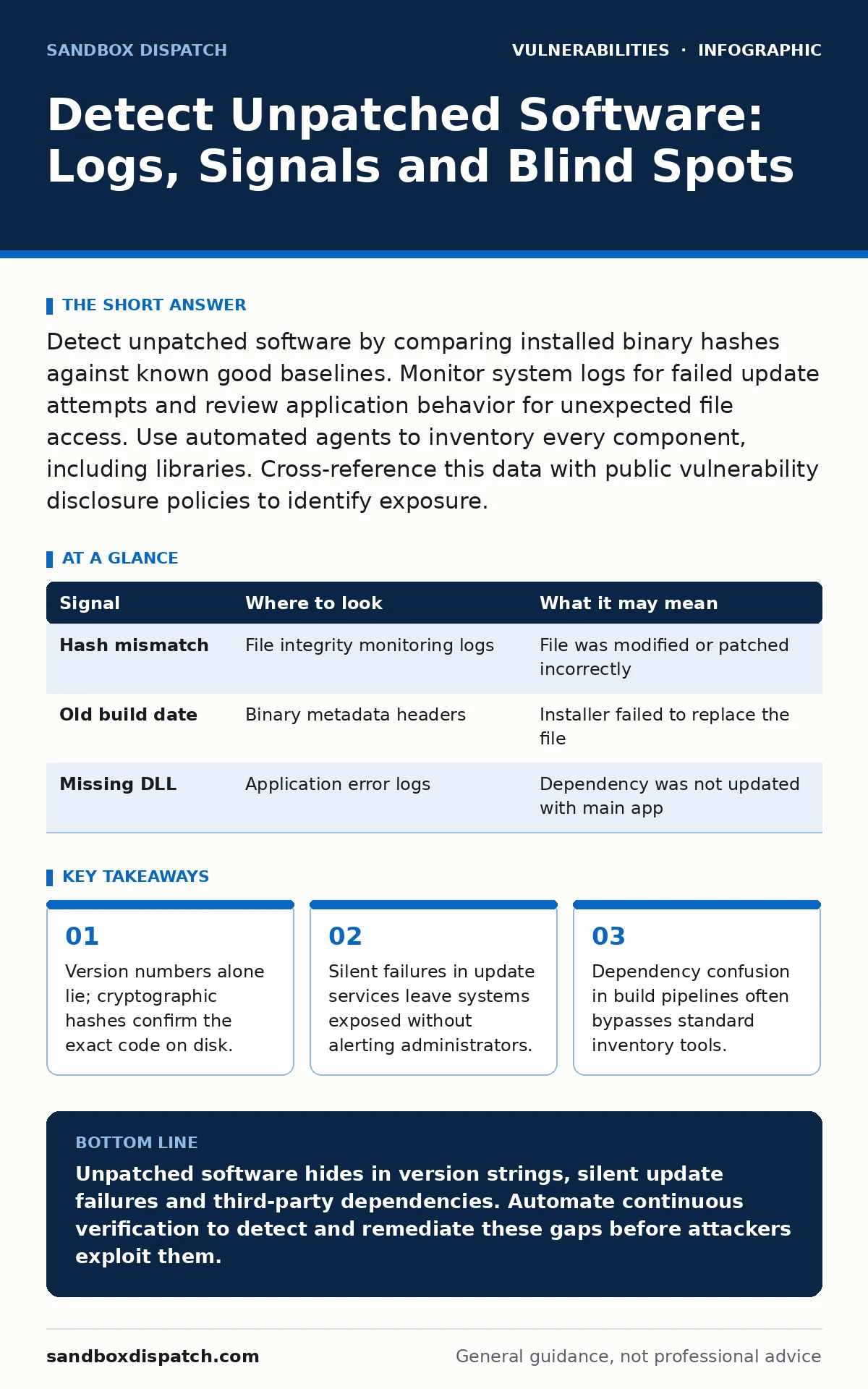
Detect unpatched software by comparing installed binary hashes against known good baselines. Monitor system logs for failed update attempts and review application behavior for unexpected file access. Use automated agents to inventory every component, including libraries. Cross-reference this data with public vulnerability disclosure policies to identify exposure.
Verify Binary Integrity Over Version Strings
Version strings are easily spoofed by attackers or corrupted during installation. A binary may report itself as a patched version while containing vulnerable code. You must verify the cryptographic hash of every executable and library file. Compare these hashes against a known good baseline from your deployment pipeline. This method detects tampering and incomplete updates that version checks miss.
Use automated agents to scan directories and record file hashes. Store these records in a centralized database. When a new patch is released, update the baseline immediately. Run a scan to find any system still holding the old hash. This approach works even if the application hides its version number or reports incorrect metadata.
| Signal | Where to look | What it may mean |
|---|---|---|
| Hash mismatch | File integrity monitoring logs | File was modified or patched incorrectly |
| Old build date | Binary metadata headers | Installer failed to replace the file |
| Missing DLL | Application error logs | Dependency was not updated with main app |
Decode Update Service Failures
Update services often fail silently to avoid disrupting user workflows. These failures leave the system running vulnerable code. Check system logs for entries from the background update daemon. Look for status codes indicating network timeouts or permission errors. A lack of success logs over a long period is a strong indicator of drift.
Configure alerts for repeated failure codes. Do not rely on daily summary reports. Real-time alerts allow you to investigate network blocks or credential issues immediately. If the update service cannot reach the repository, the software remains unpatched. This is a common cause of exposure in segmented networks.
Inspect Application Behavior for Anomalies
Unpatched software may exhibit subtle behavioral changes before a full exploit occurs. These changes stem from the application trying to handle data that newer versions would reject. Monitor system calls for unusual patterns in file access or network connections. Look for the application spawning child processes it did not create before.
Behavioral analysis tools can flag these deviations. Train the baseline on known good behavior. Any significant deviation warrants investigation. This method catches zero-day exploits that target unpatched vulnerabilities. It also identifies misconfigurations that mimic exploit activity. Combine this with log analysis for a complete picture.
Audit Third-Party Dependencies
Most applications rely on numerous third-party libraries. These dependencies often lag behind the main application in receiving updates. An unpatched library can expose the entire system. Scan your build artifacts for known vulnerable components. Use software composition analysis tools to map every dependency.
Check for transitive dependencies. These are libraries used by other libraries. They are frequently overlooked in manual audits. Ensure your build pipeline blocks versions with known defects. This prevents vulnerable code from entering your production environment. Regular audits ensure that new vulnerabilities in dependencies are caught quickly.
Identify Configuration Drift
Software behavior changes when configuration files are altered. Unpatched systems often accumulate configuration drift over time. This drift can disable security features or open unnecessary ports. Compare current configurations against a hardened baseline. Look for deviations that increase the attack surface.
Automated compliance tools can detect these changes. They compare current settings against a desired state. Any mismatch triggers an alert. This process ensures that configuration hardening remains effective. It also helps you understand how the system has evolved since the last patch.
Map the Attack Surface
Understanding the attack surface helps you prioritize patching efforts. Not all unpatched software poses the same risk. Map each component to its exposure level. Internet-facing services require immediate attention. Internal tools with limited access can wait. This prioritization prevents alert fatigue.
Use network scanning tools to identify exposed services. Correlate this data with your inventory. Identify components that are both unpatched and exposed. Focus your remediation efforts here. This approach maximizes the security benefit of your patch management process.
Recognize Common Blind Spots
Several areas consistently hide unpatched software. Development environments often lack the same controls as production. Virtual machines may be cloned with outdated software. Containers can run images with known vulnerabilities. These assets are frequently excluded from standard inventory scans.
Include all environments in your monitoring strategy. Treat development and testing systems with the same rigor. Verify that cloned images receive updates. Scan container registries before deployment. This comprehensive approach closes the gaps where unpatched software hides.
Integrate with Vulnerability Data
Raw inventory data is useless without context. You need to know which unpatched components are vulnerable. Integrate your inventory with public vulnerability databases. Filter results by severity and exploitability. Focus on components with active exploit chains.
This integration turns a long list of unpatched items into a prioritized action plan. It helps you allocate resources effectively. Regular updates to this data ensure you react to new threats quickly. This process is the core of effective patch management.
Automate Continuous Verification
Manual checks are insufficient for modern environments. Systems change constantly. New software is deployed daily. Old software is retired. Continuous verification ensures you always know your state. Automate the scanning, hashing and comparison processes.
Run these checks on a schedule. Trigger them on every deployment. Integrate them into your CI/CD pipeline. This ensures that no unpatched software slips through. Continuous verification provides real-time visibility into your security posture. It reduces the window of exposure significantly.
Key takeaways
- Version numbers alone lie; cryptographic hashes confirm the exact code on disk.
- Silent failures in update services leave systems exposed without alerting administrators.
- Dependency confusion in build pipelines often bypasses standard inventory tools.
Unpatched software hides in version strings, silent update failures and third-party dependencies. Automate continuous verification to detect and remediate these gaps before attackers exploit them.
Frequently asked questions
How do I detect unpatched software without installing agents?
Use network scanning tools to identify services and their reported versions. Cross-reference these versions with known vulnerability databases. This method is less accurate than agent-based scanning but provides visibility where agents are not permitted.
What is the difference between a patch and an update?
A patch fixes a specific vulnerability or bug. An update includes new features, performance improvements and security patches. Both require installation, but patches are often prioritized for security reasons.
Can unpatched software be detected through network traffic?
Yes. Some unpatched versions send unique headers or respond to specific probes differently. Network detection systems can identify these signatures. However, encrypted traffic may hide these signals.
How often should I scan for unpatched software?
Scan continuously or at least daily. New vulnerabilities are discovered frequently. Rapid detection reduces the risk window. Automated tools allow for frequent scanning without manual effort.
How this guide was produced: written by the Sandbox Dispatch editorial team with AI assistance, checked against the public references listed below, and reviewed when the facts change. See our editorial policy or report an error.