Patch Management: Why Updates Fail and How to Fix It
Most patch failures stem from overlooked dependencies, not missing software updates, creating hidden gaps that attackers exploit.
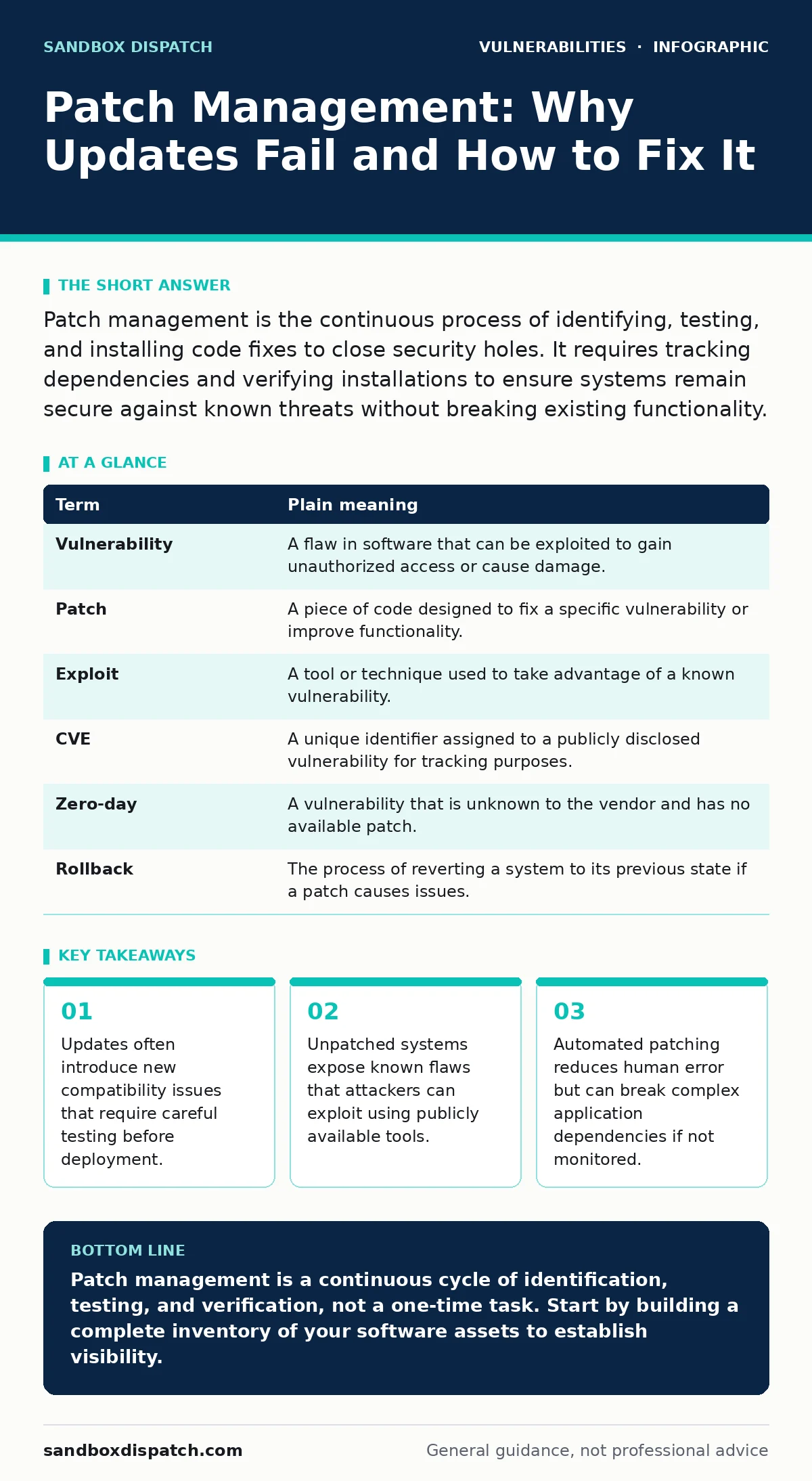
Patch management is the continuous process of identifying, testing, and installing code fixes to close security holes. It requires tracking dependencies and verifying installations to ensure systems remain secure against known threats without breaking existing functionality.
The House Repair Analogy
Imagine your software infrastructure is a large house. Every time a builder finds a weak spot in the foundation or a loose window latch, they issue a repair kit. This kit is the patch. If you ignore these kits, the house remains vulnerable to storms and intruders. However, simply slapping every repair kit onto the house without checking if it fits can cause doors to jam or walls to crack. Patch management is the disciplined process of deciding which repairs to apply, when to apply them, and verifying that the house remains standing afterward. It is not merely about installing updates; it is about maintaining structural integrity while closing security gaps.
Defining the Core Terms
To manage patches effectively, you must distinguish between the vulnerability, the fix, and the process. A vulnerability is a flaw in the code that allows an attacker to bypass security controls. A patch is the specific code change that resolves that flaw. Patch management is the lifecycle of handling these changes, from discovery to deployment. Without clear definitions, teams often confuse the urgency of a fix with the complexity of its implementation. This confusion leads to rushed deployments that introduce new errors.
| Term | Plain meaning |
|---|---|
| Vulnerability | A flaw in software that can be exploited to gain unauthorized access or cause damage. |
| Patch | A piece of code designed to fix a specific vulnerability or improve functionality. |
| Exploit | A tool or technique used to take advantage of a known vulnerability. |
| CVE | A unique identifier assigned to a publicly disclosed vulnerability for tracking purposes. |
| Zero-day | A vulnerability that is unknown to the vendor and has no available patch. |
| Rollback | The process of reverting a system to its previous state if a patch causes issues. |
The Hidden Cost of Dependencies
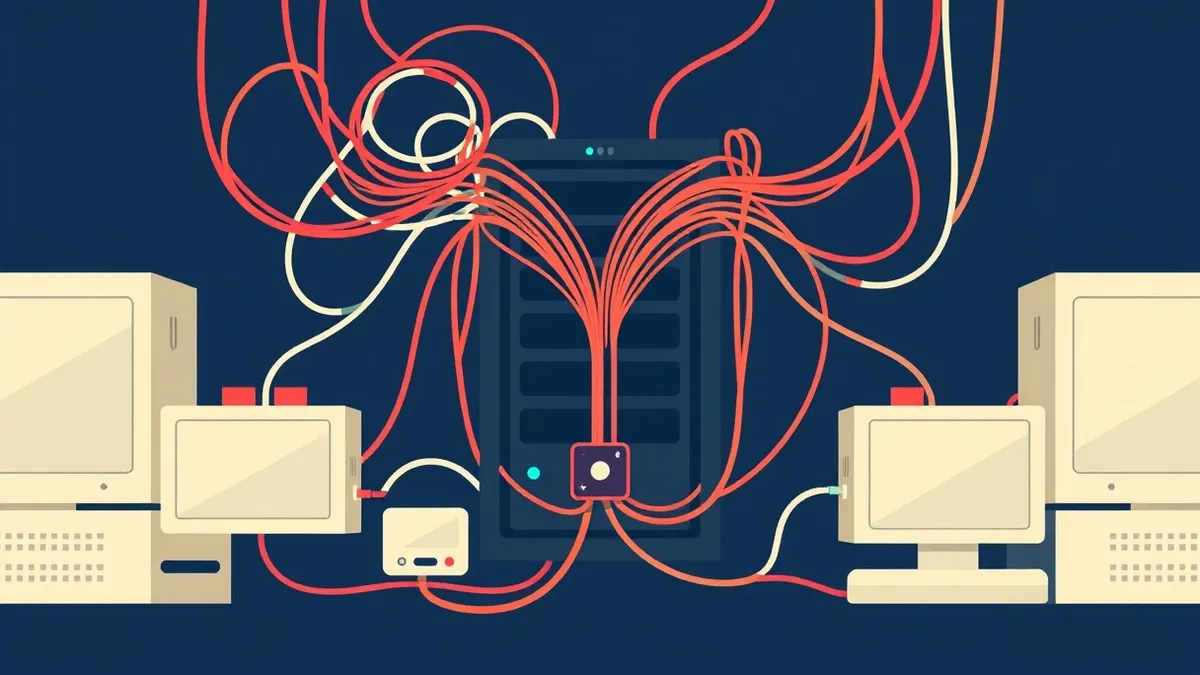
A common mistake is treating each piece of software as an isolated unit. In reality, applications rely on a complex web of libraries and frameworks. Suppose you update a web server to fix a critical flaw. That server depends on a specific version of a cryptographic library. The new server version requires a newer library version.
If you update the server but not the library, the server may fail to start. This is a dependency conflict. It creates a scenario where the system is neither secure nor functional. You must map these relationships before deploying changes. Understanding attack vectors in CVSS helps you prioritize which dependencies pose the greatest risk to your overall architecture.
Testing Before Deployment
Never install a patch directly into a production environment without testing. Production is the live system that your users interact with. If a patch breaks functionality here, the impact is immediate and severe. Create a staging environment that mirrors your production setup. Install the patch in this isolated space first. Run automated tests to check for errors.
Verify that critical features still work as expected. This step catches compatibility issues before they affect real users. It also allows you to document any specific configurations that need adjustment. This practice aligns with configuration hardening principles, ensuring that your baseline security remains intact during updates.
Prioritizing Based on Risk
Not all patches are equal. Some fix minor annoyances, while others close doors that attackers are already kicking. You must prioritize based on the severity of the vulnerability and the exposure of the asset. A patch for a public-facing web server is more urgent than a patch for an internal tool used by one person. Use the Common Vulnerability Scoring System to gauge severity. Look at the attack vectors in CVSS to understand how difficult it is for an attacker to exploit the flaw. Network-accessible flaws require faster action than those requiring local access. Balancing speed with stability is the core challenge of patch management.
Automating with Caution
Automation can handle the volume of patches, but it cannot handle the nuance. Automated tools can download and install updates across hundreds of machines in minutes. This is efficient for operating system updates that rarely break things. However, application-specific patches often require manual verification. If you automate everything, you risk deploying a broken patch to your entire fleet. Set up automation for low-risk, high-volume updates. Keep high-risk, complex updates manual or semi-automated. This hybrid approach reduces workload while maintaining control. It also helps prevent security misconfigurations that can arise from blind automation scripts.
Verifying the Fix
Installing the patch is not the end of the process. You must verify that the patch actually applied and that the vulnerability is closed. Some installations fail silently. The software appears updated, but the old code remains active. Use scanning tools to check for the presence of the vulnerability after patching. Compare the current state against a known good baseline.
If the scan still shows the vulnerability, the patch failed or was not applied correctly. This verification step is critical. It ensures that your defense is real, not just theoretical. Without verification, you may assume you are secure when you are still exposed to exploit chains that target known weaknesses.
The Role of Disclosure
Vendors do not always release patches simultaneously. Some coordinate with researchers to ensure a smooth release. This process is governed by vulnerability disclosure policies. These policies dictate how and when information about a flaw is shared with the public. Understanding these policies helps you anticipate when patches will be available. It also highlights the window of exposure where a vulnerability is known but no fix exists. During this window, you may need to implement temporary mitigations. These mitigations are not substitutes for patches but buy you time. They might involve blocking specific traffic or disabling vulnerable features.
Handling Zero-Day Threats
Zero-day vulnerabilities are the hardest to manage because no patch exists. Attackers exploit these flaws before the vendor is even aware of them. You cannot patch what you do not know about. Your defense against zero-days relies on depth. Use network segmentation to limit the spread of an attack. Employ intrusion detection systems to spot unusual behavior. Restrict privileges so that even if an attacker gains access, they cannot move laterally. This strategy reduces the impact of privilege escalation vulnerabilities that often accompany zero-day exploits. While you cannot prevent the initial breach, you can limit the damage.
A First Practical Step
Start by inventorying what you have. You cannot manage what you do not know exists. List all operating systems, applications, and libraries in use. Identify who is responsible for updating each one. Create a simple tracker for pending patches. This baseline gives you visibility into your exposure. It also reveals where your processes are weakest. From this foundation, you can build a more sophisticated management strategy.
- [ ] Create a complete inventory of all software assets in your environment.
- [ ] Identify the owner responsible for patching each asset.
- [ ] Establish a regular schedule for reviewing and applying critical updates.
Key takeaways
- Updates often introduce new compatibility issues that require careful testing before deployment.
- Unpatched systems expose known flaws that attackers can exploit using publicly available tools.
- Automated patching reduces human error but can break complex application dependencies if not monitored.
Patch management is a continuous cycle of identification, testing, and verification, not a one-time task. Start by building a complete inventory of your software assets to establish visibility.
Frequently asked questions
How often should I patch my systems?
Critical security patches should be applied as soon as they are available and tested. Non-critical updates can follow a regular monthly schedule.
Can I automate all patching?
Automation is safe for operating system updates but risky for complex applications. Always test application patches in a staging environment first.
What if a patch breaks my application?
Have a rollback plan ready. Revert to the previous version immediately and investigate the cause before retrying the patch.
Do I need to patch internal-only systems?
Yes. Internal systems can be compromised and used as a pivot point to attack external assets or sensitive data.
How this guide was produced: written by the Sandbox Dispatch editorial team with AI assistance, checked against the public references listed below, and reviewed when the facts change. See our editorial policy or report an error.