Script Blocking Mistakes That Leave Your Environment Exposed
Most script blocking failures stem from allowing scripts in the wrong execution context, not from missing signatures or weak perimeter defenses.

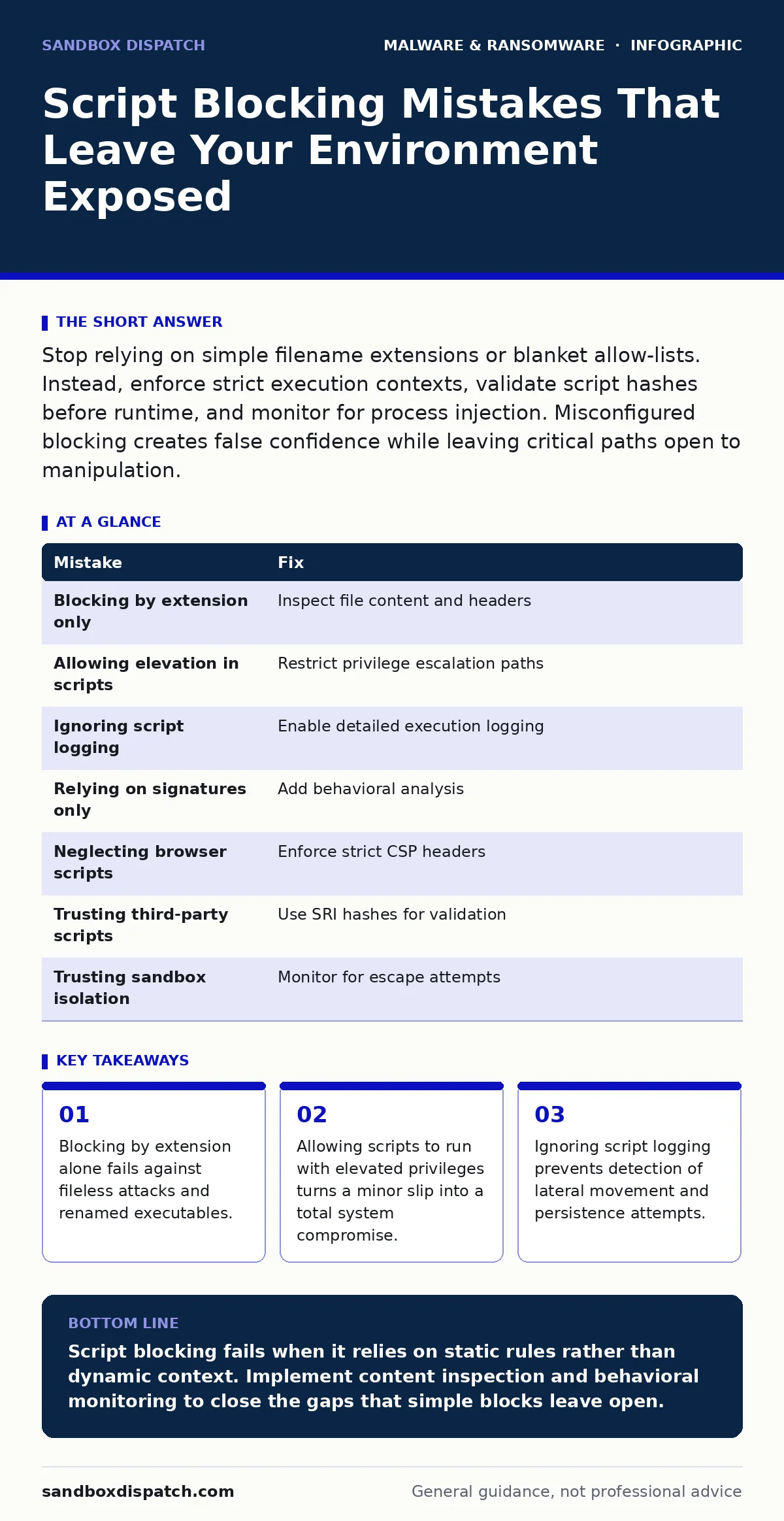
Stop relying on simple filename extensions or blanket allow-lists. Instead, enforce strict execution contexts, validate script hashes before runtime, and monitor for process injection. Misconfigured blocking creates false confidence while leaving critical paths open to manipulation.
Mistake 1: Blocking Only by File Extension
Developers often configure web application firewalls or endpoint policies to block files ending in .ps1, .vbs, or .js. This approach assumes that an attacker will always use the standard extension for a scripting language. It ignores the fact that scripts are just text files until an interpreter reads them.
Why it hurts:
An attacker can rename a PowerShell script to update.log or data.txt. If the policy only checks the extension, the file bypasses the block. When a user or automated process opens this file with the correct interpreter, the malicious code executes. This is a common vector for initial access in supply chain attacks.
The fix:
Inspect the content of the file, not just its name. Use magic number detection or header analysis to identify the script type. Configure your security tools to scan uploaded or downloaded files for known script headers. This adds a layer of friction for attackers who rely on simple renaming to evade detection.
Mistake 2: Allowing Scripts in Elevated Privilege Contexts
Many systems allow standard users to run scripts but restrict administrative accounts. This creates a dangerous asymmetry. Attackers often start with low-privilege access and use scripts to escalate their rights. If the environment allows any script to trigger an elevation prompt, the defense is weak.
Why it hurts:
A script running as a standard user can call system APIs that request higher privileges. If the user approves the prompt, the script gains full control. This is how simple macros or downloaders become rootkits. The initial script may seem harmless, but its ability to elevate privileges makes it a critical threat.
The fix:
Enforce the principle of least privilege for script execution. Disable the ability of standard scripts to trigger UAC prompts or sudo requests. Use group policies or configuration management tools to restrict which processes can spawn elevated children. This limits the blast radius of a compromised script.
Mistake 3: Ignoring Script Logging and Auditing
Blocking is a reactive measure. Logging is proactive. Many teams configure blocks but fail to log every script execution attempt, successful or not. Without logs, you cannot detect when a block is bypassed or when a legitimate script behaves abnormally.
Why it hurts:
If a script executes without logging, you have no record of its actions. This blinds you to lateral movement. An attacker can use a legitimate scripting engine to move files, create users, or exfiltrate data. Without logs, these actions look like normal system noise. You cannot investigate an incident if you do not know it happened.
The fix:
Enable detailed logging for all script engines. Record the script path, the calling process, the user context, and the timestamp. Send these logs to a centralized system for analysis. This data is vital for memory forensics when investigating complex incidents where disk artifacts are deleted.
Mistake 4: Over-Reliance on Signature-Based Detection
Signature-based detection matches known malicious patterns. It is effective against known threats but fails against new or modified scripts. Attackers frequently obfuscate their code to change its signature. They use variable renaming, string encryption, or code injection to evade detection.
Why it hurts:
A new variant of a ransomware script may have a unique signature. If your system only blocks known signatures, this variant executes freely. This is common in targeted attacks where the malware is custom-built for a specific victim. You are protected only against yesterday’s threats.
The fix:
Combine signature detection with behavioral analysis. Look for actions that are suspicious, regardless of the code content. For example, a script that modifies system files, disables security services, or connects to unknown IPs is suspicious. Use extended detection and response (XDR) platforms to correlate these behaviors across endpoints.
Mistake 5: Failing to Restrict Scripting in Browsers
Browsers are powerful execution environments. They run JavaScript, WebAssembly, and other scripts. Many organizations focus on server-side scripting but neglect client-side restrictions. This leaves a large attack surface open in the browser.
Why it hurts:
A malicious website can execute scripts that steal credentials, hijack the clipboard, or exploit browser vulnerabilities. Clipboard hijackers are a prime example. They monitor the clipboard for cryptocurrency addresses or sensitive data and replace it with an attacker-controlled value. This happens entirely within the browser’s sandbox.
The fix:
Enforce strict Content Security Policy (CSP) headers on your web applications. CSP tells the browser which sources are allowed to execute scripts. Disable inline scripts and eval() functions where possible. This reduces the risk of cross-site scripting attacks and limits the impact of compromised third-party libraries.
Mistake 6: Not Validating Third-Party Script Sources
Applications often load scripts from third-party content delivery networks (CDNs). This improves performance but introduces supply chain risks. If a CDN is compromised, every application using that script is compromised.
Why it hurts:
You trust the third-party provider to keep their scripts safe. If they are breached, attackers can inject malicious code into the script. Your application then executes this code on every user’s device. This is a form of DLL sideloading in the web context. You have no control over the content once it leaves your environment.
The fix:
Use Subresource Integrity (SRI) hashes for all external scripts. SRI allows you to specify a cryptographic hash of the expected script content. The browser verifies the hash before executing the script. If the content has changed, the browser blocks execution. This ensures that only the exact script you tested is loaded.
Mistake 7: Assuming Sandboxing Provides Complete Isolation
Sandboxing runs scripts in a restricted environment. It limits the damage a malicious script can do. However, sandboxes are not perfect. Attackers can escape sandboxes using vulnerabilities or misconfigurations.
Why it hurts:
If an attacker escapes the sandbox, they gain access to the host system. They can then install malware persistence mechanisms to maintain access. The sandbox gives you a false sense of security. You may assume the threat is contained when it is actually spreading.
The fix:
Treat sandbox escapes as a possibility. Monitor for processes that spawn outside the sandbox. Use browser isolation techniques to keep the execution environment completely separate from the user’s device. This ensures that even if the sandbox is breached, the host remains safe.
| Mistake | Fix |
|---|---|
| Blocking by extension only | Inspect file content and headers |
| Allowing elevation in scripts | Restrict privilege escalation paths |
| Ignoring script logging | Enable detailed execution logging |
| Relying on signatures only | Add behavioral analysis |
| Neglecting browser scripts | Enforce strict CSP headers |
| Trusting third-party scripts | Use SRI hashes for validation |
| Trusting sandbox isolation | Monitor for escape attempts |
Key takeaways
- Blocking by extension alone fails against fileless attacks and renamed executables.
- Allowing scripts to run with elevated privileges turns a minor slip into a total system compromise.
- Ignoring script logging prevents detection of lateral movement and persistence attempts.
Script blocking fails when it relies on static rules rather than dynamic context. Implement content inspection and behavioral monitoring to close the gaps that simple blocks leave open.
Frequently asked questions
Does disabling JavaScript in the browser stop all script attacks?
No. Attackers use other vectors like images with embedded payloads or HTML5 features that do not require traditional JavaScript. Disabling JavaScript also breaks many modern web applications.
How do I detect if a script has been obfuscated?
Look for high entropy in the script content, unusual variable names, and complex string manipulation. Behavioral analysis is more effective than static inspection for obfuscated code.
Can I block scripts without breaking legitimate applications?
Yes, by using allow-lists for known good scripts and blocking everything else. This requires careful testing to ensure no legitimate functionality is disrupted.
What is the role of memory forensics in script attacks?
Memory forensics helps detect fileless malware that runs only in RAM. It can reveal scripts that have been deleted from disk but are still executing in memory.
How this guide was produced: written by the Sandbox Dispatch editorial team with AI assistance, checked against the public references listed below, and reviewed when the facts change. See our editorial policy or report an error.