Mobile Malware Defined: Hidden Costs and Defense Strategies
Mobile malware often hides inside legitimate apps, using system permissions you granted to bypass standard security controls and steal data silently.

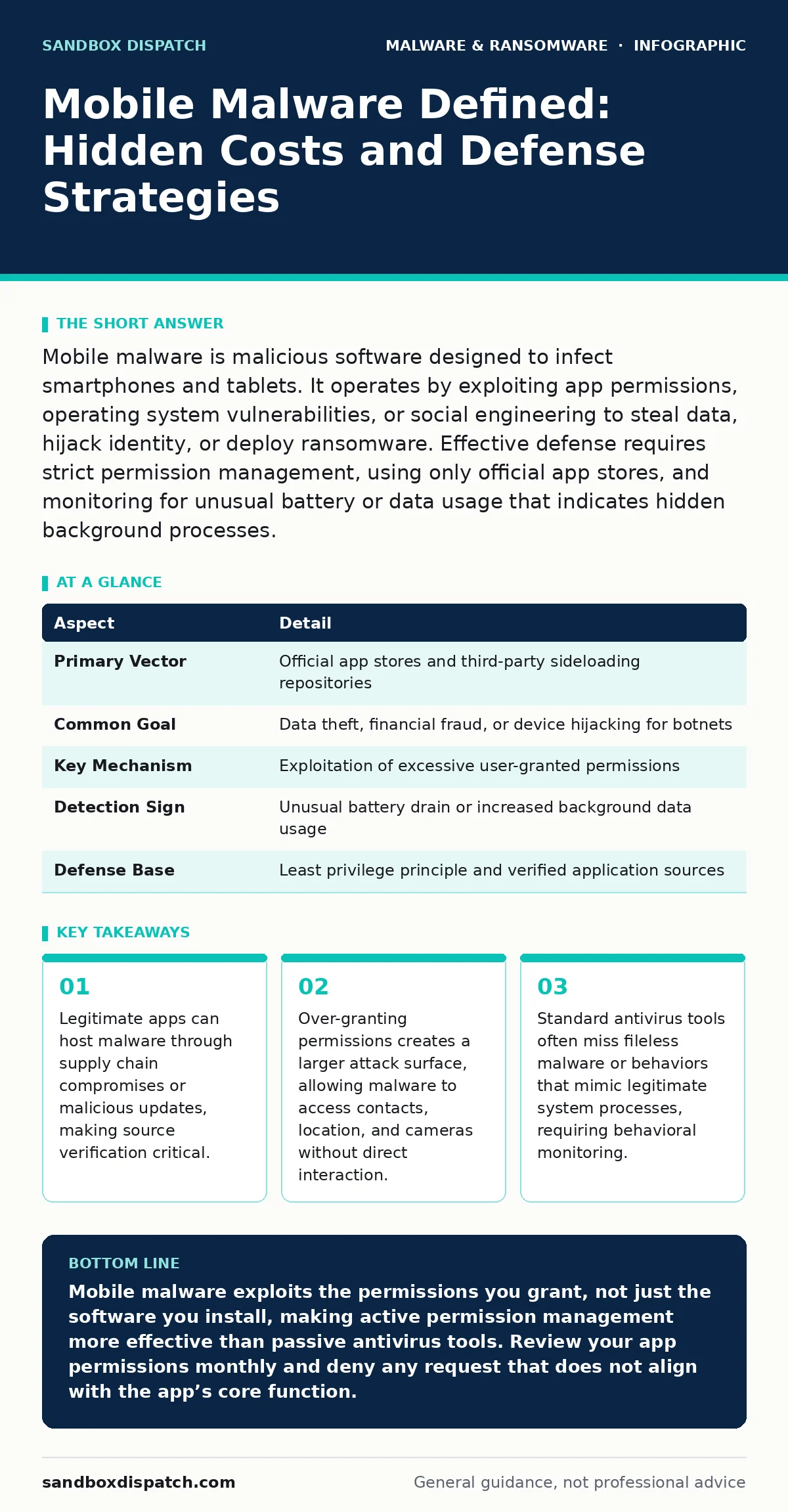
Mobile malware is malicious software designed to infect smartphones and tablets. It operates by exploiting app permissions, operating system vulnerabilities, or social engineering to steal data, hijack identity, or deploy ransomware. Effective defense requires strict permission management, using only official app stores, and monitoring for unusual battery or data usage that indicates hidden background processes.
The Digital Parasite Analogy
Imagine a houseguest who arrives with a welcome gift. The gift is a useful app that organizes your photos. You invite it in, granting it access to your gallery. Once inside, the guest does not just organize photos. It copies your keys, notes down your PIN, and invites other strangers into your home. You remain unaware because the guest never leaves the room you showed it. This is how mobile malware operates. It relies on the trust you place in the software you install.
The definition of mobile malware is software that infects mobile devices to perform unauthorized actions. Unlike desktop threats that often rely on executable files, mobile malware frequently disguises itself as benign utilities. It seeks to exploit the unique architecture of mobile operating systems. These systems are built on strict permission models, which malware attempts to subvert.
| Aspect | Detail |
|---|---|
| Primary Vector | Official app stores and third-party sideloading repositories |
| Common Goal | Data theft, financial fraud, or device hijacking for botnets |
| Key Mechanism | Exploitation of excessive user-granted permissions |
| Detection Sign | Unusual battery drain or increased background data usage |
| Defense Base | Least privilege principle and verified application sources |
How Infection Occurs
Infection rarely happens through direct hacking of the device hardware. Instead, it begins with a decision you make. You download an application from a store you trust. The app requests permissions. You click "Allow" because the app needs those permissions to function, or because you do not understand what they mean. This consent is the entry point.
Malware developers use two primary methods to infiltrate your device. The first is direct infection. They create malicious apps that look like popular games or tools. They upload these to third-party stores or even slip past official store filters. The second method is supply chain compromise. They infect a legitimate app you already use. The next time you update the app, the new version contains the malware. This is why checking for fake software updates is a critical habit. The malware arrives signed by a trusted developer, bypassing your skepticism.
Once installed, the malware establishes persistence. This is the ability to survive a reboot or an app uninstall. It may install a second, hidden service that restarts the main malware if you delete it. It may modify system settings to prevent you from disabling it. Understanding malware persistence mechanisms helps you realize that simply deleting an app is not always enough. The root cause must be identified and removed.
Who Bears the Risk
You are not the only target. Mobile malware affects anyone who carries a connected device. However, the impact varies based on usage patterns. Business users face higher risks because their devices often contain corporate data, email accounts, and access to internal networks. A compromised phone can serve as a bridgehead for attackers to enter a corporate environment. This is why remote access tool abuse is a growing concern. Attackers may use legitimate remote management apps to control a device, effectively turning it into a spy camera or keylogger.
Developers and technical users are often targeted with specific threats. These threats exploit knowledge gaps in mobile security architecture. Attackers know that technical users might disable security features for testing or debugging. They craft malware that disables security alerts or hides its processes from standard task managers.
Even casual users are at risk. Banking apps, messaging platforms, and social media accounts are universal targets. The malware does not care if you are an expert. It cares if you have data worth stealing. The assumption that only high-profile targets are at risk leads to complacency. That complacency is what malware relies on.
Common Forms and Behavior
Mobile malware takes several distinct forms. Spyware is the most common. It records keystrokes, captures screenshots, and listens to audio. It sends this data to a remote server controlled by the attacker. Clipboard hijackers are a specific type of spyware that monitors your clipboard. If you copy a cryptocurrency wallet address, the hijacker swaps it with the attacker’s address before you paste it. You send your funds to the wrong person, and the transaction is irreversible.
Ransomware locks your device or encrypts your files. It demands payment to restore access. This is less common on mobile than on desktop systems because mobile devices are often cloud-backed. However, it is increasing in sophistication. Some ransomware targets specific files, such as photos or documents, rather than the entire system.
Banking trojans overlay fake login screens on top of your real banking app. You enter your credentials into the fake screen, thinking you are authenticating. The malware captures your details and forwards them to the attacker. This is a form of social engineering executed by code. It exploits the visual similarity between the real and fake interfaces.
What People Get Wrong
There is a widespread belief that mobile operating systems are inherently secure because they sandbox applications. Sandboxing restricts an app’s access to other apps and system resources. This is true. However, it is not absolute. If you grant an app broad permissions, you are lifting the sandbox walls for that app. The malware is not breaking out of the sandbox; you invited it out.
Another misconception is that antivirus software provides complete protection. Traditional antivirus relies on signatures, which are known patterns of malware. New or modified malware often lacks these signatures. Behavioral analysis is more effective, but it is not perfect. It may flag legitimate apps as suspicious, or miss malware that behaves like a normal app. This is why script blocking is relevant. Many mobile attacks use JavaScript or other scripts to execute malicious code. Blocking unnecessary scripts can prevent these attacks.
Finally, many users ignore battery and data usage reports. These reports are the most reliable early warning system. If an app you rarely use is consuming significant battery or data, it is likely communicating with a remote server. This is a strong indicator of malicious activity. Ignoring these signs allows the malware to operate undetected for longer periods.
Reducing Your Exposure
Defense requires a shift from passive trust to active verification. Start with permission management. Review the permissions each app requests. Does a flashlight app need access to your contacts? It should not. Deny permissions that are not strictly necessary for the app’s core function. This practice, known as least privilege, limits what malware can do even if it infects an app.
Use only official app stores. Third-party stores often have weaker security controls. They may host modified versions of popular apps that contain malware. If you must sideload an app, verify its source and signature. This is similar to the principle behind DLL sideloading on desktop systems, where attackers place malicious libraries in paths the system trusts. On mobile, you are trusting the store to vet the app.
Keep your operating system and apps updated. Updates often patch security vulnerabilities that malware exploits. Delaying updates leaves you exposed to known threats. Enable automatic updates where possible. This ensures you do not miss critical security patches.
Monitor your device for unusual behavior. Check battery usage, data consumption, and installed apps regularly. Look for apps you do not recognize or do not remember installing. If you find suspicious activity, disconnect from the network immediately. This prevents the malware from sending your data or receiving further commands. Then, remove the app and change your passwords. For severe infections, a factory reset may be necessary. This is the mobile equivalent of removing malware from a Windows PC, but it is more drastic because it wipes all data.
The Cost of Convenience
The trade-off in mobile security is convenience. Strict security measures can slow you down. They require you to think before you click. They demand that you read permission requests. This friction is the price of safety. Ignoring it leads to exposure.
Malware is not just a technical problem. It is a behavioral one. It exploits human habits. It counts on your rush to download, your lack of attention to details, and your trust in brands. By understanding the mechanics of mobile malware, you can break these habits. You can verify before you install. You can question before you grant. You can monitor before you react.
The landscape of mobile threats is evolving. Attackers are finding new ways to bypass controls. They are using more sophisticated techniques to hide their activities. Your defenses must evolve with them. Stay informed. Practice good hygiene. Verify your sources. These steps are not optional. They are the foundation of mobile security.
Key takeaways
- Legitimate apps can host malware through supply chain compromises or malicious updates, making source verification critical.
- Over-granting permissions creates a larger attack surface, allowing malware to access contacts, location, and cameras without direct interaction.
- Standard antivirus tools often miss fileless malware or behaviors that mimic legitimate system processes, requiring behavioral monitoring.
Mobile malware exploits the permissions you grant, not just the software you install, making active permission management more effective than passive antivirus tools. Review your app permissions monthly and deny any request that does not align with the app’s core function.
Frequently asked questions
Can mobile malware infect my device just by receiving an SMS?
Generally no, unless you click a link in the SMS that leads to a malicious site or download. Modern operating systems sandbox apps, preventing passive infection from text messages alone.
Is my device safe if I only use the official app store?
It is significantly safer, but not immune. Official stores can be compromised, and legitimate apps can be updated with malicious code. Vigilance and permission management remain necessary.
How do I know if I have mobile malware?
Look for sudden battery drain, increased data usage, unexpected pop-ups, or apps appearing that you did not install. These are common indicators of background malicious activity.
Should I use a mobile antivirus app?
It can provide an extra layer of defense, particularly for scanning downloaded files. However, it is not a substitute for careful permission management and keeping your system updated.
How this guide was produced: written by the Sandbox Dispatch editorial team with AI assistance, checked against the public references listed below, and reviewed when the facts change. See our editorial policy or report an error.