Remote Desktop Abuse: Definition, Vectors, and Mitigation
Attackers often bypass perimeter defenses by abusing legitimate remote desktop protocols to move laterally and exfiltrate data without triggering standard intrusion alerts.

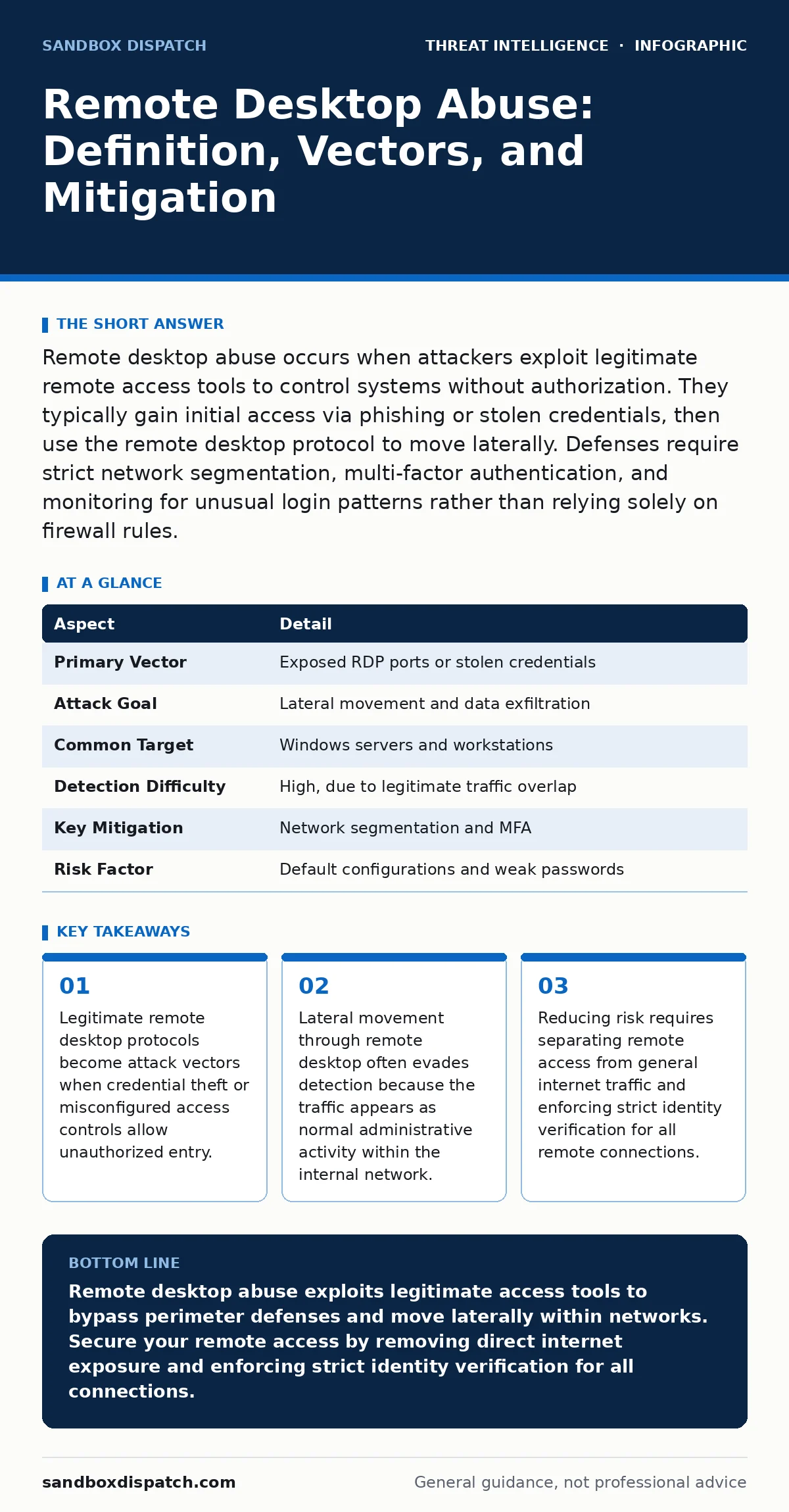
Remote desktop abuse occurs when attackers exploit legitimate remote access tools to control systems without authorization. They typically gain initial access via phishing or stolen credentials, then use the remote desktop protocol to move laterally. Defenses require strict network segmentation, multi-factor authentication, and monitoring for unusual login patterns rather than relying solely on firewall rules.
The Mechanics of Remote Desktop Abuse
Remote desktop abuse describes the unauthorized use of remote desktop protocol (RDP) services to control a computer system. RDP allows a user to view and interact with the desktop environment of a remote machine as if sitting in front of it. Attackers abuse this utility by gaining valid access credentials or exploiting unpatched vulnerabilities in the RDP service. Once inside, they execute commands, install malware, and access files on the target machine. The abuse relies on the trust relationship established by the remote desktop feature.
The core mechanism involves an attacker connecting to an exposed RDP port. This port is often left open to the internet by mistake or through misconfigured cloud infrastructure. When the port is accessible, automated bots scan for open services. If the attacker possesses valid credentials, they log in directly. If they lack credentials, they may exploit a known vulnerability in the RDP software to gain initial access. The result is a fully interactive session that grants the attacker the same rights as the logged-in user.
| Aspect | Detail |
|---|---|
| Primary Vector | Exposed RDP ports or stolen credentials |
| Attack Goal | Lateral movement and data exfiltration |
| Common Target | Windows servers and workstations |
| Detection Difficulty | High, due to legitimate traffic overlap |
| Key Mitigation | Network segmentation and MFA |
| Risk Factor | Default configurations and weak passwords |
How Attackers Gain Initial Access
Attackers rarely start with remote desktop access. They first acquire credentials through phishing campaigns, credential stuffing, or malware that captures keystrokes. These credentials are often weak or reused across multiple systems. Once an attacker has a username and password, they attempt to log in via RDP. Many organizations allow RDP connections from any source IP address, making it easy for attackers to connect from anywhere in the world. The attacker may also use brute-force attacks against exposed RDP ports, trying thousands of password combinations rapidly.
Another method involves exploiting vulnerabilities in the RDP service itself. Software bugs can allow an attacker to execute code on the remote machine without needing a password. These vulnerabilities are often patched by vendors, but organizations may delay applying updates. An unpatched system remains vulnerable to known exploits. Attackers scan the internet for systems with these specific vulnerabilities. When they find one, they deploy exploit code that grants them remote code execution. This bypasses the authentication layer entirely.
Common Forms of Remote Desktop Abuse
Remote desktop abuse takes several distinct forms depending on the attacker's objective. One common form is lateral movement. After compromising a single workstation, the attacker uses RDP to connect to other machines on the internal network. This allows them to reach high-value targets like file servers or domain controllers. The attacker moves from host to host, escalating their privileges at each step. This movement is often undetected because the traffic stays within the internal network.
Another form is persistence. Attackers create new user accounts or modify existing ones to maintain long-term access. They may disable security logging or install backdoors that allow them to reconnect even if their initial access method is blocked. They also use RDP to exfiltrate data. Instead of downloading files over the internet, they copy sensitive documents to their own remote session or transfer them to a cloud storage service. This method avoids large outbound data transfers that might trigger alerts.
Who Is Most at Risk
Organizations with poor network segmentation are highly vulnerable. If all systems are on the same flat network, an attacker who compromises one machine can reach any other machine via RDP. Small businesses often lack the resources to implement strict network controls, making them prime targets. They may also rely on default configurations that leave RDP ports open to the internet. These organizations frequently lack dedicated security staff to monitor for suspicious activity.
Remote workforces introduce additional risk. Employees connecting from home networks may use weaker security practices. They might share devices with family members or use weak passwords. Organizations that allow direct RDP connections from the internet expose their internal systems to constant scanning and attack attempts. Cloud environments can also be misconfigured, leaving RDP ports accessible to the public internet. Any organization with exposed RDP endpoints faces significant risk from automated botnets.
What People Usually Get Wrong
Many organizations believe that firewalls alone protect against remote desktop abuse. They configure firewalls to block incoming connections to the RDP port from the internet. While this helps, it does not stop attackers who have already compromised an internal system. Once inside, the attacker can connect to any other system via RDP without passing through the perimeter firewall. This internal lateral movement is often invisible to perimeter security tools.
Another common mistake is relying solely on antivirus software. Antivirus tools may detect known malware but often miss legitimate system tools being used maliciously. RDP is a legitimate system tool. When an attacker uses it for lateral movement, no malware is involved. The activity looks like normal administrative behavior. Security teams must focus on behavioral analytics and identity verification rather than just signature-based detection. Understanding the difference between legitimate and abusive use is critical for effective defense.
See also: Digital Forensics Misconceptions That Derail Incident Response
Reducing the Risk of Abuse
The most effective defense is to remove RDP from the public internet entirely. Use a virtual private network (VPN) or a zero-trust network access (ZTNA) solution to provide secure remote access. These solutions require authentication before allowing any connection to internal resources. This ensures that only verified users can access the remote desktop service. Even if an attacker has valid credentials, they cannot connect directly to the RDP port from the internet.
Implement multi-factor authentication (MFA) for all remote access attempts. MFA requires a second form of verification, such as a code from a mobile app or a hardware token. This protects against stolen passwords. If an attacker obtains a username and password through phishing, they still cannot log in without the second factor. Combine MFA with strict password policies that enforce complexity and regular rotation. These measures significantly reduce the risk of credential-based abuse.
Integrating with Broader Security Strategies
Remote desktop abuse is often part of a larger attack chain. Attackers may use it to facilitate privilege escalation attacks or to perform LSASS credential theft. Understanding these connections helps in designing comprehensive defenses. A threat intelligence program can provide insights into emerging tactics and techniques used by attackers. This intelligence helps security teams adjust their monitoring and detection rules to catch new forms of abuse.
Endpoint telemetry plays a key role in detecting remote desktop abuse. By collecting data on process creation, network connections, and user activity, organizations can identify suspicious behavior. For example, an unusual number of RDP connections from a single machine may indicate lateral movement. Breach and attack simulation tools can test defenses against these scenarios. They help validate that controls are working as intended. Cyber threat intelligence can also reveal trends in remote desktop abuse, allowing organizations to stay ahead of attackers.
Key takeaways
- Legitimate remote desktop protocols become attack vectors when credential theft or misconfigured access controls allow unauthorized entry.
- Lateral movement through remote desktop often evades detection because the traffic appears as normal administrative activity within the internal network.
- Reducing risk requires separating remote access from general internet traffic and enforcing strict identity verification for all remote connections.
Remote desktop abuse exploits legitimate access tools to bypass perimeter defenses and move laterally within networks. Secure your remote access by removing direct internet exposure and enforcing strict identity verification for all connections.
Frequently asked questions
How do I know if my system is being abused via RDP?
Look for unusual login times, connections from unexpected locations, or a high number of failed login attempts followed by successful ones.
Can MFA prevent all remote desktop abuse?
MFA prevents abuse from stolen passwords but does not stop attacks that exploit software vulnerabilities or use legitimate credentials obtained through other means.
Is it safe to disable RDP completely?
Disabling RDP removes the risk of abuse but may hinder administrative tasks. If disabled, ensure alternative secure remote access methods are in place.
How does network segmentation help against RDP abuse?
Network segmentation limits lateral movement by restricting which systems can communicate with each other, containing the impact of a compromised machine.
How this guide was produced: written by the Sandbox Dispatch editorial team with AI assistance, checked against the public references listed below, and reviewed when the facts change. See our editorial policy or report an error.