Behavior Based Detection: How Runtime Analysis Stops Unknown Threats
Behavior based detection identifies malicious intent by watching what code does, not what it looks like, allowing systems to catch new threats that signature scans miss entirely.

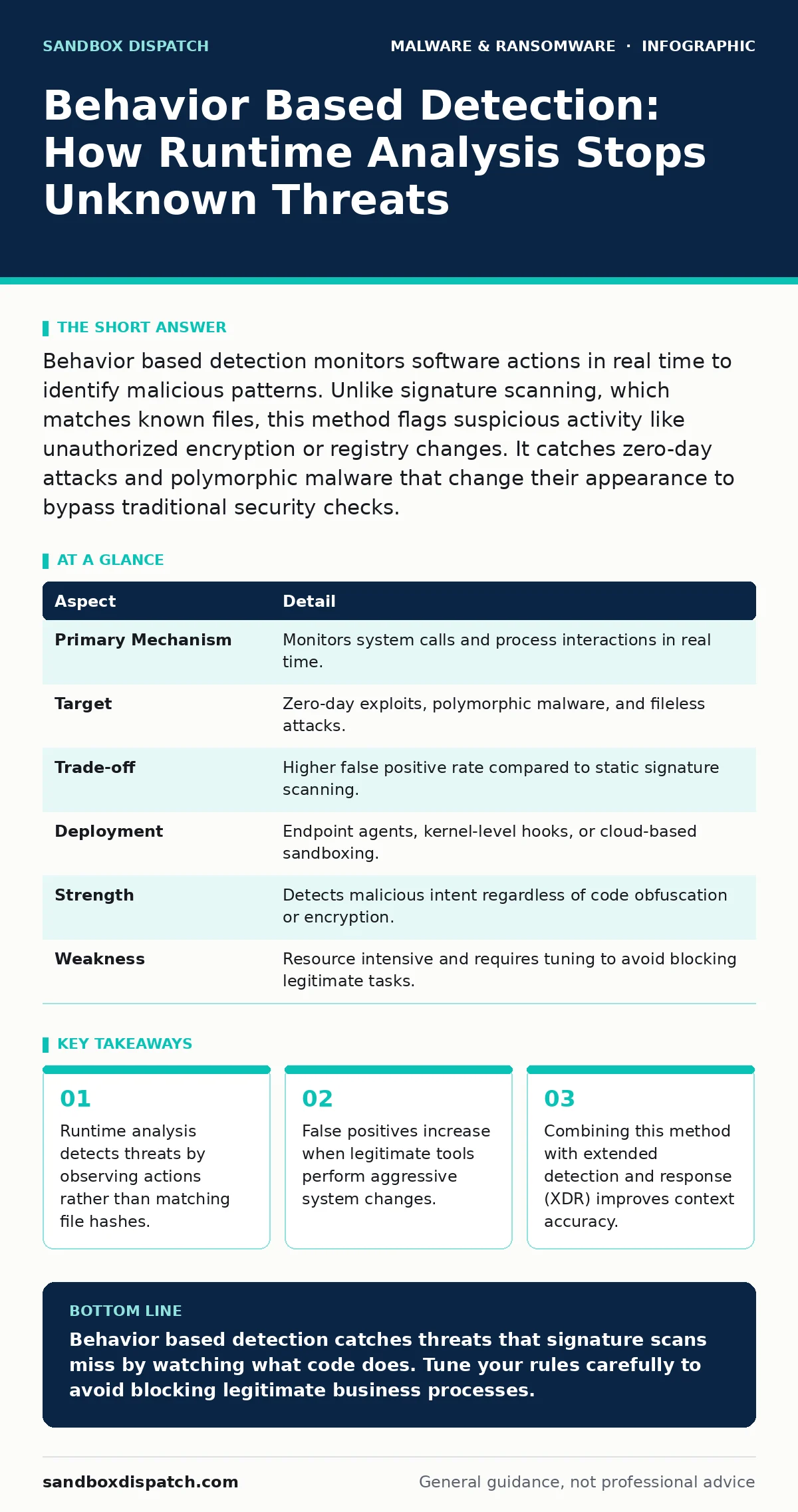
Behavior based detection monitors software actions in real time to identify malicious patterns. Unlike signature scanning, which matches known files, this method flags suspicious activity like unauthorized encryption or registry changes. It catches zero-day attacks and polymorphic malware that change their appearance to bypass traditional security checks.
What is behavior based detection?
Behavior based detection is a security method that analyzes how software acts during execution. It does not rely on a database of known bad files. Instead, it watches for sequences of actions that indicate malicious intent. This approach treats all code as untrusted until it proves otherwise through benign behavior.
Traditional antivirus relies on signatures. A signature is a unique identifier for a known piece of malware. If the file matches, the system blocks it. If the file is new or modified, the signature fails. Behavior based detection solves this by looking at the outcome of the code, not the code itself. It asks what the program is doing, not who signed it.
| Aspect | Detail |
|---|---|
| Primary Mechanism | Monitors system calls and process interactions in real time. |
| Target | Zero-day exploits, polymorphic malware, and fileless attacks. |
| Trade-off | Higher false positive rate compared to static signature scanning. |
| Deployment | Endpoint agents, kernel-level hooks, or cloud-based sandboxing. |
| Strength | Detects malicious intent regardless of code obfuscation or encryption. |
| Weakness | Resource intensive and requires tuning to avoid blocking legitimate tasks. |
How runtime analysis works
The system instruments the operating environment to capture system calls. A system call is a request made by a program to the kernel for a service. When an application runs, the detector records these requests. It looks for patterns that deviate from expected behavior.
Imagine a word processor. It should read and write document files. It should not inject code into other processes. If the word processor attempts to modify the registry or spawn a command shell, the detector flags this anomaly. The pattern of actions matters more than the identity of the file. This allows the system to block threats that have never been seen before.
Who this affects and why
This technology affects organizations that face advanced persistent threats. These attackers use custom tools that do not appear in public databases. They also use techniques like DLL sideloading, where a legitimate application loads a malicious library. Signature scans often miss this because the legitimate application is trusted.
Developers and IT administrators feel the impact most. They must tune the detection rules to reduce noise. If the system is too sensitive, it blocks legitimate software updates. If it is too loose, it misses subtle attacks. The balance requires constant adjustment. This shifts the security burden from passive scanning to active monitoring.
Common misconceptions about detection
Many assume that behavior based detection replaces signature scanning. It does not. Signature scanning is fast and accurate for known threats. Behavior analysis is slower and prone to errors. The two methods work best together. Signature scanning catches the majority of common malware. Behavior analysis catches the rest.
Another mistake is believing that sandboxing is the same as real-time detection. Sandboxing runs code in an isolated environment to observe its behavior. Real-time detection monitors code as it runs on the actual system. Sandboxing can miss threats that detect the virtual environment and hide their behavior. Real-time detection sees the actual impact on the host.
The cost of false positives
False positives occur when the system blocks legitimate activity. This happens because many legitimate tools perform aggressive actions. System administrators use scripts to deploy software. These scripts may modify registry keys or create new processes. The detector sees these actions as suspicious.
The hidden cost is alert fatigue. Security teams receive hundreds of alerts daily. Most are false positives. Investigating each one wastes time. This leads to alert blindness, where teams ignore warnings because most are harmless. To mitigate this, organizations use extended detection and response (XDR) platforms. These platforms correlate data from multiple sources to provide context. They help distinguish between a malicious process and a legitimate administrative task.
See also: Crypto-Stealing Malware Mistakes That Expose Your Wallets · Tamper Protection Misunderstandings: 6 Myths That Weaken Security
Tuning for accuracy
Tuning requires defining baseline behavior for each application. You must know what a normal web browser does. It should access the network and render pages. It should not attempt to encrypt files on the hard drive. By establishing this baseline, the system can flag deviations.
This process takes time. You must observe normal operations for a period. Then you adjust the rules to allow expected actions. This reduces noise. It also requires regular updates. New software versions may change behavior. If the baseline is not updated, the new version may be blocked. This is why script blocking policies must be reviewed when new tools are deployed.
Integration with other security layers
Behavior based detection is not a standalone solution. It works best when integrated with other security measures. Tamper protection ensures that the detection agent itself cannot be disabled by malware. Without this, an attacker could turn off the monitoring.
Mobile malware and IoT malware present unique challenges. Mobile devices have different operating systems and permission models. IoT devices often lack the resources for heavy monitoring. In these cases, behavior detection must be lightweight. It may rely on network behavior rather than deep system inspection. Understanding the limitations of each platform is key to effective deployment.
What to do about it
Implement behavior based detection as part of a layered defense. Do not rely on it alone. Combine it with signature scanning and user education. Train users to recognize social engineering attempts. Even the best detection system cannot stop a user from willingly handing over credentials.
Regularly review detection rules. Adjust them based on your specific environment. Look for patterns in false positives. If a specific tool is frequently blocked, add an exception. If a new type of attack is emerging, update the rules to catch it. Stay informed about new techniques like ransomware decryption tools, which may trigger false positives if they attempt to modify encrypted files.
Key takeaways
- Runtime analysis detects threats by observing actions rather than matching file hashes.
- False positives increase when legitimate tools perform aggressive system changes.
- Combining this method with extended detection and response (XDR) improves context accuracy.
Behavior based detection catches threats that signature scans miss by watching what code does. Tune your rules carefully to avoid blocking legitimate business processes.
Frequently asked questions
Does behavior based detection slow down my computer?
Yes, it adds overhead because it monitors system calls in real time. The impact varies based on the intensity of monitoring and the hardware capabilities.
Can behavior detection stop ransomware?
It can stop many ransomware variants by detecting mass file encryption. However, some ransomware uses slow encryption to avoid detection thresholds.
How does this differ from heuristic scanning?
Heuristic scanning guesses if code is malicious based on structure. Behavior detection watches the actual actions of the running code.
How this guide was produced: written by the Sandbox Dispatch editorial team with AI assistance, checked against the public references listed below, and reviewed when the facts change. See our editorial policy or report an error.