Crypto-Stealing Malware Mistakes That Expose Your Wallets
Most crypto thefts occur because attackers exploit legitimate developer tools and trusted browser extensions rather than breaking encryption algorithms directly.

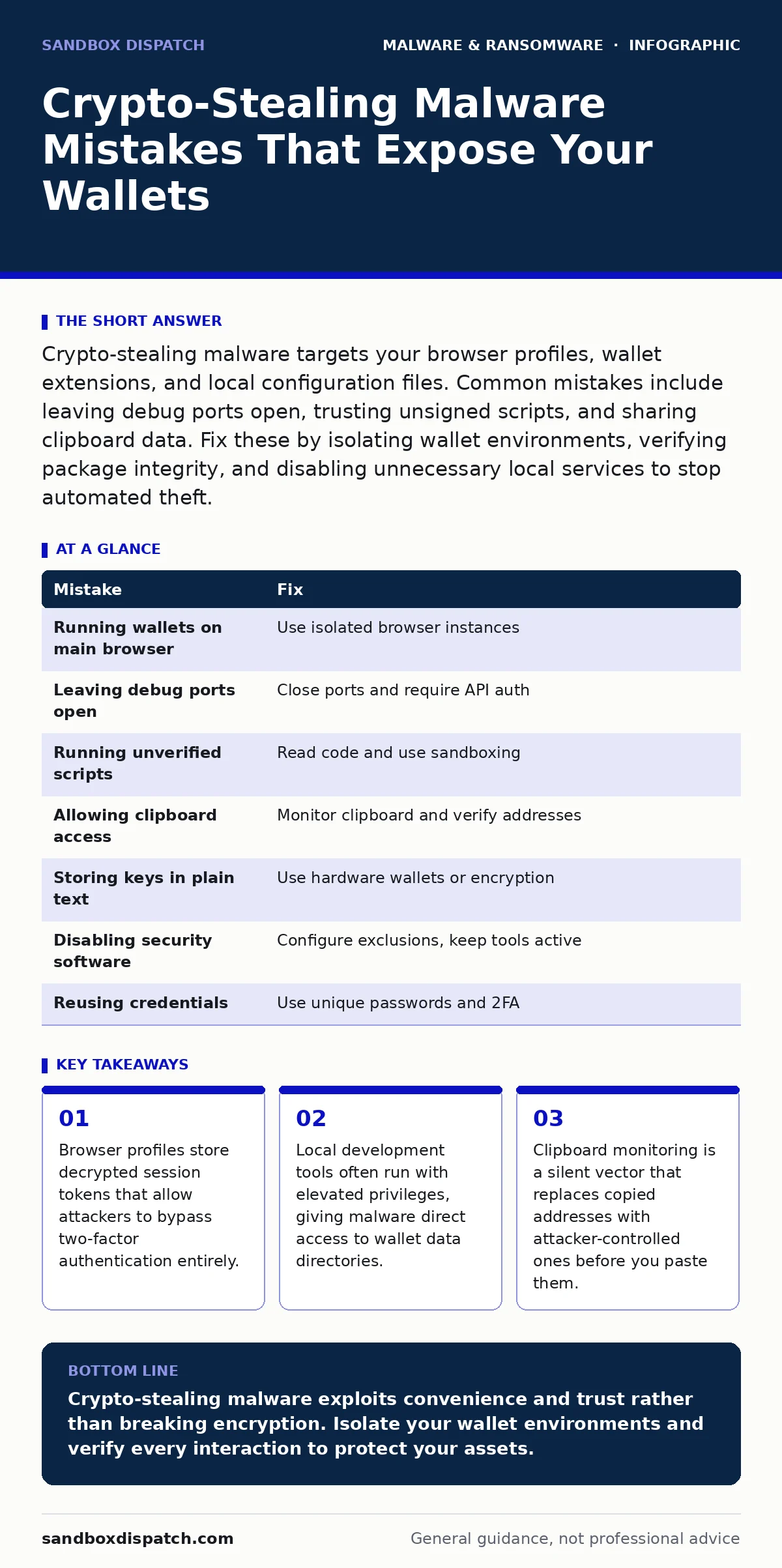
Crypto-stealing malware targets your browser profiles, wallet extensions, and local configuration files. Common mistakes include leaving debug ports open, trusting unsigned scripts, and sharing clipboard data. Fix these by isolating wallet environments, verifying package integrity, and disabling unnecessary local services to stop automated theft.
Mistake 1: Running Wallet Extensions on Primary Browsers
Why it hurts:
Your primary browser holds session cookies, saved passwords, and decrypted private keys for active wallets. Crypto-stealing malware targets these profiles because they offer immediate access without needing to crack encryption. The malware reads the local storage files associated with wallet extensions. It extracts the seed phrases or private keys that are temporarily decrypted in memory while you use the extension. You lose control of all linked assets instantly. The attacker does not need to guess your password. They simply copy the files that your browser trusts.
The fix:
Use a separate, dedicated browser instance for cryptocurrency activities. Install this browser on a clean operating system profile or a virtual machine. Never install wallet extensions on your main development or social media browser. Keep the wallet browser isolated from the internet when not in use. This limits the attack surface. If malware infects your main browser, it cannot reach the isolated wallet environment. Regularly back up your seed phrases offline.
Mistake 2: Ignoring Local Debug Ports and APIs
Why it hurts:
Developers often leave local debug ports open for testing blockchain nodes or smart contracts. Crypto-stealing malware scans the local network for these exposed services. Many local blockchain clients run with default configurations that accept connections from localhost without authentication. The malware connects to these ports and queries the wallet API directly. It can trigger transactions or export keys if the API lacks proper access controls. This happens even if your firewall blocks external traffic. The threat is internal, coming from processes on your own machine.
The fix:
Close all local debug ports when not actively developing. Configure your local blockchain nodes to require authentication for API access. Use firewall rules to block all inbound connections to local services except for specific, trusted applications. Disable remote procedure call interfaces on local hosts. Verify that your development environment does not expose wallet data to network interfaces. Regularly audit your running processes for unexpected listeners.
Mistake 3: Trusting Unsigned or Unverified Scripts
Why it hurts:
Developers frequently run scripts from GitHub or community forums to automate wallet tasks. Crypto-stealing malware often hides in these seemingly harmless scripts. The script may appear to only check balances or format addresses. In reality, it contains hidden code that reads your environment variables. It looks for private keys stored in shell profiles or configuration files. The malware executes this code in the background. You see the expected output, but your keys are already exfiltrated. This bypasses traditional antivirus because the script looks like legitimate development activity.
The fix:
Never run scripts without reading the source code line by line. Verify the integrity of any downloaded package using checksums. Use script blocking policies to prevent execution of unsigned PowerShell or Bash scripts. Run development scripts in a sandboxed environment with no access to your wallet directories. Assume any third-party script is malicious until proven otherwise. Check for hidden network connections in the script output.
Mistake 4: Allowing Clipboard Access to Untrusted Applications
Why it hurts:
Clipboard hijackers are a common component of crypto-stealing malware kits. They monitor your clipboard for Ethereum or Bitcoin addresses. When you copy a legitimate address, the malware replaces it with the attacker's address. You paste the wrong address into your wallet interface. The transaction sends funds to the attacker instead of the intended recipient. You do not notice the change because the addresses look similar. This attack requires no password or key theft. It relies on your trust in the copied data. The damage is immediate and irreversible.
The fix:
Disable clipboard access for applications that do not need it. Use a clipboard manager that alerts you to changes in copied text. Verify every address by checking the first and last four characters manually. Do not rely on visual confirmation alone. Consider using hardware wallets that require physical confirmation for transactions. This adds a layer of protection against clipboard manipulation. Be skeptical of any tool that requests constant clipboard monitoring permissions.
Mistake 5: Storing Private Keys in Plain Text Files
Why it hurts:
Convenience leads many users to save private keys or seed phrases in text files on their desktop. Crypto-stealing malware specifically searches for files with names like "keys.txt" or "wallet.dat". These files are easy to find and decrypt. The malware scans common directories and uploads any matches to a command and control server. You lose your funds because the key is already in the wild. This mistake turns your computer into a data leak. The malware does not need to break encryption. It simply reads what you left unlocked.
The fix:
Never store private keys in plain text files on your active system. Use a dedicated password manager with strong encryption for seed phrases. Better yet, use a hardware wallet that stores keys offline. If you must store keys digitally, encrypt them with a strong passphrase. Keep the encryption key separate from the data. Regularly audit your file system for sensitive documents. Delete any old backup files that contain cryptographic material.
See also: Behavior Based Detection: How Runtime Analysis Stops Unknown Threats · Tamper Protection Misunderstandings: 6 Myths That Weaken Security
Mistake 6: Disabling Security Software for Development Ease
Why it hurts:
Developers often disable antivirus or firewall features to prevent false positives during testing. This creates a blind spot for crypto-stealing malware. The malware installs silently because the security software is offline. It establishes persistence mechanisms that survive reboots. The malware monitors your activity and waits for wallet interactions. You remain unaware until funds are missing. Disabling security tools removes the last line of defense. The convenience of uninterrupted development is not worth the risk of total asset loss.
The fix:
Keep security software enabled at all times. Configure exclusions for specific development directories rather than disabling the entire suite. Use application whitelisting to ensure only trusted programs run. Monitor system logs for unusual activity. Regularly update your security definitions. If you suspect an infection, refer to guides on removing malware from a Windows PC to clean the system thoroughly. Do not compromise security for speed.
Mistake 7: Reusing Credentials Across Wallet Services
Why it hurts:
Using the same password for your email, exchange, and wallet manager creates a single point of failure. Crypto-stealing malware often targets email accounts first. Once inside, the attacker resets your wallet passwords. They bypass two-factor authentication by intercepting codes or using session tokens. This credential stuffing attack links multiple services. The malware exploits the trust relationship between your accounts. You lose access to all linked wallets. The attacker gains full control without ever touching your private keys directly.
The fix:
Use unique, strong passwords for every cryptocurrency service. Enable two-factor authentication using an authenticator app, not SMS. Consider using a dedicated email address for financial activities. Regularly rotate your passwords. Monitor your email account for unauthorized access attempts. This limits the damage if one service is compromised. Never reuse credentials across different platforms.
| Mistake | Fix |
|---|---|
| Running wallets on main browser | Use isolated browser instances |
| Leaving debug ports open | Close ports and require API auth |
| Running unverified scripts | Read code and use sandboxing |
| Allowing clipboard access | Monitor clipboard and verify addresses |
| Storing keys in plain text | Use hardware wallets or encryption |
| Disabling security software | Configure exclusions, keep tools active |
| Reusing credentials | Use unique passwords and 2FA |
Key takeaways
- Browser profiles store decrypted session tokens that allow attackers to bypass two-factor authentication entirely.
- Local development tools often run with elevated privileges, giving malware direct access to wallet data directories.
- Clipboard monitoring is a silent vector that replaces copied addresses with attacker-controlled ones before you paste them.
Crypto-stealing malware exploits convenience and trust rather than breaking encryption. Isolate your wallet environments and verify every interaction to protect your assets.
Frequently asked questions
Can crypto-stealing malware infect my phone?
Yes, mobile malware can target wallet apps and clipboard data on smartphones. Keep your mobile OS updated and install apps only from official stores.
Does two-factor authentication stop crypto theft?
Two-factor authentication helps, but it does not stop malware that steals session tokens or private keys directly from your browser. Use hardware wallets for maximum security.
How do I know if my wallet is compromised?
Check your transaction history for unauthorized transfers. If you see unknown activity, move your remaining funds to a new wallet immediately.
Is using a VPN enough to protect my crypto?
A VPN hides your IP address but does not protect against malware on your device. You still need strong local security measures to prevent theft.
How this guide was produced: written by the Sandbox Dispatch editorial team with AI assistance, checked against the public references listed below, and reviewed when the facts change. See our editorial policy or report an error.