IoT Device Patching: Real Security Gains vs Hidden Operational Costs
Patching IoT devices often fails to close the attack surface because firmware updates cannot fix hardware flaws or replace compromised credentials embedded at the factory.

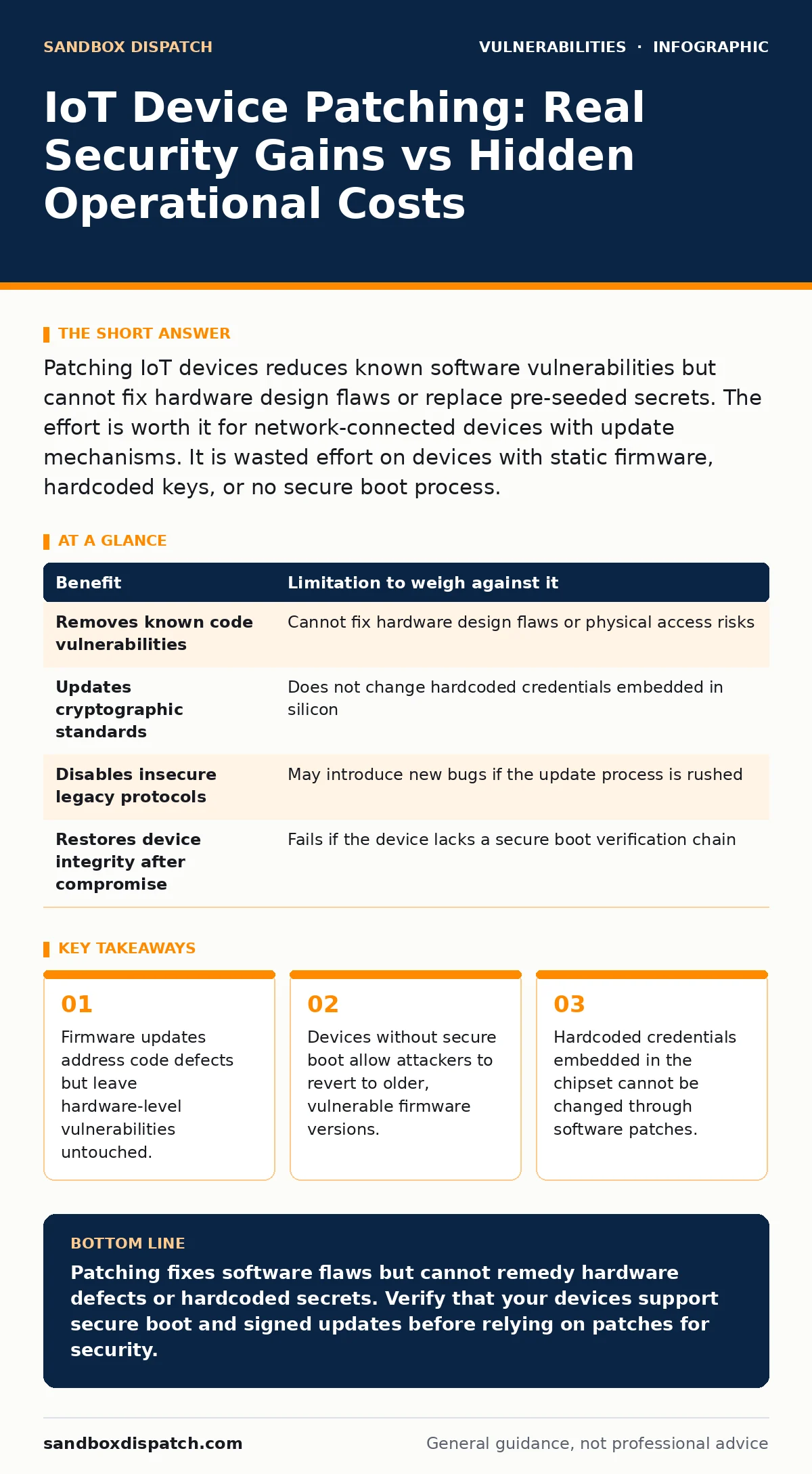
Patching IoT devices reduces known software vulnerabilities but cannot fix hardware design flaws or replace pre-seeded secrets. The effort is worth it for network-connected devices with update mechanisms. It is wasted effort on devices with static firmware, hardcoded keys, or no secure boot process.
The Mechanics of Firmware Updates
Firmware updates function differently than operating system patches. An operating system patch modifies specific files within a running environment. Firmware updates often replace the entire system image stored in flash memory. This process requires a verified signature to prevent unauthorized code execution. The device checks the digital signature of the new firmware against a public key stored in a hardware security module or secure enclave. If the signature matches, the device overwrites the old system. If it fails, the update is rejected. This mechanism ensures integrity but creates a dependency on the manufacturer maintaining the signing key.
Concrete Benefits of Regular Patching
Patching removes known code defects that attackers exploit. It closes remote code execution paths that allow an intruder to take control of the device. It updates cryptographic libraries to stronger algorithms, preventing decryption of network traffic. It fixes buffer overflow errors that could crash the device or allow arbitrary command execution. It aligns the device with current industry standards for communication protocols. It reduces the overall attack surface by disabling unused services that were left enabled by default in earlier versions.
| Benefit | Limitation to weigh against it |
|---|---|
| Removes known code vulnerabilities | Cannot fix hardware design flaws or physical access risks |
| Updates cryptographic standards | Does not change hardcoded credentials embedded in silicon |
| Disables insecure legacy protocols | May introduce new bugs if the update process is rushed |
| Restores device integrity after compromise | Fails if the device lacks a secure boot verification chain |
Honest Limitations of Software Fixes
Software patches cannot alter the physical properties of a device. If a sensor has a design flaw that leaks data through electromagnetic radiation, no code change will stop it. If the device uses a weak random number generator built into the chip, software updates cannot provide true entropy. Hardcoded credentials are a persistent threat.
Some manufacturers embed Wi-Fi passwords or administrative tokens directly into the read-only memory. These secrets remain accessible to anyone who can read the memory dump. Patching the application layer does not remove these factory-set keys. An attacker who obtains one of these keys can access any device in the field, regardless of how many times you patch the software.
The Role of Secure Boot
Secure boot is the foundation of trust for any update mechanism. It ensures that only code signed by the manufacturer runs on the device. Without secure boot, an attacker who gains physical access can flash a custom operating system that bypasses all security controls. They can install a rootkit that survives subsequent official updates.
The device appears to run the latest firmware, but the attacker retains backdoor access. Secure boot prevents this by verifying the chain of trust from the hardware level up to the application layer. If the chain is broken at any point, the device refuses to boot. This makes physical tampering much harder, but it requires the manufacturer to implement it correctly from the start.
When It Is Worth It
Patching is worth the effort when the device has a reliable update mechanism. The device must support over-the-air updates without requiring a physical connection. It must verify the signature of every update package. The manufacturer must commit to long-term support. You should prioritize patching for devices that handle sensitive data.
Devices that connect to public networks require frequent updates to mitigate new threats. Devices that control critical infrastructure need patches to prevent operational disruption. If the device allows you to isolate it on a separate network segment, patching becomes more manageable. You can apply updates during maintenance windows without affecting production systems.
See also: Browser Extension Vulnerabilities Explained: Risks and Safety Habits · Vulnerability Remediation SLAs: Benefits, Limits, and When to Use Them
When It Is Not Worth It
Patching is not worth the effort when the device lacks a secure update path. If the device requires a physical connection to update, the risk of tampering during the process is high. If the device does not verify update signatures, an attacker can inject malicious code during the transfer. If the manufacturer has ceased support, you are stuck with the last available version.
Devices with hardcoded credentials are never worth patching. No amount of software updates will remove the factory-set secrets. Devices that cannot be network-isolated pose a constant risk. If you cannot restrict the device's communication to only necessary ports and protocols, patching provides a false sense of security.
Integration with Broader Strategies
Patching does not exist in isolation. It must work with vulnerability disclosure policies to identify new threats quickly. You need to understand attack vectors in CVSS to prioritize which patches to apply first. Effective patch management requires a systematic approach to testing and deployment. Some devices are as vulnerable as iOS zero-click vulnerabilities if they lack proper memory protection.
You must scan for vulnerabilities in npm packages if your IoT device runs JavaScript-based applications. Dependency scanning helps identify third-party libraries that contain known flaws. Attack surface management ensures you know every entry point an attacker could use. Patch prioritization helps you focus resources on the most critical devices and risks.
Operational Trade-Offs and Costs
Patching introduces operational complexity. Each update requires testing to ensure it does not break functionality. Devices may reboot during the update, causing temporary service interruptions. Some updates change the device's behavior, requiring users to reconfigure settings. The cost of maintaining a patching process includes labor, testing infrastructure, and downtime.
You must balance the security benefit against the operational disruption. For low-risk devices, the cost may outweigh the benefit. For high-risk devices, the cost is justified. You must define clear criteria for which devices require mandatory patching. This prevents resource waste on devices that pose minimal threat to your organization.
Key takeaways
- Firmware updates address code defects but leave hardware-level vulnerabilities untouched.
- Devices without secure boot allow attackers to revert to older, vulnerable firmware versions.
- Hardcoded credentials embedded in the chipset cannot be changed through software patches.
Patching fixes software flaws but cannot remedy hardware defects or hardcoded secrets. Verify that your devices support secure boot and signed updates before relying on patches for security.
Frequently asked questions
Can I patch an IoT device that has no internet connection?
You can patch offline devices if they support local update mechanisms like USB or SD card. The update file must still be cryptographically signed to ensure integrity.
How do I know if a device has hardcoded credentials?
Check the manufacturer's documentation and security advisories. Look for mentions of default passwords that cannot be changed or reset.
Does a secure boot process make a device unbreakable?
No. Secure boot only prevents unauthorized code from running. It does not protect against physical attacks, side-channel attacks, or hardware flaws.
What should I do if a manufacturer stops providing updates?
Isolate the device on a restricted network segment. Limit its communication to only essential services. Plan to replace it with a supported device.
How this guide was produced: written by the Sandbox Dispatch editorial team with AI assistance, checked against the public references listed below, and reviewed when the facts change. See our editorial policy or report an error.