What Is Email Filtering: How Rules Block Threats and False Positives
Email filtering relies on heuristic analysis that often flags legitimate business communications as threats, creating a hidden operational cost for security teams.

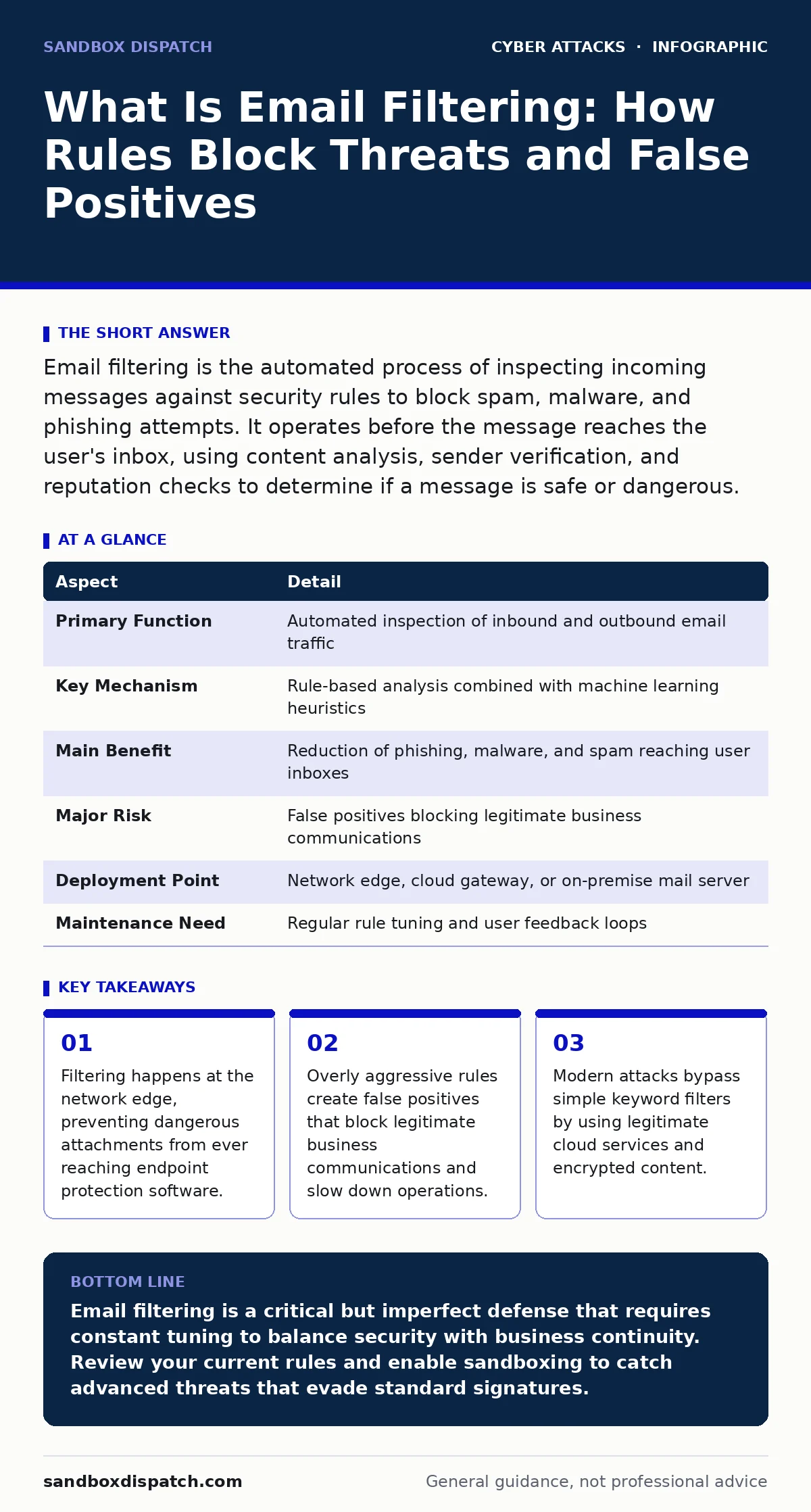
Email filtering is the automated process of inspecting incoming messages against security rules to block spam, malware, and phishing attempts. It operates before the message reaches the user's inbox, using content analysis, sender verification, and reputation checks to determine if a message is safe or dangerous.
The Post Office Analogy
Imagine a post office where every letter passes through a screening station before delivery. The screeners check the return address, weigh the package, and scan for prohibited items. If a letter looks suspicious, it goes into a holding bin for manual review. If it looks safe, it goes directly to your mailbox. Email filtering works the same way. It acts as a digital gatekeeper that inspects every message entering an organization's network. This process happens automatically and continuously, without human intervention for the vast majority of traffic.
The goal is not just to stop junk mail. The system aims to protect users from malicious payloads that exploit human trust. By intercepting threats early, the organization reduces the risk of data breaches and ransomware infections. This first line of defense is critical because most attacks start with a single deceptive message.
What Is Email Filtering
What is email filtering? It is a security mechanism that evaluates email messages against a set of predefined criteria to determine their legitimacy. The system analyzes headers, body text, attachments, and sender reputation. It then applies actions such as delivering the message, moving it to a spam folder, or blocking it entirely. This process occurs on the mail server or a dedicated security gateway.
The mechanism relies on several layers of inspection. The first layer checks the sender's identity using authentication protocols. The second layer scans the content for known malicious patterns. The third layer uses behavioral analysis to detect anomalies. Each layer adds a degree of certainty. The more layers a message passes, the more likely it is to be legitimate. However, each layer also introduces latency and potential for error.
| Aspect | Detail |
|---|---|
| Primary Function | Automated inspection of inbound and outbound email traffic |
| Key Mechanism | Rule-based analysis combined with machine learning heuristics |
| Main Benefit | Reduction of phishing, malware, and spam reaching user inboxes |
| Major Risk | False positives blocking legitimate business communications |
| Deployment Point | Network edge, cloud gateway, or on-premise mail server |
| Maintenance Need | Regular rule tuning and user feedback loops |
How Filtering Mechanisms Work
The filtering process begins with header analysis. The system checks for SPF (Sender Policy Framework), DKIM (DomainKeys Identified Mail), and DMARC (Domain-based Message Authentication, Reporting, and Conformance). These protocols verify that the sender is authorized to send email from a specific domain. If the headers fail validation, the message is likely spoofed. Spoofing is when an attacker forges the sender address to look like a trusted entity.
Next, the system inspects the message content. It looks for known malicious URLs and file signatures. Heuristic analysis goes beyond simple signatures. It evaluates the context and structure of the message. For example, a message asking for urgent payment with poor grammar might trigger a high risk score. The system also checks the sender's reputation. If an IP address has sent spam in the past, new messages from that address are treated with suspicion.
Finally, the system scans attachments. It often uses sandboxing to open files in an isolated environment. This allows the system to observe the file's behavior without risking the main network. If the file attempts to connect to a command-and-control server, it is blocked. This dynamic analysis catches zero-day threats that signature-based systems miss.
Who Is Affected by Filtering
Email filtering affects every user within an organization. Employees see fewer spam messages and fewer malicious links in their inboxes. This reduces the cognitive load of distinguishing between safe and dangerous emails. However, it also means that legitimate messages may be delayed or blocked. Users must learn to check spam folders regularly. They also need a process to report false positives.
Security teams are heavily affected. They must configure and maintain the filtering rules. This requires constant attention. Attackers change their tactics frequently. Rules that worked last week may fail today. The security team must balance security with usability. Too strict, and business suffers. Too loose, and threats get through.
IT administrators handle the technical integration. They ensure the filtering gateway communicates with the email server. They manage certificate updates and monitor system health. A misconfiguration here can disrupt all email flow for the organization. This makes proper documentation and testing vital.
Common Misconceptions About Filtering
Many organizations believe that email filtering provides complete protection. This is a dangerous assumption. No filter is perfect. Advanced attackers use techniques to evade detection. They may use legitimate cloud services to host malicious content. They may encrypt their payloads to hide from scanners. They may target specific individuals with highly personalized messages that bypass generic rules.
Another common mistake is ignoring outbound filtering. Organizations often focus only on incoming threats. However, compromised accounts can send spam and malware to external contacts. This damages the organization's reputation and can lead to blacklisting. Outbound filtering helps detect when an account has been taken over. It monitors for unusual sending patterns or sensitive data exfiltration.
The Hidden Cost of False Positives
A false positive occurs when a legitimate message is incorrectly identified as malicious. This is the primary downside of aggressive filtering. The cost is not just technical. It impacts business operations. A blocked invoice can delay payments. A blocked job application can cause the organization to miss top talent. A blocked legal notice can have serious consequences.
Users lose trust in the security system. If they see too many false positives, they may start ignoring security warnings. They might disable filters or forward messages through personal accounts. This creates new security risks. The security team must invest time in reviewing false positives. They need a streamlined process for users to report blocked messages.
To mitigate this, organizations should use tiered filtering. High-confidence threats are blocked automatically. Medium-confidence messages are quarantined for review. Low-confidence messages are delivered with a warning. This approach reduces false positives while maintaining security. Regular tuning of rules is necessary to adapt to changing business needs.
Integrating With Broader Security
Email filtering does not work in isolation. It must integrate with other security controls. Endpoint protection can catch threats that slip through the filter. Login alerts can notify users of suspicious account activity. Incident response plans define how to handle breaches that occur despite filtering.
Consider the rise of clone phishing. Attackers copy a legitimate email and change a single link. Filtering may not catch this if the content looks identical. User awareness is key here. Similarly, QR code phishing bypasses text-based filters entirely. The user must scan the code to see the threat. This requires different defensive strategies.
Angler phishing targets customers through social media or support channels. It often involves fake support accounts sending malicious links. Email filtering can help if the attacker uses email, but it requires monitoring of multiple channels. Tech support scams often start with phone calls, not email. Understanding the full attack surface is necessary for effective defense.
What To Do About Filtering
Start by auditing your current filtering configuration. Review the rules and assess their effectiveness. Check the rate of false positives and adjust accordingly. Enable all available authentication protocols. Ensure SPF, DKIM, and DMARC are correctly configured for all your domains. This prevents attackers from spoofing your brand.
Implement sandboxing for attachments. This provides an extra layer of security against unknown threats. Monitor outbound traffic for anomalies. This helps detect compromised accounts early. Train users to recognize phishing attempts. Even the best filter cannot stop every attack. Users must remain vigilant.
Establish a feedback loop. Allow users to easily report false positives and missed threats. Use this data to refine your rules. Regularly update your threat intelligence feeds. Stay informed about new attack techniques. Email filtering is an ongoing process, not a one-time setup.
Key takeaways
- Filtering happens at the network edge, preventing dangerous attachments from ever reaching endpoint protection software.
- Overly aggressive rules create false positives that block legitimate business communications and slow down operations.
- Modern attacks bypass simple keyword filters by using legitimate cloud services and encrypted content.
Email filtering is a critical but imperfect defense that requires constant tuning to balance security with business continuity. Review your current rules and enable sandboxing to catch advanced threats that evade standard signatures.
Frequently asked questions
Does email filtering stop all viruses?
No, email filtering cannot stop all viruses. Advanced malware may evade detection, especially if it uses encryption or legitimate cloud services to hide its payload.
How do I reduce false positives?
Reduce false positives by using tiered filtering, enabling user feedback mechanisms, and regularly tuning rules based on business communication patterns.
Is cloud-based filtering better than on-premise?
Cloud-based filtering often provides better threat intelligence and scalability, but on-premise solutions offer more control over data and integration with internal systems.
Can attackers bypass DMARC?
Attackers can bypass DMARC by using subdomains or by exploiting misconfigurations in the sender's DNS records. Proper configuration and monitoring are required to maintain effectiveness.
How this guide was produced: written by the Sandbox Dispatch editorial team with AI assistance, checked against the public references listed below, and reviewed when the facts change. See our editorial policy or report an error.