Early Warning Signs of Cyber Espionage for Technical Teams
The first signal of a long-term intrusion is rarely an alert; it is a subtle shift in baseline network behavior that evades standard detection rules.

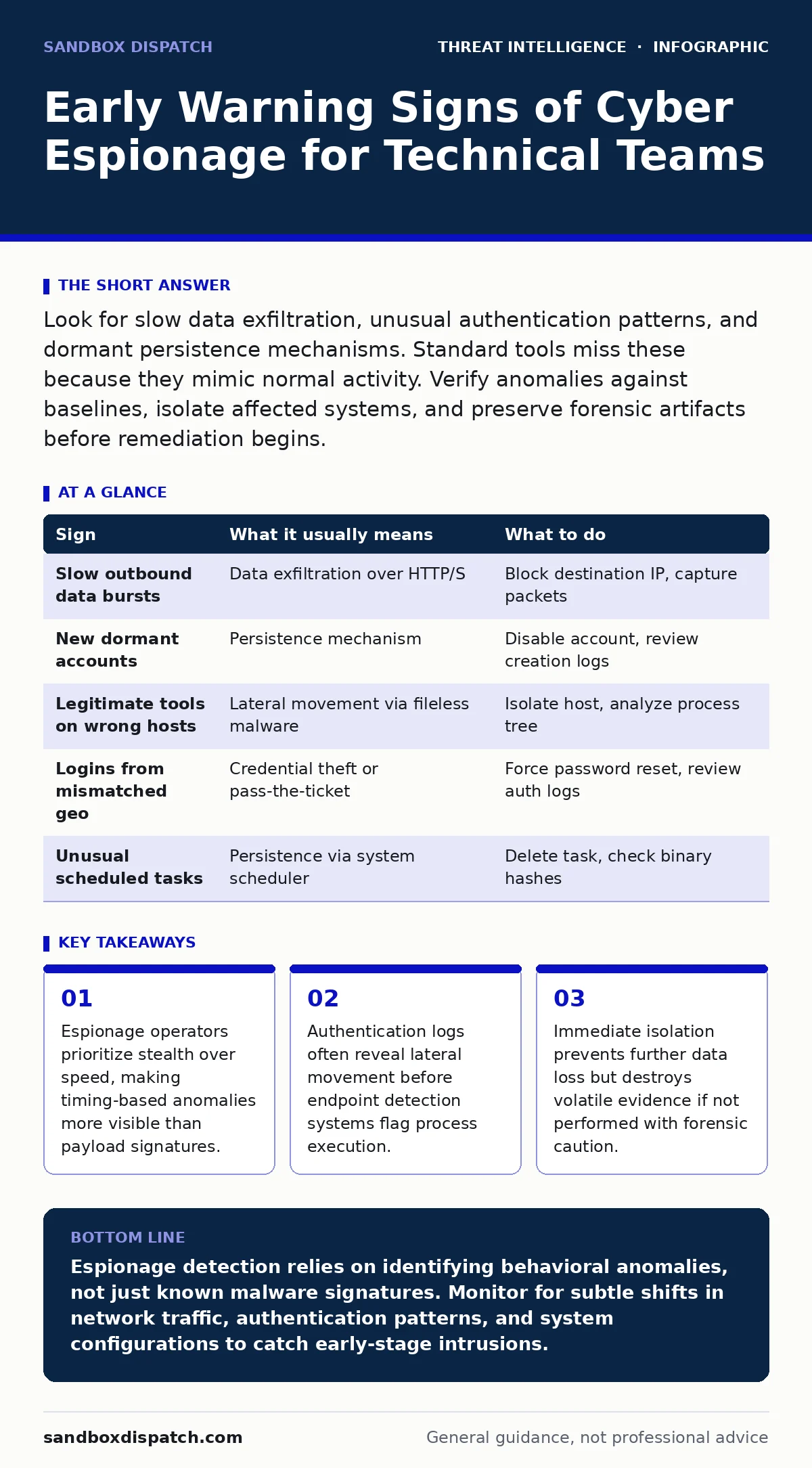
Look for slow data exfiltration, unusual authentication patterns, and dormant persistence mechanisms. Standard tools miss these because they mimic normal activity. Verify anomalies against baselines, isolate affected systems, and preserve forensic artifacts before remediation begins.
The Silence Before the Storm
Cyber espionage differs from ransomware or extortion attacks in its primary objective. The adversary wants to observe and copy information without triggering alarms. This patience changes the detection profile entirely. You will not see chaotic behavior or system crashes. Instead, you see quiet, sustained activity that blends into the background noise of your infrastructure.
This stealth approach means traditional signature-based detection often fails. The malware used is frequently custom-built or heavily modified. It does not match known threat intelligence feeds. You must rely on behavioral analysis rather than pattern matching. The goal is to identify what is unusual for your specific environment, not what is unusual in the wild.
Immediate Operational Anomalies
The signs that surface first are usually operational disruptions. Users may report that applications are responding slower than usual. This latency often stems from the adversary’s toolkits running in the background. These tools consume CPU cycles and network bandwidth to maintain command and control channels.
Another early indicator is unexpected outbound connections. Your servers may initiate connections to IP addresses they have never contacted before. These destinations are often low-volume, high-frequency transfers. They appear as small, regular data packets sent at odd hours. This pattern mimics legitimate background updates or synchronization tasks.
You might also notice new user accounts appearing in directory services. These accounts often have generic names or are created by service principals. They rarely log in immediately. Instead, they sit dormant until the attacker needs to escalate privileges. This delay makes them hard to spot in real-time monitoring.
Subtle Infrastructure Shifts
The easiest signs to miss are those that do not trigger alerts. Espionage actors spend weeks or months establishing persistence. They modify system configurations to ensure their access survives reboots and updates. This process leaves faint traces in configuration databases and registry hives.
One common technique involves scheduled task abuse. Attackers create legitimate-looking tasks that run their malicious code. These tasks use system binaries to hide their origin. If you review task schedules, look for tasks with vague descriptions or those that run at irregular intervals. The command line arguments are often obfuscated or encoded.
Another hidden sign is the use of legitimate administrative tools. Attackers use PowerShell, WMI, or SSH to move laterally. These tools are necessary for system administration, so their use is rarely blocked. The anomaly lies in the context. A web server should not be executing PowerShell scripts against a database server. This mismatch in expected behavior is the key indicator.
Authentication and Identity Clues
Identity is the new perimeter, and espionage actors exploit it aggressively. They often use pass-the-ticket attacks to move between systems. This technique reuses existing authentication tokens rather than stealing passwords. Consequently, password change alerts will not fire. The security event logs will show successful logins with known credentials, but the source IP or user agent may be inconsistent.
Look for logins from geographic locations that do not match your business operations. A user account logging in from a country where you have no offices is a red flag. Even if the login is from a VPN, check the internal network path. Does the traffic traverse segments it has no business touching?
Privilege escalation attempts are another clue. Watch for accounts that suddenly gain administrative rights. This often follows a period of reconnaissance where the attacker mapped the network structure. They are looking for the path of least resistance to high-value assets.
Incident Response Protocol
When you spot a potential espionage sign, your immediate reaction determines the outcome. Do not disconnect the system from the network immediately. This action can destroy volatile memory evidence and alert the adversary to abort their operation. Instead, isolate the host logically. Block its network traffic at the switch or firewall level while keeping it powered on.
Preserve the state of the system. Take a memory dump and image the disk. These artifacts are critical for forensic analysis. They allow you to reconstruct the attacker’s timeline and techniques. Without this data, you cannot determine the scope of the breach or the data that was exfiltrated.
Document every action you take. This log is vital for legal and compliance purposes. It also helps your incident response team coordinate effectively. Clear communication ensures that no critical steps are missed during the containment phase.
See also: Digital Forensics Misconceptions That Derail Incident Response · Jailbroken AI Response: Immediate Containment and Recovery Steps
Detection Table for Espionage
| Sign | What it usually means | What to do |
|---|---|---|
| Slow outbound data bursts | Data exfiltration over HTTP/S | Block destination IP, capture packets |
| New dormant accounts | Persistence mechanism | Disable account, review creation logs |
| Legitimate tools on wrong hosts | Lateral movement via fileless malware | Isolate host, analyze process tree |
| Logins from mismatched geo | Credential theft or pass-the-ticket | Force password reset, review auth logs |
| Unusual scheduled tasks | Persistence via system scheduler | Delete task, check binary hashes |
Leveraging Advanced Detection
Standard tools are not enough to catch sophisticated espionage. You need to implement YARA rules that scan memory for specific strings and patterns. These rules can detect custom malware that lacks a known signature. They run in real-time on endpoints and servers, providing an extra layer of visibility.
Consider using breach and attack simulation platforms. These tools emulate attacker behavior in your environment. They test your detection capabilities without risking real data. By simulating espionage techniques, you can validate your sensors and tuning. This proactive approach helps you find gaps before real adversaries do.
Deepening Your Defense
To understand the broader context of these attacks, you should study the Pyramid of Pain. This model explains which indicators are hardest for attackers to change. Focusing on tactics, techniques, and procedures rather than hashes improves your long-term security. It makes your defenses more resilient against adaptation.
Attacker reconnaissance is the first phase of any espionage campaign. They scan your public-facing assets and map your network. Understanding this phase helps you harden your external perimeter. It reduces the attack surface available for initial access.
Key takeaways
- Espionage operators prioritize stealth over speed, making timing-based anomalies more visible than payload signatures.
- Authentication logs often reveal lateral movement before endpoint detection systems flag process execution.
- Immediate isolation prevents further data loss but destroys volatile evidence if not performed with forensic caution.
Espionage detection relies on identifying behavioral anomalies, not just known malware signatures. Monitor for subtle shifts in network traffic, authentication patterns, and system configurations to catch early-stage intrusions.
Frequently asked questions
How long do espionage actors typically remain undetected?
There is no standard duration. Some remain for weeks, while others stay for years. The length depends on your detection capabilities and their operational security.
Can AS-REP roasting help detect espionage?
No. AS-REP roasting is an attack technique used to gather credentials. It is not a detection method. However, monitoring for the specific Kerberos requests associated with this technique can reveal reconnaissance activity.
What is the first step in isolating a suspected host?
Logically isolate the host by blocking its network traffic at the firewall or switch. Keep the system powered on to preserve memory evidence for forensic analysis.
Do YARA rules protect against all espionage malware?
No. YARA rules detect specific patterns in files or memory. They are effective against known variants and custom malware with identifiable strings. They cannot detect purely behavioral threats or fileless attacks without specific rule sets.
How this guide was produced: written by the Sandbox Dispatch editorial team with AI assistance, checked against the public references listed below, and reviewed when the facts change. See our editorial policy or report an error.