Protected Health Information: Small Business Security Essentials
Small teams face disproportionate risk because a single misconfigured cloud bucket or lost laptop exposes patient records without enterprise-grade oversight.

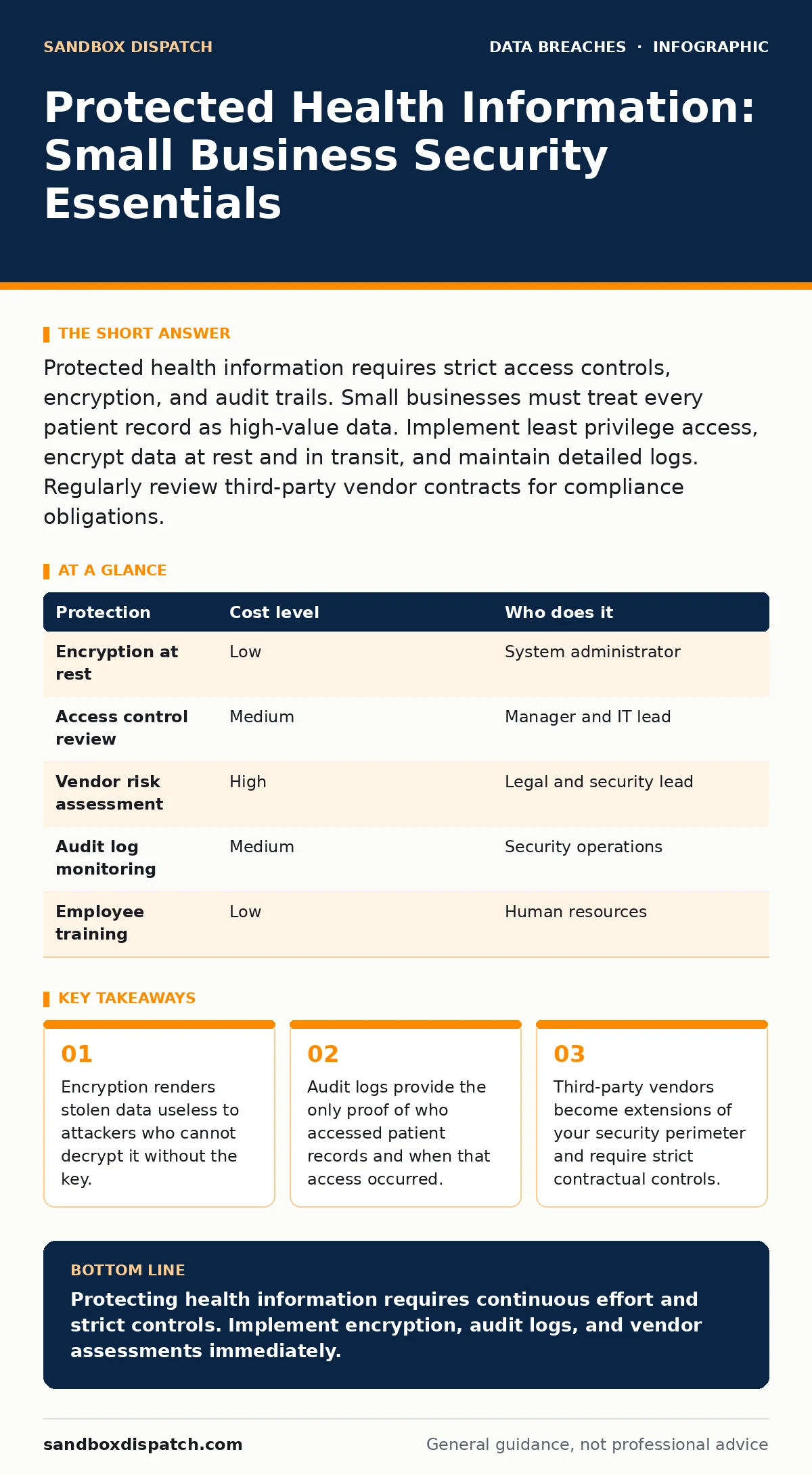
Protected health information requires strict access controls, encryption, and audit trails. Small businesses must treat every patient record as high-value data. Implement least privilege access, encrypt data at rest and in transit, and maintain detailed logs. Regularly review third-party vendor contracts for compliance obligations.
Why Scale Does Not Reduce Risk
Protected health information carries legal and ethical weight regardless of organization size. Regulations do not distinguish between a hospital with 10,000 employees and a clinic with 5. The penalty structures and liability exposure remain identical. Small businesses often assume they are too small to target, but attackers automate their searches. They scan for exposed data sources without regard for the victim’s revenue or headcount.
The lack of dedicated security staff increases the likelihood of human error. In larger organizations, specialized teams monitor for anomalies. In small teams, developers and administrators handle multiple roles. This context switching leads to oversight. A developer might prioritize feature delivery over security configuration. An administrator might reuse credentials across systems. These gaps create entry points for adversaries.
You must assume your environment is constantly probed. The cost of prevention is lower than the cost of remediation. A breach disrupts operations, triggers legal fees, and damages reputation. Rebuilding trust takes years. Preventing exposure through basic hygiene takes days. The disparity in effort versus outcome makes security a high-leverage activity for small teams.
Practical Data Handling Mechanisms
Handling protected health information requires minimizing its footprint. You should only collect data necessary for the specific purpose. Storing extra fields increases the attack surface. If you do not need a patient’s date of birth for a specific service, do not store it. Reducing data volume reduces the potential impact of a leak.
Encryption is the primary technical control. Data at rest must be encrypted on disks and databases. Data in transit must be encrypted using standard protocols like TLS. This ensures that even if an attacker intercepts traffic or steals a hard drive, they cannot read the contents. Key management is the critical component. Losing the encryption key renders data unrecoverable. Storing the key insecurely renders encryption useless.
Access controls define who can view or modify data. Implement role-based access control. Assign permissions based on job function, not individual identity. A receptionist needs different access than a clinician. Review these permissions regularly. Permissions accumulate over time as employees change roles. Stale permissions are a common source of internal exposure.
| Protection | Cost level | Who does it |
|---|---|---|
| Encryption at rest | Low | System administrator |
| Access control review | Medium | Manager and IT lead |
| Vendor risk assessment | High | Legal and security lead |
| Audit log monitoring | Medium | Security operations |
| Employee training | Low | Human resources |
The Hidden Cost of Third Parties
Small businesses rely heavily on external vendors for software and infrastructure. These vendors become extensions of your security perimeter. If a vendor suffers a breach, you are often liable for the exposure of your data. You must treat vendor relationships as high-risk connections.
Evaluate vendor security practices before signing contracts. Ask for their compliance certifications and security whitepapers. Review their data handling procedures. Ensure they encrypt data and maintain audit logs. Include breach notification clauses in contracts. Specify the timeframe for notification and the required remediation steps.
Do not assume vendor security is sufficient. You remain responsible for the data you share with them. Monitor their access to your systems. Limit the scope of data shared with vendors. Use anonymization or pseudonymization where possible. This reduces the value of the data if the vendor is compromised. See our guide on data inventory and mapping to track where your data flows to third parties.
Configuration and Cloud Storage
Cloud storage offers convenience but introduces configuration risks. Misconfigured storage buckets are a leading cause of data exposure. Default settings often prioritize ease of use over security. Many cloud platforms allow public access by default. Users must explicitly disable this access.
Regularly audit cloud storage permissions. Use automated tools to scan for public access. Set alerts for changes to storage configurations. Monitor for unusual access patterns. A sudden spike in downloads from an unexpected location indicates a potential leak.
Implement least privilege access for cloud accounts. Service accounts should have only the permissions necessary to function. Human accounts should use multi-factor authentication. This prevents attackers from using stolen credentials to access cloud resources. Review our guide on misconfigured cloud storage leaks for specific checks to perform.
Logging and Monitoring Essentials
Audit logging provides visibility into system activity. You cannot protect what you cannot see. Logs record who accessed data, when they accessed it, and what actions they performed. This information is critical for detecting unauthorized access and investigating incidents.
Configure logging to capture relevant events. Include login attempts, data access, and configuration changes. Store logs in a secure, tamper-proof location. Attackers often delete logs to cover their tracks. If logs are stored on the same system they protect, they can be destroyed.
Review logs regularly. Look for anomalies such as access outside business hours or from unusual locations. Automate alerting for high-risk events. Manual review is prone to error and fatigue. Automated systems can flag suspicious activity in real-time. See our guide on audit logging for implementation details.
See also: How Cloud Storage Misconfigurations Leak Data Step by Step
Questions for Your IT Provider
When engaging an IT provider, ask specific questions about their security practices. Vague answers indicate a lack of maturity. You need concrete details about their processes.
- How do you manage encryption keys for client data?
- What is your incident response plan for a data breach?
- How frequently do you review access permissions and audit logs?
- Do you perform regular vulnerability assessments and penetration testing?
- How do you handle data disposal and destruction?
- What is your policy on third-party vendor security assessments?
- How do you train staff on security awareness and phishing?
These questions reveal the provider’s commitment to security. A provider who cannot answer these questions clearly is not ready to handle protected health information. See our guide on employee offboarding security to ensure former staff do not retain access.
Incident Response and Recovery
Prepare for the possibility of a breach. An incident response plan outlines the steps to take when a security event occurs. This includes containment, eradication, recovery, and notification. Having a plan reduces panic and ensures a coordinated response.
Test your plan regularly. Conduct tabletop exercises to simulate a breach. Identify gaps in your response. Update the plan based on lessons learned. Ensure all staff know their roles during an incident.
Communicate clearly with affected parties. Transparency builds trust. Provide clear instructions on what steps individuals should take to protect themselves. Monitor for follow-up questions and concerns. See our guide on data loss prevention to understand how to stop data from leaving your environment in the first place.
Key takeaways
- Encryption renders stolen data useless to attackers who cannot decrypt it without the key.
- Audit logs provide the only proof of who accessed patient records and when that access occurred.
- Third-party vendors become extensions of your security perimeter and require strict contractual controls.
Protecting health information requires continuous effort and strict controls. Implement encryption, audit logs, and vendor assessments immediately.
Frequently asked questions
Do I need to encrypt data if it is stored on a secure server?
Yes, encryption protects data even if the server is compromised or physical hardware is stolen. It adds a layer of defense in depth.
How often should I review access permissions?
Review permissions at least quarterly or whenever an employee changes roles or leaves the organization. Regular reviews prevent permission creep.
What is the difference between data at rest and data in transit?
Data at rest is stored on disks or databases. Data in transit is moving across networks. Both require encryption but use different mechanisms.
Can I use free cloud storage for patient records?
No, free services often lack the security controls and compliance certifications required for protected health information. Use enterprise-grade solutions.
How this guide was produced: written by the Sandbox Dispatch editorial team with AI assistance, checked against the public references listed below, and reviewed when the facts change. See our editorial policy or report an error.