Employee Offboarding Security Checklist: Prevent Data Leaks
Revoking access does not remove data already cached in local devices, requiring a separate wipe protocol to prevent silent exfiltration.

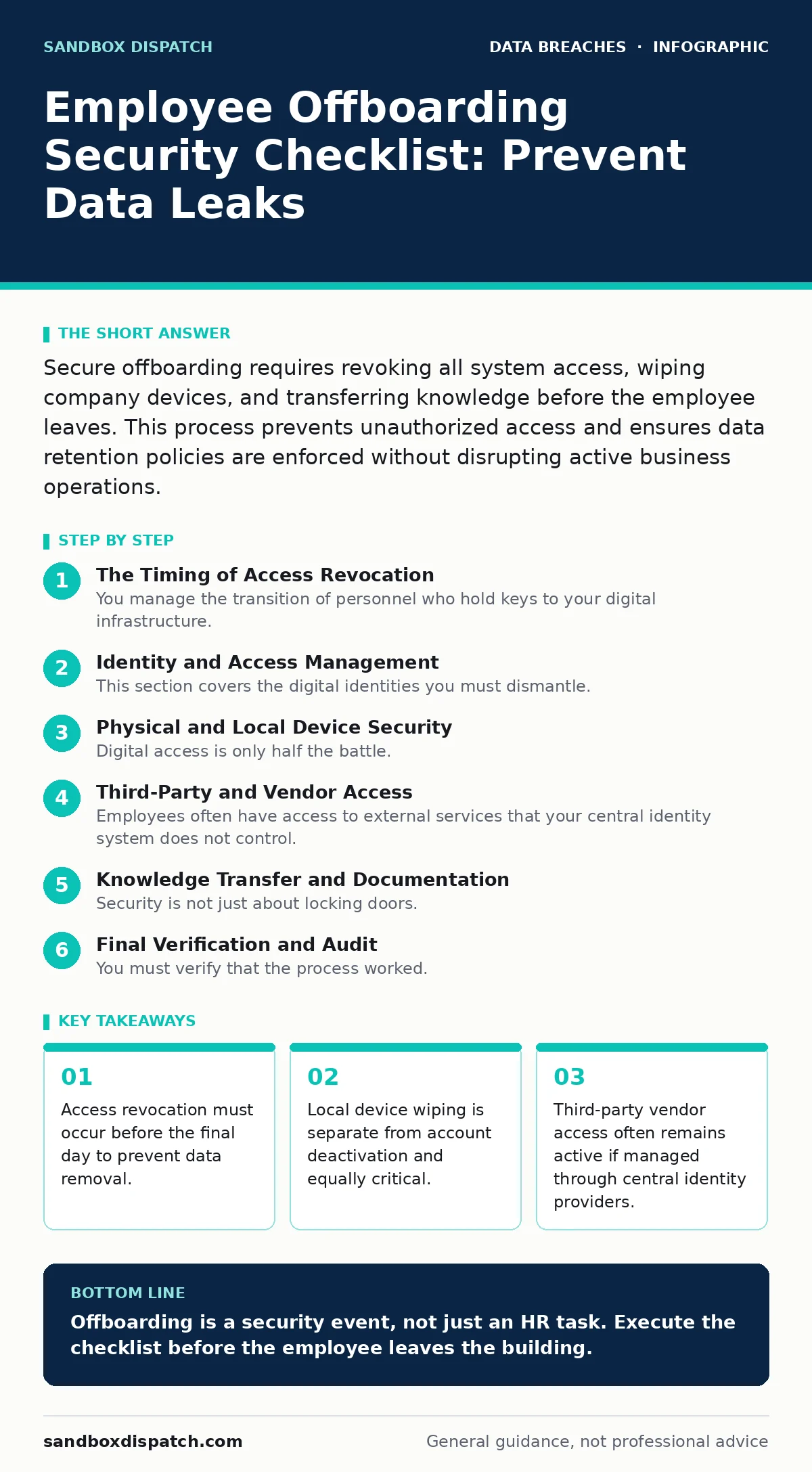
Secure offboarding requires revoking all system access, wiping company devices, and transferring knowledge before the employee leaves. This process prevents unauthorized access and ensures data retention policies are enforced without disrupting active business operations.
The Timing of Access Revocation
You manage the transition of personnel who hold keys to your digital infrastructure. The moment an employee leaves, their credentials become a liability. Waiting until the last hour creates a window for malicious data extraction. You must align your offboarding process with your user access provisioning standards to ensure immediate termination of privileges.
Imagine a developer who knows the exact directory structure of the code repository. If you wait until they clock out to disable their account, they have hours to download proprietary algorithms. This is not theoretical. It is a predictable failure mode in organizations that treat offboarding as an administrative task rather than a security event.
Identity and Access Management
This section covers the digital identities you must dismantle. Each item represents a vector for unauthorized access if left open.
- Disable primary email and directory accounts: Stops phishing attempts using their name and blocks internal system login.
- Revoke API keys and service accounts: Prevents automated scripts from continuing to read or write data after departure.
- Remove administrative privileges: Ensures they cannot create new accounts or alter security settings before final exit.
- Terminate VPN and remote desktop access: Blocks remote connection to internal networks from personal devices.
- Disable multi-factor authentication backups: Prevents login via backup codes or secondary devices they still possess.
You might assume disabling the email account is enough. It is not. Many systems use single sign-on protocols that rely on the directory entry, not the mailbox. If the directory entry remains active, the user can still authenticate to cloud applications. You must check the identity provider settings directly.
Physical and Local Device Security
Digital access is only half the battle. The hardware in their possession holds cached data that persists even after cloud accounts are closed. Your data inventory and mapping documentation should tell you exactly which devices hold sensitive personal data.
- Collect all company-owned hardware: Laptops, phones, and tablets must be physically returned to prevent data extraction.
- Wipe local storage on returned devices: Factory resets remove cached credentials and offline files that cloud revocation misses.
- Audit personal devices with corporate data: If they used personal phones for work, enforce a remote wipe of the corporate container.
- Retrieve physical security tokens: Hardware keys and smart cards must be collected and deactivated in the security system.
- Change Wi-Fi passwords if they set them: Prevents them from reconnecting to the network using known credentials.
Consider the laptop left on a desk. Even if the user cannot log in to the cloud, the local browser may have saved session cookies. These cookies can maintain access to web applications for days or weeks. A full disk wipe is the only way to guarantee this data is gone.
Third-Party and Vendor Access
Employees often have access to external services that your central identity system does not control. These are hidden gaps in your audit logging visibility.
- Notify SaaS vendors of personnel change: Many third-party apps require manual user removal by an administrator.
- Revoke access to shared financial accounts: Payment platforms and banking portals often have separate permission structures.
- Update client-facing portals: Remove their access to customer databases to prevent unauthorized contact or data viewing.
- Cancel subscriptions they managed: Prevents continued billing and access to tools they may have paid for with company cards.
- Review shared document permissions: Ensure files they owned are transferred to a current employee or a group folder.
You may not know which external tools an employee used. They might have signed up for a testing service using a company card. If you do not check, that service remains active and accessible. This is a common source of data leaks.
Knowledge Transfer and Documentation
Security is not just about locking doors. It is about ensuring business continuity without compromising secrets.
- Transfer ownership of code repositories: Prevents "bus factor" issues where only one person can merge changes.
- Archive communication channels: Slack or Teams history should be preserved for context but removed from active chats.
- Document pending security tasks: Ensure they did not leave vulnerable systems unpatched or configurations incomplete.
- Conduct an exit interview focused on security: Ask about any shared passwords or informal access grants they made.
Imagine a scenario where the departing employee was the only one who knew the password to a legacy server. If you do not document this, you are locked out of your own data. This is a form of insider threat that happens through neglect rather than malice.
See also: Detect Tailgating Attempts via Access Logs and Behavioral Signals · How Tailgating Works and Simple Ways to Stop It
Final Verification and Audit
You must verify that the process worked. Trusting the process is not enough.
- Run an access review report: Confirm all accounts are disabled and no new ones were created.
- Check for orphaned data: Identify files that no longer have an owner and move them to a secure archive.
- Update the employee directory: Remove their name from internal lists to prevent social engineering attacks.
- Monitor for anomalous login attempts: Look for failed login attempts from their old credentials in the next few days.
- Document the offboarding steps: Create a record for future audit logging purposes.
This final step closes the loop. It ensures that your data retention policies are respected and that your systems are clean. It also provides evidence that you took reasonable steps to protect your data.
Key takeaways
- Access revocation must occur before the final day to prevent data removal.
- Local device wiping is separate from account deactivation and equally critical.
- Third-party vendor access often remains active if managed through central identity providers.
Offboarding is a security event, not just an HR task. Execute the checklist before the employee leaves the building.
Frequently asked questions
How soon after resignation should offboarding begin?
Begin the process immediately upon notice, with access revocation scheduled for the final day.
What if the employee refuses to return company devices?
Remotely wipe the devices immediately and involve legal counsel to recover assets.
Do I need to check personal email accounts?
No, you cannot access personal accounts, but you should send a formal notice to cease using them for work.
How long should I keep offboarding records?
Keep them for the duration required by your data retention policies and legal obligations.
How this guide was produced: written by the Sandbox Dispatch editorial team with AI assistance, checked against the public references listed below, and reviewed when the facts change. See our editorial policy or report an error.