Audit Logging Best Practices for Secure Systems
Most audit logs fail not because they lack data, but because they capture noise that obscures the signal during an investigation into unauthorized access.

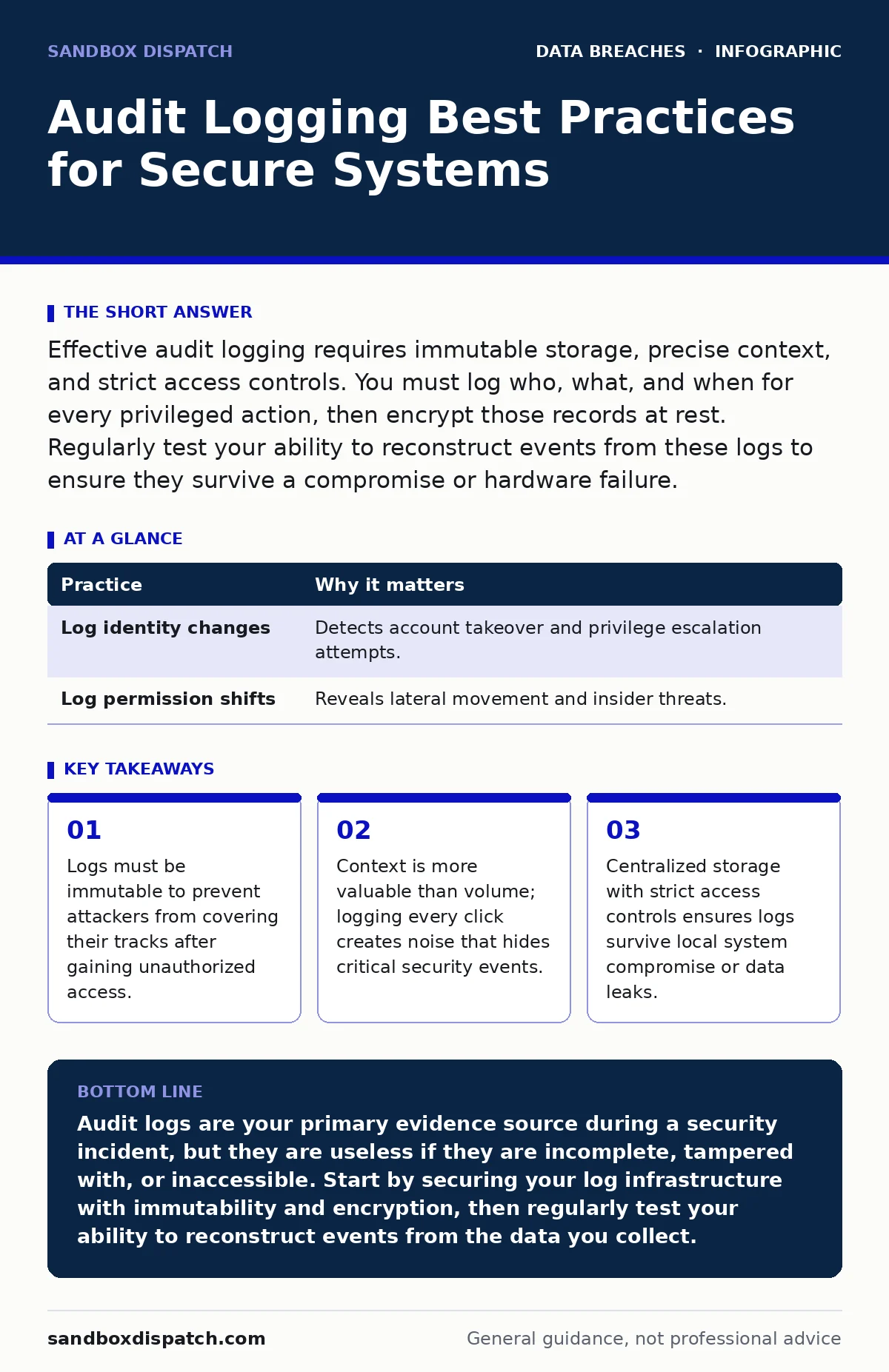
Effective audit logging requires immutable storage, precise context, and strict access controls. You must log who, what, and when for every privileged action, then encrypt those records at rest. Regularly test your ability to reconstruct events from these logs to ensure they survive a compromise or hardware failure.
1. Define the Scope Before You Code
You cannot log everything, nor should you try. Capturing every keystroke or mouse movement generates terabytes of noise that obscure actual threats. You need to identify high-value assets and the actions that modify them. This aligns with your data inventory and mapping efforts, ensuring you only watch what matters.
Focus on identity changes, permission shifts, and data exports. If you do not know what you are protecting, you cannot know what to log.
1. Practice: Log Identity and Permission Changes
Every change to user accounts, roles, or access levels must be recorded. An attacker often starts by creating a backdoor account or elevating their own privileges. If this action is not logged, you have no way to detect the initial foothold.
Tip: Configure your identity provider to emit a log entry for every role assignment, password change, or account creation. Include the requester’s identity and the target account.
| Practice | Why it matters |
|---|---|
| Log identity changes | Detects account takeover and privilege escalation attempts. |
| Log permission shifts | Reveals lateral movement and insider threats. |
2. Capture the Full Context
A log entry that says "File deleted" is useless without context. You need to know who deleted it, when, from where, and why. This is the difference between a raw event and an auditable record. Without this context, you cannot reconstruct the sequence of events during an incident.
Include the source IP address, user agent, and the specific resource identifier. These details help you distinguish between a legitimate admin action and a malicious script.
2. Practice: Include Source and Destination Metadata
Every log entry must contain the actor, the action, the object, and the result. Add the source IP and the timestamp in UTC. This standardization allows you to correlate events across different systems.
Tip: Use a structured format like JSON for your logs. This makes parsing and querying significantly faster than free-text logs.
3. Ensure Immutability
If an attacker gains root access, their first move is often to delete or alter logs. If your logs live on the same server as the application, they are compromised the moment the server is. You must store logs in a way that prevents modification, even by administrators.
This is where data retention policies intersect with security. You need to keep logs long enough for forensic analysis, but you must also ensure they cannot be tampered with during that period.
3. Practice: Ship Logs to a Write-Once Store
Send your logs to a separate system that only accepts writes. Use protocols that prevent deletion or modification of existing records. This ensures that even if your primary system is wiped, the evidence remains.
Tip: Use a dedicated logging server or a cloud-based log management service with immutable storage options enabled.
4. Encrypt Logs at Rest and in Transit
Logs contain sensitive information about your users and systems. If an attacker steals your log files, they gain a roadmap of your infrastructure and user behavior. You must treat logs as sensitive data, not just operational noise.
Encrypt logs while they are being transmitted and while they are stored. This protects against data leaks if your storage media is lost or stolen.
4. Practice: Use TLS and Disk Encryption
Always use TLS when sending logs to your central store. Ensure the storage volume is encrypted at rest. Rotate encryption keys regularly to limit the damage if a key is compromised.
Tip: Verify that your logging agents support mutual TLS authentication. This prevents man-in-the-middle attacks from intercepting or spoofing log data.
5. Monitor for Anomalies, Not Just Errors
Most monitoring tools alert you on errors. However, an attacker can operate without triggering errors. You need to look for patterns that deviate from the norm, such as logins at unusual times or from new locations.
This requires a baseline of normal behavior. Without it, you are just looking for failures, not threats.
5. Practice: Set Up Threshold Alerts
Define what normal looks like for each user and system. Alert on deviations, such as a user accessing data they never touch or a service sending logs from a new IP range.
Tip: Start with simple thresholds, like "more than five failed logins in ten minutes." Gradually add complexity as you understand your baseline.
See also: How XDR Works: The Mechanics of Unified Threat Detection · Digital Forensics Misconceptions That Derail Incident Response
6. Restrict Access to Logs
Logs are a high-value target. If an insider wants to hide their actions, they will look for a way to disable logging or delete specific entries. You must restrict who can view, modify, or configure the logging system.
This ties into employee offboarding security. When an employee leaves, their access to the logging system must be revoked immediately, just like their access to production systems.
6. Practice: Implement Role-Based Access Control
Only give log access to those who need it for troubleshooting or security analysis. Use role-based access control to separate viewers from administrators. Audit the access to the logs themselves.
Tip: Require multi-factor authentication for anyone accessing the log management interface. This adds a layer of protection against stolen credentials.
7. Test Your Log Integrity Regularly
Having logs is not enough. You must prove they are usable. If your parser breaks or your storage fills up, your logs are worthless. You need to regularly test your ability to retrieve and analyze logs.
Imagine a scenario where you need to reconstruct an attack from three months ago. If you cannot find the relevant entries quickly, your logging strategy has failed.
7. Practice: Conduct Log Reconstruction Drills
Pick a random date in the past and try to answer specific questions about what happened. Did a specific user log in? Did a file change? If you cannot answer these questions within minutes, your system needs improvement.
Tip: Automate these checks. Create a script that queries for known events and alerts you if the data is missing or corrupted.
8. Integrate with Incident Response
Logs are only useful if someone acts on them. You need a clear process for who looks at logs when an alert fires. Without this integration, your logs are just data gathering dust.
This connects to unauthorized access protocols. When you detect a breach, your first step should be to isolate the system and preserve the logs for forensic analysis.
8. Practice: Define Log Review Procedures
Create a checklist for log review during an incident. Who gets notified? What time range do you look at? How do you preserve the evidence?
Tip: Document these procedures and train your team on them. Run tabletop exercises to practice using logs in a crisis.
9. Review and Refine Continuously
Your systems change, and so do the threats. A logging strategy that worked last year may be insufficient today. You must regularly review what you are logging and why.
Check for new high-value assets or new types of attacks. Adjust your logging scope accordingly. This ensures your logs remain relevant and useful.
9. Practice: Quarterly Log Audits
Every quarter, review your log configurations. Are you logging new features? Are you still logging deprecated endpoints? Remove noise and add coverage where needed.
Tip: Involve developers in these reviews. They know the new features and can help identify what needs to be logged.
Key takeaways
- Logs must be immutable to prevent attackers from covering their tracks after gaining unauthorized access.
- Context is more valuable than volume; logging every click creates noise that hides critical security events.
- Centralized storage with strict access controls ensures logs survive local system compromise or data leaks.
Audit logs are your primary evidence source during a security incident, but they are useless if they are incomplete, tampered with, or inaccessible. Start by securing your log infrastructure with immutability and encryption, then regularly test your ability to reconstruct events from the data you collect.
Frequently asked questions
How long should I keep my audit logs?
Keep logs for as long as required by your industry regulations and internal **data retention policies**. Many organizations keep them for at least a year to allow for thorough forensic analysis.
Can I use open-source tools for audit logging?
Yes, many open-source tools provide robust logging capabilities. However, you must configure them to ensure immutability and encryption, which may require additional setup.
What if my logging system goes down?
Ensure your logging agents can buffer logs locally if the central system is unavailable. This prevents data loss during temporary outages, though it introduces a small window of vulnerability.
Do I need to log successful actions?
Yes, logging successful privileged actions is critical. Attackers often use legitimate credentials to perform malicious actions, so you need to see what was done, not just what failed.
How this guide was produced: written by the Sandbox Dispatch editorial team with AI assistance, checked against the public references listed below, and reviewed when the facts change. See our editorial policy or report an error.