Incident Triage Meaning: How to Prioritize Alerts Fast
Triage separates actionable security signals from noise by assigning severity based on business impact, not just technical severity scores.

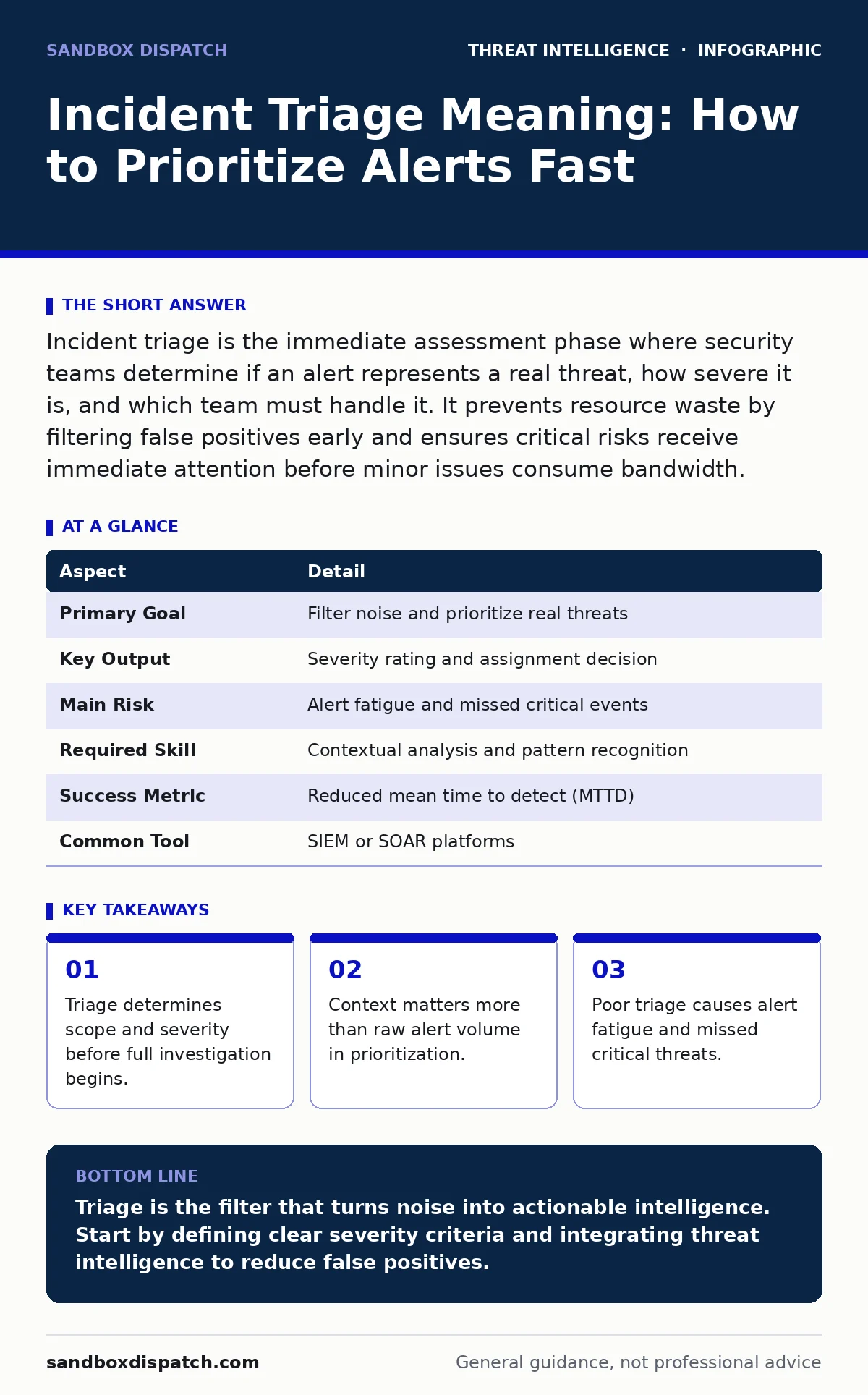
Incident triage is the immediate assessment phase where security teams determine if an alert represents a real threat, how severe it is, and which team must handle it. It prevents resource waste by filtering false positives early and ensures critical risks receive immediate attention before minor issues consume bandwidth.
What Is Incident Triage Meaning
Incident triage meaning refers to the initial sorting and prioritization of security alerts to determine their validity and urgency. It acts as the first filter in the security operations lifecycle, separating genuine threats from benign anomalies or system errors. This process dictates which alerts proceed to full investigation and which are closed as false positives.
Without this step, security teams drown in data. Every firewall log, antivirus flag, and unusual login attempt generates noise. Triage provides structure. It assigns a severity level based on potential business impact, not just technical indicators. This distinction saves time and resources.
The process affects every organization with digital assets. Developers see fewer false alarms blocking deployments. Operations teams avoid unnecessary system restarts. Security analysts focus on real threats instead of chasing ghosts. Effective triage requires clear criteria and consistent application.
| Aspect | Detail |
|---|---|
| Primary Goal | Filter noise and prioritize real threats |
| Key Output | Severity rating and assignment decision |
| Main Risk | Alert fatigue and missed critical events |
| Required Skill | Contextual analysis and pattern recognition |
| Success Metric | Reduced mean time to detect (MTTD) |
| Common Tool | SIEM or SOAR platforms |
How Triage Works in Practice
Triage begins when an alert enters the security monitoring system. The analyst reviews the initial data points. They check the source IP, the affected asset, and the type of activity. This quick scan determines if the event aligns with known attack patterns.
Next, the team assesses the context. Is the server a public-facing web node or an internal database? Was the login from a new country or a known employee location? Context transforms raw data into intelligence. A failed login from a known IP is low risk. The same event from an unknown proxy is high risk.
The analyst then assigns a severity score. Critical issues require immediate containment. High severity needs investigation within hours. Low severity can wait for routine review. This scoring drives the workflow. It ensures that limited human attention goes to the most dangerous problems first.
Suppose a monitoring system flags a large data transfer. Triage checks if this matches normal backup behavior. If yes, it closes the alert. If no, it escalates for deeper review. This decision prevents unnecessary panic while catching actual exfiltration.
Who Handles Triage Tasks
Triage is rarely a solo effort. Junior analysts often perform the initial filtering. They follow playbooks to rule out common false positives. This frees senior staff for complex investigations. Automation tools handle repetitive checks, such as verifying if an IP is on a blocklist.
The security operations center (SOC) usually owns this phase. They operate 24/7 to catch threats at any hour. Cloud security teams may triage alerts specific to infrastructure. Application security engineers handle alerts related to code vulnerabilities. Collaboration is key.
Developers benefit from clear triage outcomes. When security teams misclassify alerts, developers waste time investigating benign issues. Accurate triage builds trust between security and engineering. It reduces friction and speeds up remediation.
Common Triage Mistakes
Many teams fall into the trap of severity inflation. They mark everything as critical because they fear missing a threat. This causes alert fatigue. Analysts become desensitized to warnings. Real threats get buried under a mountain of low-value alerts.
Another error is ignoring context. A malicious file hash is dangerous on a production server. It is less urgent on an isolated sandbox. Failing to distinguish between environments leads to poor resource allocation. Teams waste time on low-impact events while high-impact ones linger.
Over-reliance on automation is risky. Tools can flag patterns but lack intuition. They cannot understand business nuance. Human review remains necessary for edge cases. Blindly trusting automated scores leads to missed nuances and false confidence.
Integrating Threat Intelligence
Triage improves when enriched with external data. A threat intelligence program provides context on attacker tactics and indicators. Knowing that an IP belongs to a known botnet changes the severity score. This external validation speeds up decision-making.
Internal telemetry also helps. Historical data shows what normal behavior looks like. Deviations from baseline are more suspicious than absolute values. Combining internal logs with external intelligence creates a fuller picture.
Automation platforms can apply these rules at scale. A SOAR system can automatically enrich alerts with threat intelligence feeds. It can also execute basic containment steps for confirmed threats. This reduces manual workload and speeds up response.
See also: Jailbroken AI Response: Immediate Containment and Recovery Steps · Audit Logging Best Practices for Secure Systems
The Role of Automation
Automation handles the repetitive parts of triage. It can correlate multiple low-level alerts into a single high-level incident. This reduces noise significantly. It also ensures consistency. Human analysts might miss subtle patterns; scripts do not.
However, automation needs careful tuning. Poorly configured rules generate false positives. These erode trust in the system. Regular review of automation logic is necessary. Teams must adjust thresholds as the environment changes.
Digital forensics and incident response processes rely on clean triage data. If early steps are messy, later investigation suffers. Clear, accurate triage sets the stage for effective containment and recovery. It ensures that evidence is preserved correctly from the start.
Advanced Triage Considerations
Some threats evade standard detection. Pass-the-ticket attacks reuse valid authentication tokens, leaving few traditional malware signs. Triage for these requires monitoring for unusual privilege usage rather than just file hashes. Behavioral analysis becomes critical.
Similarly, DCSync attacks mimic legitimate domain controller replication. They do not trigger standard antivirus alerts. Detecting them requires monitoring for specific replication requests from unauthorized accounts. Triage must account for these stealthy techniques.
Honeytokens can help validate alerts. These are fake credentials or data files placed in the environment. Any access to them is immediately suspicious. Triage for honeytoken alerts is straightforward: they are always malicious. This provides a high-confidence signal.
What To Do Next
Start by reviewing your current alert volume. Identify the top sources of false positives. Adjust detection rules to filter them out. Implement clear severity criteria. Train your team on contextual analysis.
Integrate external data sources. Connect your monitoring tools to threat intelligence feeds. Automate routine enrichment tasks. Measure your triage effectiveness. Track how long it takes to validate alerts. Use this data to refine your process continuously.
Key takeaways
- Triage determines scope and severity before full investigation begins.
- Context matters more than raw alert volume in prioritization.
- Poor triage causes alert fatigue and missed critical threats.
Triage is the filter that turns noise into actionable intelligence. Start by defining clear severity criteria and integrating threat intelligence to reduce false positives.
Frequently asked questions
How is triage different from investigation?
Triage determines if an alert is real and how urgent it is. Investigation digs into the root cause and scope of a confirmed incident.
Can automation replace human triage?
Automation can handle routine filtering but cannot replace human judgment for complex or ambiguous alerts.
What defines a critical severity alert?
Critical alerts involve active data exfiltration, privilege escalation, or compromise of high-value assets requiring immediate containment.
How this guide was produced: written by the Sandbox Dispatch editorial team with AI assistance, checked against the public references listed below, and reviewed when the facts change. See our editorial policy or report an error.