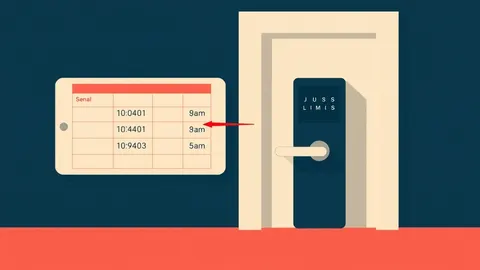
User Access Provisioning: How Identity Systems Grant and Restrict Rights
Provisioning does not just add users; it silently binds their identity to specific resource policies, creating a hidden chain of trust that persists until explicitly severed.

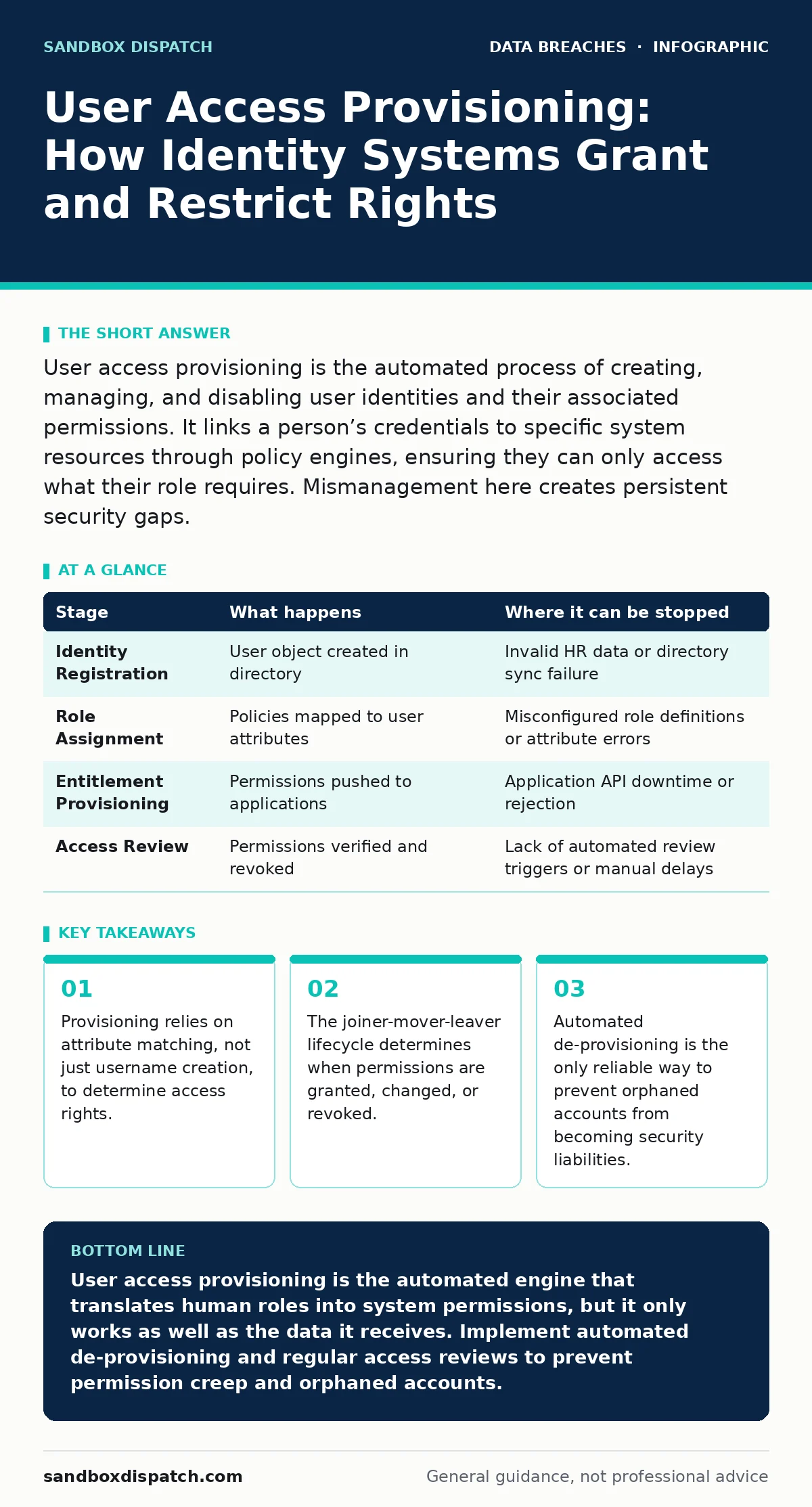
User access provisioning is the automated process of creating, managing, and disabling user identities and their associated permissions. It links a person’s credentials to specific system resources through policy engines, ensuring they can only access what their role requires. Mismanagement here creates persistent security gaps.
The Identity Anchor
Provisioning begins before a user ever logs in. It starts with the creation of a unique digital identity within an identity provider. This provider acts as the central authority that verifies who a person is. Without this anchor, no system can distinguish one user from another or apply specific security rules.
The identity record contains static attributes, such as an employee ID, and dynamic attributes, like department or security clearance level. These attributes are the raw data that permission engines consume later. If these attributes are incorrect at this stage, every subsequent access decision will be flawed.
This stage is purely administrative. No network traffic flows to the target applications yet. The system simply asserts that "User A exists and belongs to Group B." This assertion is the foundation for all future access requests.
Stage 1: Identity Registration
The first operational step is registering the new identity in the central directory. This directory serves as the single source of truth for user existence. When a new hire is onboarded, human resources systems trigger an event that pushes data to this directory.
The provisioning system parses this event and creates a user object. It assigns a unique identifier that never changes, even if the user’s name or role does. This stability is critical for maintaining audit trails over time.
If the registration fails, the user cannot authenticate anywhere. The system logs the error and typically alerts an administrator. This prevents silent failures where a user is added to HR but missing from security systems.
Policy Translation
Creating an identity is useless without permissions. This stage translates human-readable roles into machine-enforceable rules. The system maps the user’s attributes to specific access policies defined by administrators.
These policies define what resources the user can touch and what actions they can perform. For instance, a policy might state that "Finance users can read but not delete invoices." The provisioning engine applies this policy to the user’s identity record.
This mapping is often static. It does not change until the user’s attributes change. This rigidity is a trade-off for performance and predictability. Dynamic evaluation of every request would be too slow for most systems.
Stage 2: Role Assignment
The system assigns predefined roles to the new user. Each role is a bundle of permissions for specific applications or data sets. This follows the principle of least privilege, granting only the minimum access needed for the job.
Role assignment is rarely manual in large organizations. It is driven by rules that match user attributes to role definitions. If the user is in the "Engineering" department, they automatically receive the "Code Repository Read" role.
This step can introduce risk if roles are too broad. A role that grants access to both development and production environments violates separation of duties. The provisioning system must enforce these boundaries strictly.
Resource Connection
The identity and roles exist in the identity provider, but the actual applications remain unaware. This stage bridges the gap by pushing credentials and entitlements to the target systems. This is where the actual access is provisioned.
The provisioning system uses standard protocols to communicate with each application. It creates a corresponding account in the application’s local database or links the external identity to an existing one. This synchronization ensures the user can log in and see the correct data.
This step is the most complex because every application has its own API and data model. The provisioning system must translate generic roles into application-specific permissions. A failure here results in a user who can log in but cannot do their job.
Stage 3: Entitlement Provisioning
The system pushes the assigned roles to each target application. For each application, it creates or updates the user’s profile to reflect the new permissions. This might involve adding the user to a specific group within the application.
The target application acknowledges the change. It updates its internal access control lists to include the new user. This confirmation is vital for the provisioning system to mark the task as complete.
If an application is offline or rejects the change, the provisioning system queues the task for retry. It does not assume success. This resilience ensures that temporary network issues do not result in permanent access gaps.
Lifecycle Management
Provisioning is not a one-time event. It is a continuous process that tracks the user’s journey through the organization. This lifecycle is often called joiner-mover-leaver. It covers onboarding, role changes, and offboarding.
When a user changes roles, their permissions must change too. This is the "mover" phase. The system must revoke old permissions and grant new ones. Failure to do so leads to permission creep, where users accumulate access they no longer need.
The "leaver" phase is the most critical. When employment ends, all access must be revoked immediately. Manual processes often fail here, leaving orphaned accounts that can be exploited. Automated de-provisioning is the standard mitigation.
Stage 4: Access Review and Revocation
Periodic reviews ensure that permissions remain appropriate. Administrators or automated systems check if users still need their current access. This process identifies stale permissions that are no longer required.
When a user leaves, the system triggers a mass revocation. It disables the identity in the provider and pushes de-provisioning commands to all connected applications. This cuts off access across the entire infrastructure simultaneously.
This stage links directly to employee offboarding security. Without automated revocation, former employees retain access to sensitive data. This creates a significant risk for unauthorized access and potential data leaks.
Limits and Blind Spots
Provisioning systems are powerful but not omniscient. They rely on the accuracy of input data. If the HR system lists the wrong department, the provisioning engine grants the wrong access. Garbage in, garbage out applies strictly here.
They also struggle with context. A provisioning system knows a user’s role, but it may not know their current location or device security status. These dynamic factors are handled by separate access control mechanisms, not provisioning.
Furthermore, provisioning does not monitor usage. It grants access but does not watch what the user does with it. This gap is filled by audit logging and monitoring tools. Provisioning sets the stage; monitoring watches the play.
| Stage | What happens | Where it can be stopped |
|---|---|---|
| Identity Registration | User object created in directory | Invalid HR data or directory sync failure |
| Role Assignment | Policies mapped to user attributes | Misconfigured role definitions or attribute errors |
| Entitlement Provisioning | Permissions pushed to applications | Application API downtime or rejection |
| Access Review | Permissions verified and revoked | Lack of automated review triggers or manual delays |
See also: Detect Tailgating Attempts via Access Logs and Behavioral Signals · How Tailgating Works and Simple Ways to Stop It
The Hidden Cost of Complexity
Every new application added to the organization increases provisioning complexity. Each app requires its own integration, mapping, and error handling. This technical debt accumulates silently.
Maintaining these integrations requires specialized knowledge. When an application changes its API, the provisioning system breaks until it is updated. This fragility makes large-scale changes risky.
Additionally, provisioning creates a single point of failure. If the identity provider goes down, no new users can be added, and existing users may lose access. Redundancy and failover plans are necessary to mitigate this risk.
This complexity underscores the importance of data inventory and mapping. You cannot provision access effectively if you do not know what resources exist or who needs them.
Ensuring Continuity
Provisioning must work seamlessly with other security controls. It integrates with data retention policies to ensure that when access is revoked, data access is also restricted or archived.
It also plays a role in protecting against tax identity theft by ensuring that financial systems only grant access to authorized personnel. Strict provisioning controls prevent unauthorized access to sensitive financial data.
In the event of lost and stolen devices, provisioning systems can disable the associated user identities, preventing access from compromised hardware. This immediate revocation is faster than waiting for password resets.
Key takeaways
- Provisioning relies on attribute matching, not just username creation, to determine access rights.
- The joiner-mover-leaver lifecycle determines when permissions are granted, changed, or revoked.
- Automated de-provisioning is the only reliable way to prevent orphaned accounts from becoming security liabilities.
User access provisioning is the automated engine that translates human roles into system permissions, but it only works as well as the data it receives. Implement automated de-provisioning and regular access reviews to prevent permission creep and orphaned accounts.
Frequently asked questions
How long does it take to provision a new user?
Automated provisioning can create an identity and assign roles in seconds. However, propagating permissions to all applications may take minutes or hours depending on system load and integration complexity.
What happens if a provisioning task fails?
Most systems queue failed tasks for retry. Administrators receive alerts for persistent failures. The user’s access remains incomplete until the task succeeds, preventing silent security gaps.
Can provisioning systems handle external contractors?
Yes, but they often require separate identity pools and stricter time-bound permissions. Contractors should have access that expires automatically after a set period, reducing the risk of lingering access.
How does provisioning differ from authentication?
Provisioning creates the identity and assigns permissions. Authentication verifies the identity when the user logs in. Provisioning happens once or upon change; authentication happens every time the user accesses a resource.
How this guide was produced: written by the Sandbox Dispatch editorial team with AI assistance, checked against the public references listed below, and reviewed when the facts change. See our editorial policy or report an error.