Detect Tailgating Attempts via Access Logs and Behavioral Signals
Physical entry logs often reveal tailgating through timestamp anomalies that digital security tools completely miss.

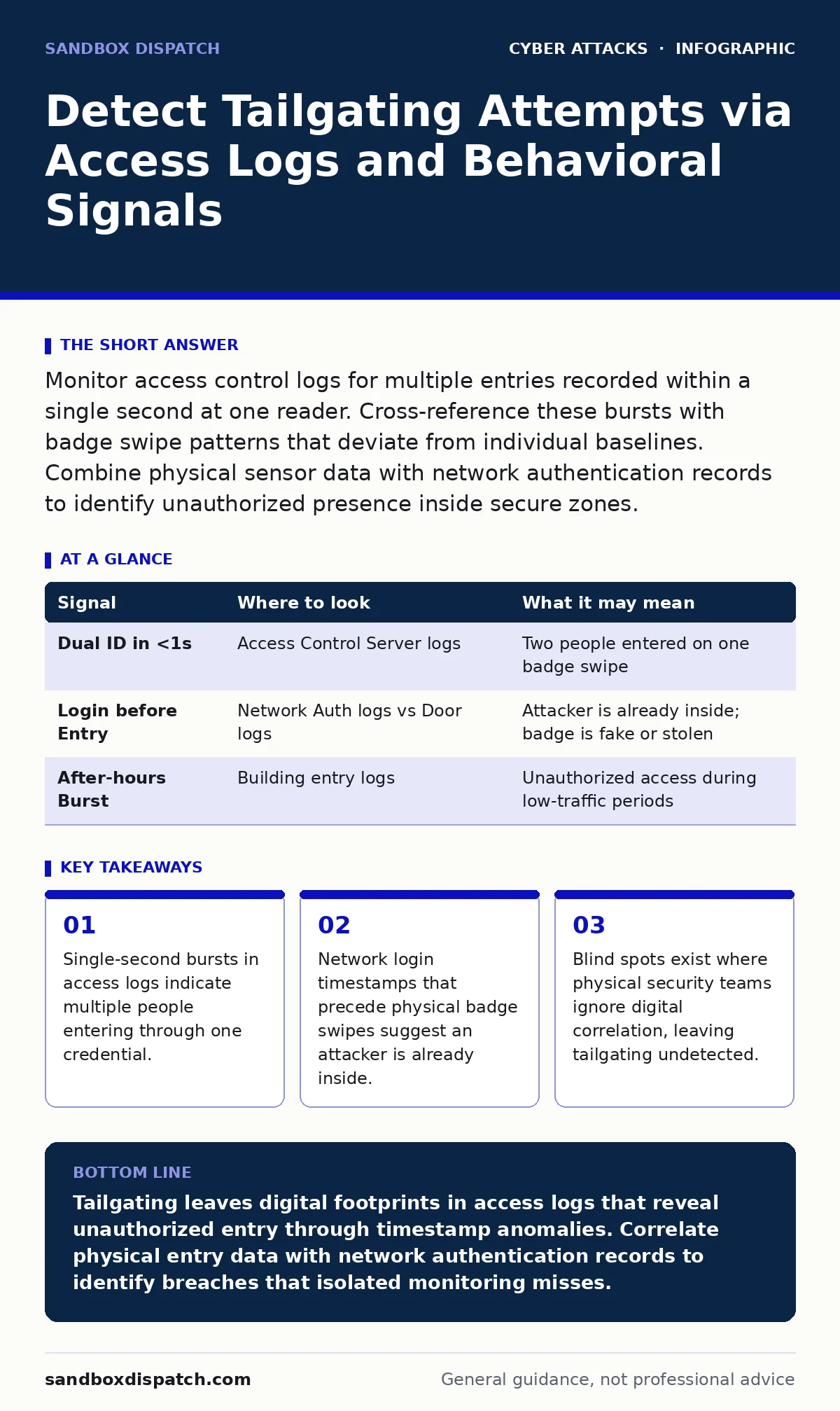
Monitor access control logs for multiple entries recorded within a single second at one reader. Cross-reference these bursts with badge swipe patterns that deviate from individual baselines. Combine physical sensor data with network authentication records to identify unauthorized presence inside secure zones.
The Physics of the Badge Swipe
Tailgating occurs when an unauthorized person follows an authorized individual through a secured door without presenting their own credentials. This social engineering tactic bypasses physical barriers by exploiting human courtesy or distraction. As a developer or security engineer, you might assume this is purely a physical security problem. It is not. Every physical entry event generates a digital record. These records contain subtle anomalies that reveal when the flow of people does not match the flow of credentials.
The access control system logs a successful read when a badge is presented. It does not log who else walks through the door. However, the hardware sensors and the network infrastructure surrounding that door do record additional data. You can detect tailgating by looking for discrepancies between the physical act of entry and the digital record of authentication.
Temporal Anomalies in Access Logs
The most reliable signal of tailgating appears in the timestamps of your access control logs. Modern readers process credentials in milliseconds. If two distinct badge IDs are recorded at the same door within a single second, a second person likely entered using the first person’s cleared path. This is not a coincidence. It is a mechanical certainty.
You must configure your log aggregation tools to flag these micro-bursts. Standard monitoring dashboards often group logs by minute or hour. This granularity hides the event. You need second-level precision. When a door unlocks, it remains open for a set duration. Any credential scanned during that window is valid, but the timing tells the story. If Badge A scans at 10:00:01.00 and Badge B scans at 10:00:01.45, the system registered two users. The door only opened once. One person walked in freely.
| Signal | Where to look | What it may mean |
|---|---|---|
| Dual ID in <1s | Access Control Server logs | Two people entered on one badge swipe |
| Login before Entry | Network Auth logs vs Door logs | Attacker is already inside; badge is fake or stolen |
| After-hours Burst | Building entry logs | Unauthorized access during low-traffic periods |
Correlating Physical and Digital Identity
Physical entry and network authentication are rarely synchronized in real-time. This gap creates a detection opportunity. Suppose an employee uses their badge to enter the building. The access control system records this event. Minutes later, that same user’s credentials authenticate to a sensitive internal server. If the server login occurs before the badge swipe, the timeline is impossible. The user cannot be in two places at once.
This discrepancy suggests the credentials are compromised. An attacker may have stolen the badge or cloned the RFID signal. They entered the building earlier, perhaps by tailgating someone else, and are now using the stolen identity to access digital resources. You must join these two data streams. Create a correlation rule that alerts when a network login timestamp precedes the earliest physical entry timestamp for that user ID.
Behavioral Baselines and Deviations
Not all tailgating events produce immediate log errors. Some attackers wait for a moment of high traffic, such as morning rush hour, to slip in. In these cases, the timestamp anomaly is less obvious because many badges are scanning rapidly. You must look for behavioral deviations.
Analyze the historical patterns of each user. Does User A always enter through the North Entrance? If they suddenly appear at the South Entrance, flag it. Does User B always log in to their workstation immediately after entering the building? If their network activity starts before they arrive, investigate. These deviations do not prove tailgating on their own. They indicate that the usual security assumptions are broken.
When combined with access logs, these behavioral shifts become powerful indicators. A user who deviates from their physical routine and then accesses sensitive data is a high-risk signal. You should integrate this analysis into your endpoint protection platforms. These tools can detect unusual process execution or data access that coincides with physical entry anomalies.
The Blind Spot of Single-Point Monitoring
Most organizations monitor physical security and digital security in isolation. The security operations center watches network traffic. The facility management team watches door logs. Neither team sees the full picture. This siloed approach is the primary blind spot in tailgating detection.
An attacker who tailgates into a building may never trigger a network alert if they use a compromised laptop or a device that was already logged in. They are invisible to the digital team because their digital footprint looks normal. They are invisible to the physical team because they entered legally, just without a badge. The breach happens in the gap between the two systems.
To close this gap, you must share data. The physical security team must provide raw access logs to the security operations center. The security operations center must provide network authentication logs to the physical security team. Only by merging these datasets can you identify the attacker. This integration requires cooperation and technical effort. It is not a feature you can simply toggle on.
See also: User Access Provisioning: How Identity Systems Grant and Restrict Rights · Employee Offboarding Security Checklist: Prevent Data Leaks
Leveraging Video Analytics as a Secondary Source
Access logs are definitive but limited. They tell you who scanned a badge, not how many people walked through. Video analytics can fill this gap. Modern cameras can count heads and detect faces. When integrated with access control systems, they provide a second layer of verification.
If the log shows one badge scan, but the camera detects three people entering, the system can flag an anomaly. This is not perfect. Cameras can miss people in shadows or miscount overlapping figures. However, it provides a probabilistic signal. When combined with the timestamp anomalies in the logs, it increases confidence in the detection.
You should treat video analytics as a confirmation tool, not a primary detector. It is resource-intensive and prone to false positives. Use it to verify alerts generated by log correlation. Do not rely on it to catch every tailgating attempt. It is best used in high-security zones where the cost of a breach is highest.
Integrating with Incident Response
Detecting tailgating is only the first step. You must have a plan for what happens when you find evidence. Your incident response plans should include procedures for physical breaches. This means isolating the compromised user’s account, revoking their badge, and securing the physical entry point.
If the attacker has already accessed internal systems, you must contain the threat. This may involve disabling network access from the compromised zone. You should also review other login alerts from that time period to see if the attacker moved laterally. Tailgating often serves as the initial access vector for larger attacks. It is rarely the end goal.
The Cost of Inaction
Ignoring tailgating signals leaves your organization vulnerable to a wide range of attacks. An attacker inside your building can plug a device into a network port, steal a laptop, or engage in tech support scams against employees. They can also perform QR code phishing by placing malicious codes on desks or printers.
The physical presence of an attacker bypasses many digital defenses. They can bypass DNS hijacking protections by configuring local settings. They can evade callback verification by impersonating staff in person. The combination of physical access and social engineering is particularly dangerous.
You must treat physical security logs with the same rigor as network logs. They are part of the same security fabric. By detecting tailgating early, you reduce the window of opportunity for attackers. You also protect your employees from social engineering attempts that rely on physical presence.
Key takeaways
- Single-second bursts in access logs indicate multiple people entering through one credential.
- Network login timestamps that precede physical badge swipes suggest an attacker is already inside.
- Blind spots exist where physical security teams ignore digital correlation, leaving tailgating undetected.
Tailgating leaves digital footprints in access logs that reveal unauthorized entry through timestamp anomalies. Correlate physical entry data with network authentication records to identify breaches that isolated monitoring misses.
Frequently asked questions
Can I detect tailgating without video cameras?
Yes. By analyzing access control logs for multiple badge scans within a single second at one door, you can identify probable tailgating events.
What if my access logs only record minutes, not seconds?
You cannot reliably detect tailgating with minute-level granularity. You must upgrade your logging configuration to record timestamps with second or millisecond precision.
Does this apply to mobile badge apps?
Yes. Mobile credentials generate the same log entries as physical badges. The detection logic remains identical regardless of the credential type.
How do I handle false positives from rapid entry?
Tune your thresholds based on historical data. If a door typically sees ten entries per second during rush hour, adjust your alerting to account for this baseline.
How this guide was produced: written by the Sandbox Dispatch editorial team with AI assistance, checked against the public references listed below, and reviewed when the facts change. See our editorial policy or report an error.