Data Loss Prevention Examples: Stop Sensitive Data From Leaving Your Network
Most data loss prevention tools fail because they block legitimate work, forcing teams to bypass security controls entirely.

Data loss prevention examples include blocking credit card numbers in emails, scanning cloud uploads for source code, and preventing USB drives from writing to endpoints. These mechanisms inspect content, not just file names, to stop accidental or malicious exfiltration before data leaves your controlled environment.
The Mailroom Analogy for Data Control
Imagine a corporate mailroom where every outgoing letter passes through a clerk. The clerk does not read the entire letter. She checks the envelope address, weighs the package, and scans for specific words like "secret" or "confidential." If she finds those markers, she opens the envelope to verify the content. This manual process mirrors how data loss prevention systems operate. They sit at the boundary of your network, inspecting outbound traffic for patterns that match sensitive data definitions.
The clerk cannot read every letter. That would halt business. She relies on rules. Data loss prevention works the same way. It uses predefined policies to identify sensitive information. The system flags data that matches credit card formats, social security number structures, or proprietary source code signatures. When a match occurs, the system takes action. It might block the transfer, encrypt the file, or alert a security analyst. The goal is not to stop all data movement. The goal is to stop unauthorized data movement.
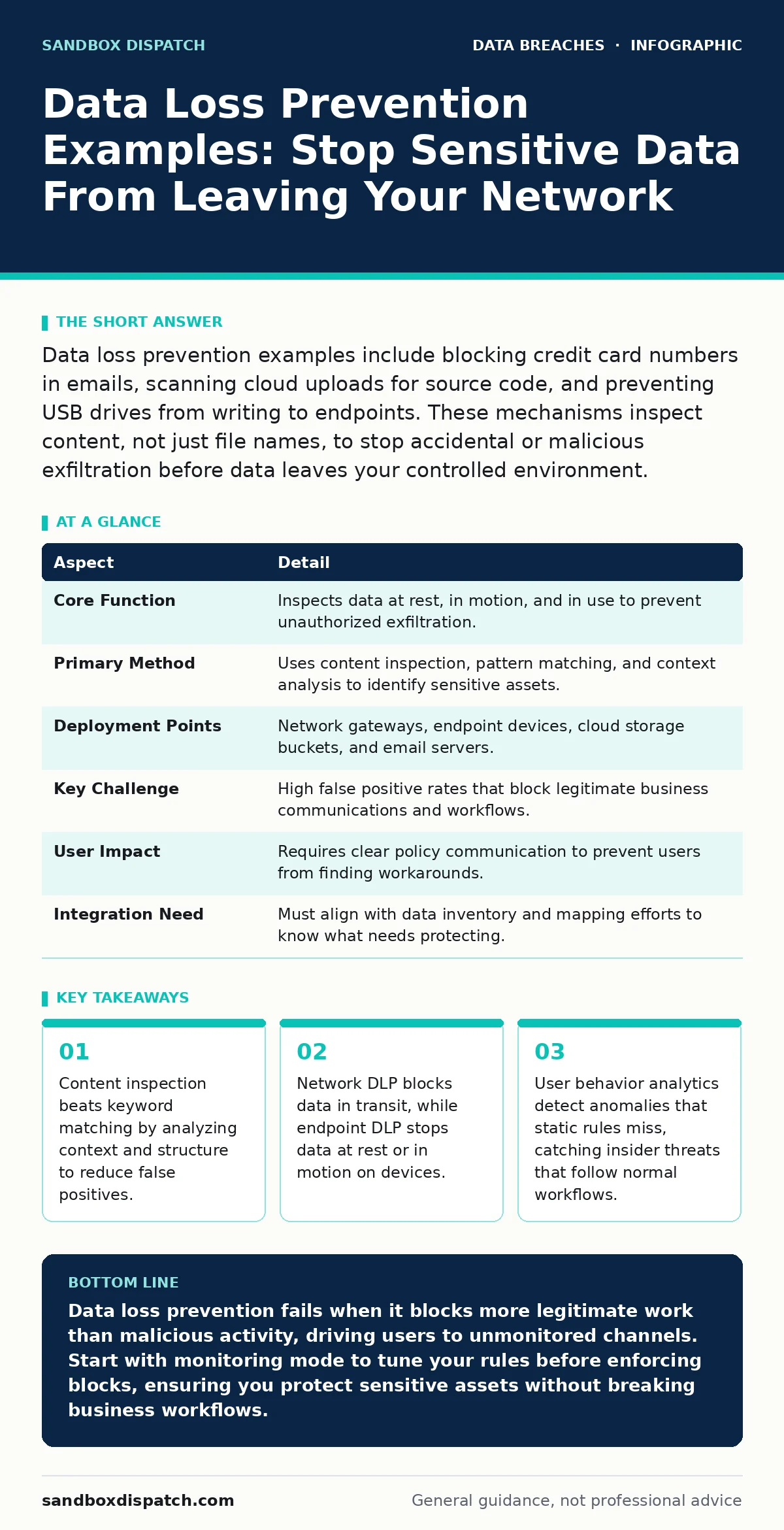
| Aspect | Detail |
|---|---|
| Core Function | Inspects data at rest, in motion, and in use to prevent unauthorized exfiltration. |
| Primary Method | Uses content inspection, pattern matching, and context analysis to identify sensitive assets. |
| Deployment Points | Network gateways, endpoint devices, cloud storage buckets, and email servers. |
| Key Challenge | High false positive rates that block legitimate business communications and workflows. |
| User Impact | Requires clear policy communication to prevent users from finding workarounds. |
| Integration Need | Must align with data inventory and mapping efforts to know what needs protecting. |
Common Data Loss Prevention Examples
You likely search for data loss prevention examples to understand how these tools apply to real workflows. The most common scenario involves email gateways. An employee attempts to send a spreadsheet containing customer credit card numbers to a personal email address. The DLP system inspects the attachment. It recognizes the 16-digit card number pattern and the associated expiration date format. The system blocks the email and notifies the user that the message contains restricted financial data.
Another frequent example occurs at the network perimeter. A developer pushes code to a public repository. The DLP agent on the developer’s workstation intercepts the upload. It scans the code for hardcoded API keys, private encryption keys, or proprietary algorithms. If the scan detects these secrets, the agent blocks the commit. The developer receives an explanation of which lines triggered the alert. This prevents accidental exposure of intellectual property to the public internet.
Endpoint DLP provides a third example. An employee plugs a personal USB drive into a corporate laptop. The DLP policy prevents any write operations to that drive. The user can read files from the drive, but they cannot copy sensitive documents onto it. This stops data theft via removable media. The system logs the attempt. Security teams can review the logs to identify users who frequently attempt to bypass storage restrictions.
Why Context Matters More Than Keywords
Simple keyword matching fails in complex environments. If you block any email containing the word "password," you block legitimate IT support requests. Effective DLP relies on context and structure. It looks for the format of the data, not just the presence of a word. For instance, a social security number has a specific 9-digit structure. The system checks for that structure. It also checks the surrounding text. If the number appears in a field labeled "SSN," the confidence score increases.
False positives create hidden costs. When a system blocks a legitimate contract or invoice, the user becomes frustrated. They may seek workarounds. They might use personal email accounts or messaging apps to bypass the block. This behavior moves data outside your visibility entirely. You lose the ability to monitor or protect that data. The security team must tune policies carefully. They must balance security with usability. Overly restrictive policies drive shadow IT.
What People Usually Get Wrong
Many organizations treat DLP as a silver bullet. They install the software and expect it to stop all leaks. This expectation ignores human behavior. DLP does not stop a user from taking a photo of a screen with their phone. It does not stop a user from memorizing a password and typing it into a personal account. It only controls digital data flows through monitored channels.
Another common mistake is focusing only on external threats. Insider threats often cause more damage. An disgruntled employee who knows the system rules can split data into small chunks. They might send one page of a document per email. The DLP system may not flag single pages. The employee reconstructs the document on their personal device. This technique, known as data fragmentation, bypasses simple volume-based thresholds.
Integrating DLP With Broader Security
DLP does not work in isolation. It must connect with other security controls. For example, if you have strong data retention policies, you know what data exists and where it lives. This knowledge helps you write accurate DLP rules. If you do not know where your sensitive data is, you cannot protect it effectively. Blindly applying rules across the entire network creates noise.
Consider employee offboarding security. When an employee leaves, you revoke their access. But what if they downloaded data before their termination? DLP logs can show what data they accessed in their final days. This information helps investigators determine if data was exfiltrated. It also helps you understand gaps in your access controls.
Network-level DLP complements endpoint controls. Endpoint DLP stops data before it leaves the device. Network DLP catches data that bypasses the endpoint. For instance, if a user connects to a personal hotspot, the endpoint agent might not have internet access to check policies. The network DLP at the office gateway can still inspect traffic. Layered defense ensures that one failure does not compromise everything.
See also: Sensitive Personal Data: Small Business Protection Tactics · Audit Logging Best Practices for Secure Systems
Handling Cloud and Remote Work
Remote work changes the attack surface. Data no longer stays within the office firewall. Users access corporate resources from home networks, cafes, and airports. Traditional network DLP cannot inspect traffic that never passes through the corporate gateway. Cloud Access Security Brokers (CASB) extend DLP capabilities to cloud services. They monitor uploads to platforms like Google Drive or Dropbox.
You must define clear policies for cloud usage. Allow certain file types. Block others. Encrypt files that leave the corporate environment. Zero Trust principles apply here. Verify every request. Do not trust the location of the user. Trust the identity and the device posture. If a device is not compliant, restrict data access. This prevents data loss from compromised or unmanaged devices.
Tuning Policies for Real-World Use
Tuning DLP policies is an ongoing process. Start with monitoring mode. Let the system log violations without blocking anything. Review the logs. Identify false positives. Adjust the rules. Once the system accurately identifies sensitive data, switch to blocking mode. This gradual approach minimizes disruption to business operations.
Involve business units in the tuning process. IT teams understand technology. Business teams understand context. A marketing team might need to share customer lists with partners. A finance team might need to send invoices with bank details. DLP policies must accommodate these legitimate workflows. Use allowlists for trusted partners. Use encryption for sensitive transfers. This balance keeps data secure without stifling productivity.
Regularly review your data inventory and mapping. As your business grows, new data types emerge. New applications are adopted. Your DLP rules must evolve with your business. Static rules become obsolete. They miss new threats and block new workflows. Continuous improvement ensures that your DLP remains effective.
Key takeaways
- Content inspection beats keyword matching by analyzing context and structure to reduce false positives.
- Network DLP blocks data in transit, while endpoint DLP stops data at rest or in motion on devices.
- User behavior analytics detect anomalies that static rules miss, catching insider threats that follow normal workflows.
Data loss prevention fails when it blocks more legitimate work than malicious activity, driving users to unmonitored channels. Start with monitoring mode to tune your rules before enforcing blocks, ensuring you protect sensitive assets without breaking business workflows.
Frequently asked questions
Does data loss prevention stop all data breaches?
No, DLP only controls digital data flows through monitored channels. It cannot stop physical theft, social engineering, or data exfiltration via unmonitored methods like photography or memorization.
How do I reduce false positives in DLP?
Use context-aware rules that analyze data structure and surrounding text, not just keywords. Start in monitoring mode to identify legitimate workflows before blocking them.
Can DLP protect data in the cloud?
Yes, when integrated with Cloud Access Security Brokers or cloud-native DLP features. These tools inspect data at rest and in motion within cloud storage and collaboration platforms.
What is the difference between network DLP and endpoint DLP?
Network DLP inspects data as it crosses the network boundary, while endpoint DLP controls data on the device itself, including USB transfers and local application usage.
How this guide was produced: written by the Sandbox Dispatch editorial team with AI assistance, checked against the public references listed below, and reviewed when the facts change. See our editorial policy or report an error.