Detect Lost Devices: Log Signals and Blind Spots for Teams
Device theft reveals itself through silent authentication failures and impossible geolocation jumps before any data exfiltration occurs.

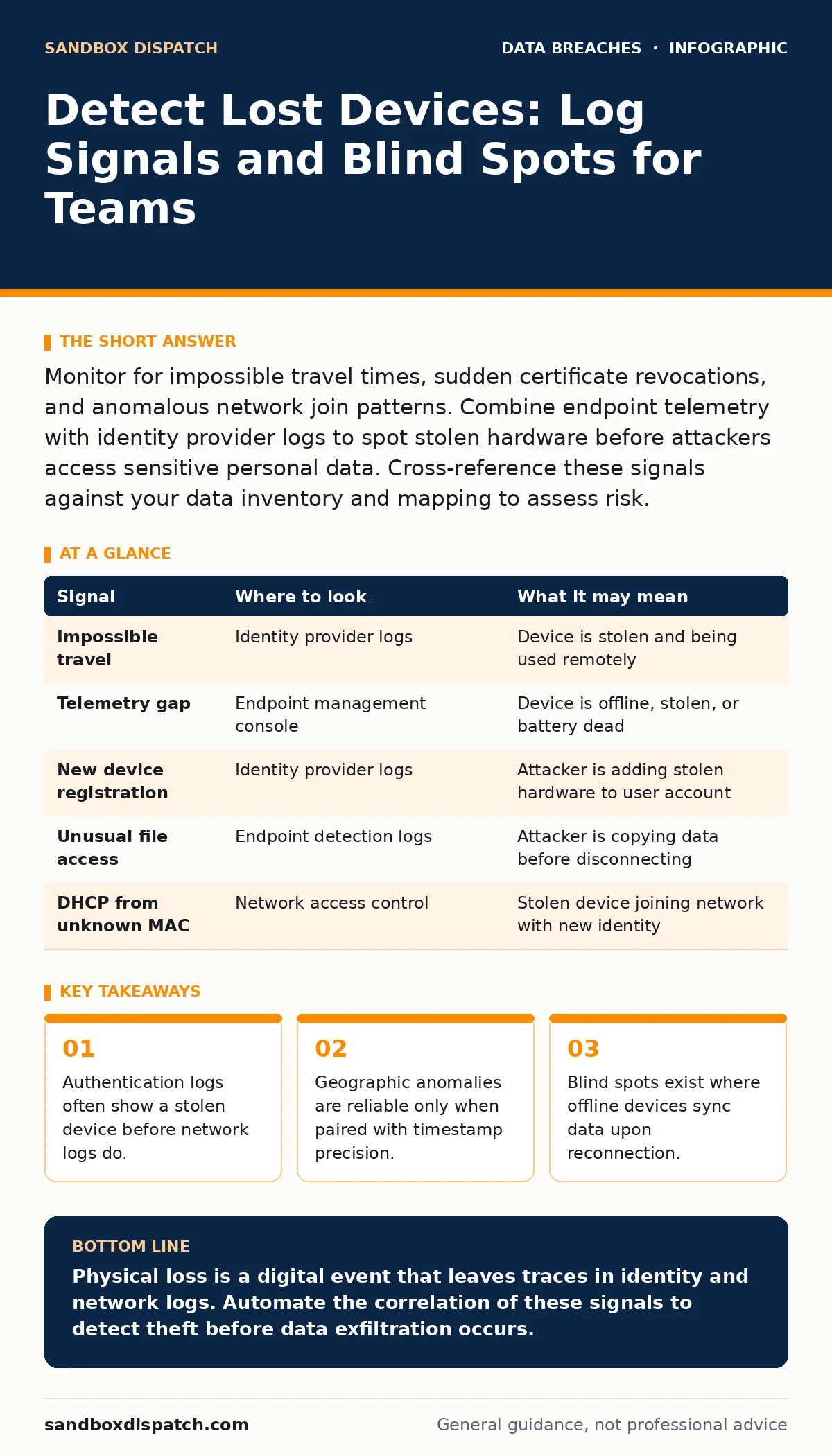
Monitor for impossible travel times, sudden certificate revocations, and anomalous network join patterns. Combine endpoint telemetry with identity provider logs to spot stolen hardware before attackers access sensitive personal data. Cross-reference these signals against your data inventory and mapping to assess risk.
The First Signal: Impossible Travel
You might assume that a lost device stays quiet until it is sold. In reality, the first sign is often a frantic attempt to authenticate. Attackers try to bypass local locks by using cached credentials or stolen tokens. This creates a spike in failed login attempts from a new location.
Suppose a developer loses a laptop in a train station. Within minutes, the device attempts to connect to a corporate VPN from an IP address in a different country. The identity provider records this as a high-risk event. You must configure your systems to flag authentication requests that defy physics. A user cannot physically move across a continent in ten minutes.
These signals are fleeting. If you rely on manual review, you will miss the window. Automated rules must trigger an alert or a forced re-authentication challenge. This stops the attacker at the gate rather than after they have entered.
Network Join Anomalies
When a stolen device reconnects to a network, it behaves differently than a managed machine. It may attempt to join a network segment it has never accessed before. It might broadcast device identifiers that do not match the corporate inventory.
Look for DHCP requests from unknown MAC addresses. Check for devices that connect to guest Wi-Fi but attempt to reach internal resources. This behavior indicates an attacker trying to pivot from an untrusted network to trusted systems.
Endpoint Telemetry Drift
Endpoint detection platforms record system events locally. If a device is stolen, these logs stop arriving. A gap in telemetry is a strong indicator of loss. However, a gap can also mean a dead battery or a disconnected network.
You must distinguish between a silent device and a stolen one. Check the last known status of the device management agent. If the agent reports a "shutdown" event followed by no further heartbeats, the device may simply be off. If the agent reports a "disconnect" followed by activity from a different network, the device is likely in transit.
Review file access patterns on the endpoint before the disconnect. Attackers often copy files immediately after gaining physical access. A burst of read operations on sensitive directories precedes the telemetry gap.
Identity Provider Logs
Identity providers are the gatekeepers of your systems. They record who logs in, where, and with what device. These logs are the most reliable source for detecting stolen hardware. Look for new device registrations associated with existing user accounts.
An attacker may add a stolen laptop to their Microsoft Account or Okta session. This triggers a "new device" alert. You must treat this alert with high priority. It indicates that the attacker has bypassed the local lock screen and is trying to establish persistent access.
Common Blind Spots
There are areas where detection fails. Offline devices are the biggest blind spot. If a device is stolen while disconnected from the network, it leaves no trace until it reconnects. By then, data may already be copied.
Another blind spot is encrypted local storage. If the attacker cannot decrypt the drive, they may sell the hardware rather than access the data. You will not see authentication attempts. You will only see a missing asset in your inventory.
See also: Audit Logging Best Practices for Secure Systems · User Access Provisioning: How Identity Systems Grant and Restrict Rights
Detection Matrix
Use this table to map signals to their sources and meanings. This helps you build a detection strategy that covers multiple angles.
| Signal | Where to look | What it may mean |
|---|---|---|
| Impossible travel | Identity provider logs | Device is stolen and being used remotely |
| Telemetry gap | Endpoint management console | Device is offline, stolen, or battery dead |
| New device registration | Identity provider logs | Attacker is adding stolen hardware to user account |
| Unusual file access | Endpoint detection logs | Attacker is copying data before disconnecting |
| DHCP from unknown MAC | Network access control | Stolen device joining network with new identity |
Integrating with Access Controls
Detection is only half the battle. You must link these signals to automated responses. When a signal triggers, the system should revoke access tokens and require multi-factor authentication. This limits the damage even if the attacker has physical possession.
Review your user access provisioning rules to ensure they account for device loss. A user should not have permanent access to all systems from a single device. Just-in-time access reduces the value of a stolen machine.
The Role of Data Inventory
You cannot protect what you do not know you have. A thorough data inventory and mapping effort ensures you know which devices hold sensitive information. This allows you to prioritize detection efforts.
If a device holds no sensitive data, the risk of theft is lower. If it holds critical records, the detection thresholds must be stricter. Align your monitoring with your data classification. This ensures you focus resources on the highest risk assets.
Audit and Retention
Your audit logging practices determine how long you can investigate a theft. Logs must be retained long enough to reconstruct the timeline. Short retention periods mean you lose evidence before you detect the breach.
Ensure your data retention policies cover both network and endpoint logs. If logs are deleted after thirty days, you cannot correlate events that span that period. Adjust retention to match your risk profile. Longer retention costs more storage but provides better forensic capability.
Key takeaways
- Authentication logs often show a stolen device before network logs do.
- Geographic anomalies are reliable only when paired with timestamp precision.
- Blind spots exist where offline devices sync data upon reconnection.
Physical loss is a digital event that leaves traces in identity and network logs. Automate the correlation of these signals to detect theft before data exfiltration occurs.
Frequently asked questions
How do I distinguish between a lost device and a stolen one?
A lost device usually remains offline. A stolen device often attempts to authenticate or join networks from new locations. Look for active telemetry from an unexpected place.
Can an attacker hide their location on a stolen device?
Yes, attackers can use VPNs or proxies to mask their IP address. However, they cannot easily hide device identifiers or bypass multi-factor authentication challenges.
What if the device is wiped before detection?
If the device is wiped, you may only see a telemetry gap. This is why regular heartbeats and inventory checks are necessary. Physical accountability complements digital detection.
How often should I review detection rules?
Review rules quarterly or after any significant change in infrastructure. Attackers adapt their methods, so your detection logic must evolve. Ensure your audit logging captures the necessary data for these reviews.
How this guide was produced: written by the Sandbox Dispatch editorial team with AI assistance, checked against the public references listed below, and reviewed when the facts change. See our editorial policy or report an error.