Spot npm Package Vulnerabilities Before They Break Production
Most dangerous npm flaws hide in quiet dependencies, not the loud ones you audit first, making silent supply chain attacks the hardest to detect.

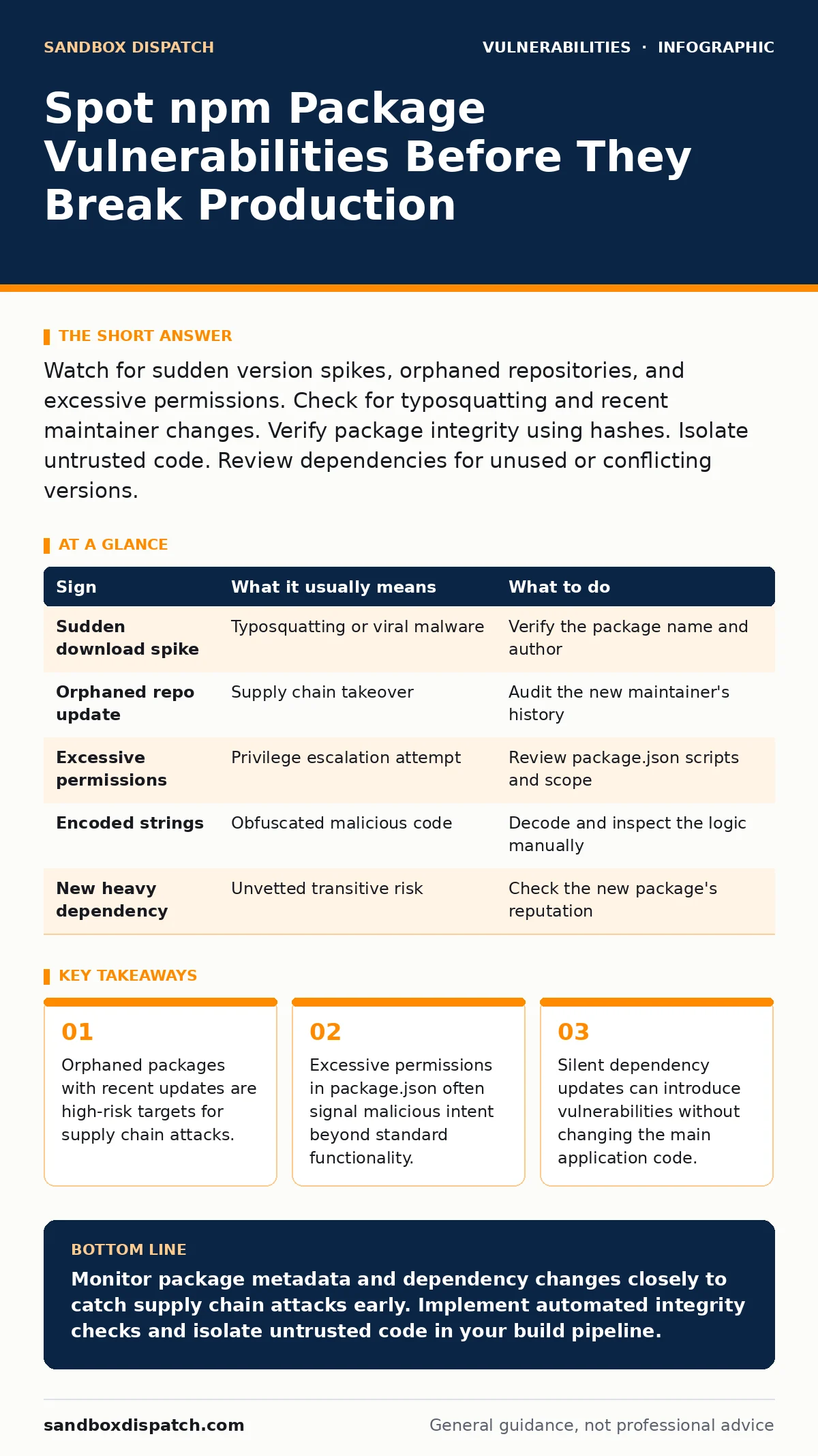
Watch for sudden version spikes, orphaned repositories, and excessive permissions. Check for typosquatting and recent maintainer changes. Verify package integrity using hashes. Isolate untrusted code. Review dependencies for unused or conflicting versions.
Obvious Warning Signs in npm Packages
You notice obvious warning signs when a package behaves strangely or its metadata looks suspicious. These indicators appear early in the review process. Sudden spikes in download counts often signal a typosquatting attack. Attackers register names similar to popular libraries. Developers accidentally install the malicious copy. The package mimics the legitimate one but contains harmful code.
Orphaned repositories present another clear red flag. A package with no recent commits from the original author suddenly receives an update. The new maintainer may not be trusted. Check the contributor history. Look for new accounts created shortly before the update. Verify the identity of the person merging the changes. If the history is erased or rewritten, treat the package as compromised.
Excessive permissions in the package manifest raise immediate alarms. A simple utility library should not require access to the file system or network. Review the package.json file. Look for scripts that run during installation. If the package executes code before you import it, it can compromise your environment. Disable automatic script execution in your package manager to prevent this.
Hidden Indicators That Slip Past Review
Hidden indicators require deeper inspection of the dependency tree. You often miss these because they do not trigger obvious errors. Scope creep in dependencies is a common trap. A minor update to a helper library pulls in a new, heavy dependency. This new package may contain vulnerabilities. The main library author may not have vetted the new addition. Check the transitive dependencies.
Code complexity increases without a clear reason. A small function suddenly grows to hundreds of lines. This often indicates obfuscation. Attackers hide malicious logic inside complex, hard-to-read code. Look for encoded strings or unusual variable names. If the code is difficult to read, it may be hiding something. Simplify the review process by using static analysis tools.
Dependency confusion attacks exploit internal package registries. An attacker publishes a package with the same name as an internal library. If your build system checks the public registry first, it downloads the malicious package. This happens without any obvious warning signs. The package name matches exactly. The version number may be higher than the internal one.
| Sign | What it usually means | What to do |
|---|---|---|
| Sudden download spike | Typosquatting or viral malware | Verify the package name and author |
| Orphaned repo update | Supply chain takeover | Audit the new maintainer's history |
| Excessive permissions | Privilege escalation attempt | Review package.json scripts and scope |
| Encoded strings | Obfuscated malicious code | Decode and inspect the logic manually |
| New heavy dependency | Unvetted transitive risk | Check the new package's reputation |
Verifying Package Integrity
You must verify package integrity before trusting any code. Hash mismatches indicate tampering. Compare the downloaded package hash with the expected hash. Use checksums to ensure the file has not changed. If the hash does not match, do not install the package. Report the discrepancy to the package maintainers.
Check the package signature if available. Some registries support cryptographic signatures. Verify the signature against the maintainer's public key. This confirms the package came from the expected source. If the signature is missing or invalid, treat the package as untrusted. Implement signature verification in your CI/CD pipeline.
Review the license terms. A change in license can indicate a takeover. Attackers may change the license to restrict usage or claim ownership. Check the license file in the repository. Compare it with previous versions. If the license has changed without explanation, investigate further. Consult legal counsel if necessary.
Mitigating Risks in Your Workflow
You mitigate risks by tightening your development workflow. Pin dependency versions to specific hashes. This prevents unexpected updates. Use a lock file to freeze the dependency tree. Review changes to the lock file before merging. This ensures you know exactly what is being added.
Isolate untrusted code in a sandbox. Run third-party libraries in a restricted environment. Limit their access to the file system and network. Use containers or virtual machines for testing. This contains any potential damage. If the package behaves maliciously, the sandbox prevents it from affecting your host system.
Implement automated security scanning. Integrate tools that check for known vulnerabilities. Run these scans on every commit. Fail the build if critical vulnerabilities are found. This ensures you do not deploy compromised code. Regularly update your scanning rules. New threats emerge constantly.
Handling a Suspected Compromise
You handle a suspected compromise by isolating and investigating. Remove the package from your project immediately. Revert to a known good version. Check for any data exfiltration or unauthorized changes. Review server logs for unusual activity. Look for outbound connections to unknown IPs.
Notify your security team. Provide details about the package and the signs you noticed. Collaborate on the investigation. Determine the scope of the impact. Check other projects that use the same package. If the package is widely used, coordinate with other teams.
Report the issue to the package registry. Request removal of the malicious package. Provide evidence of the compromise. This helps protect other developers. Update your internal documentation. Add the package to a blocklist. Prevent future installations.
See also: iOS Zero-Click Prevention Checklist for Secure Applications
Long-Term Defense Strategies
You build long-term defense by adopting secure practices. Conduct regular dependency audits. Review your entire dependency tree. Remove unused packages. Each package adds to your attack surface. Reduce the number of dependencies to minimize risk.
Educate your team on supply chain security. Teach developers how to spot suspicious packages. Encourage them to report anomalies. Create a culture of security awareness. Regular training keeps skills sharp. New attack techniques emerge frequently. Stay informed about the latest threats.
Integrate security into your CI/CD pipeline. Automate checks for vulnerabilities and integrity. Fail builds that do not meet security standards. This ensures consistent enforcement. Document your security policies. Make them accessible to all developers. Clear guidelines reduce human error.
Related Security Practices
You should also review your broader security posture. Attack surface management helps you identify and reduce exposed entry points. Broken access control can allow unauthorized users to exploit vulnerabilities. Patch prioritization ensures you fix the most critical issues first. Configuration hardening reduces the risk of misconfiguration.
Browser updates protect against client-side attacks. HTTP request smuggling can bypass security controls. PHP object injection remains a risk in legacy systems. Understanding attack vectors in CVSS helps you assess severity. These practices complement your npm security efforts.
Key takeaways
- Orphaned packages with recent updates are high-risk targets for supply chain attacks.
- Excessive permissions in package.json often signal malicious intent beyond standard functionality.
- Silent dependency updates can introduce vulnerabilities without changing the main application code.
Monitor package metadata and dependency changes closely to catch supply chain attacks early. Implement automated integrity checks and isolate untrusted code in your build pipeline.
Frequently asked questions
How do I know if an npm package is safe to use?
Check the download history, maintainer reputation, and code complexity. Verify integrity hashes and review permissions. Look for signs of typosquatting or orphaned repositories.
What is typosquatting in the context of npm?
Typosquatting involves registering package names similar to popular libraries. Attackers hope developers will make a typo and install the malicious package. Always verify the exact package name.
Should I disable automatic updates for npm packages?
Disable automatic updates for external packages. Review changes manually before installing. This prevents unexpected vulnerabilities from entering your codebase. Use lock files to freeze versions.
How often should I audit my npm dependencies?
Audit dependencies regularly, ideally with every commit. Integrate automated scanning into your CI/CD pipeline. Conduct manual reviews for new or critical packages. Stay updated on known vulnerabilities.
How this guide was produced: written by the Sandbox Dispatch editorial team with AI assistance, checked against the public references listed below, and reviewed when the facts change. See our editorial policy or report an error.