7 Privilege Escalation Mistakes That Leave Systems Exposed
Most privilege escalation stems from minor configuration errors rather than zero-day exploits, allowing attackers to bypass security controls through simple misconfigurations.

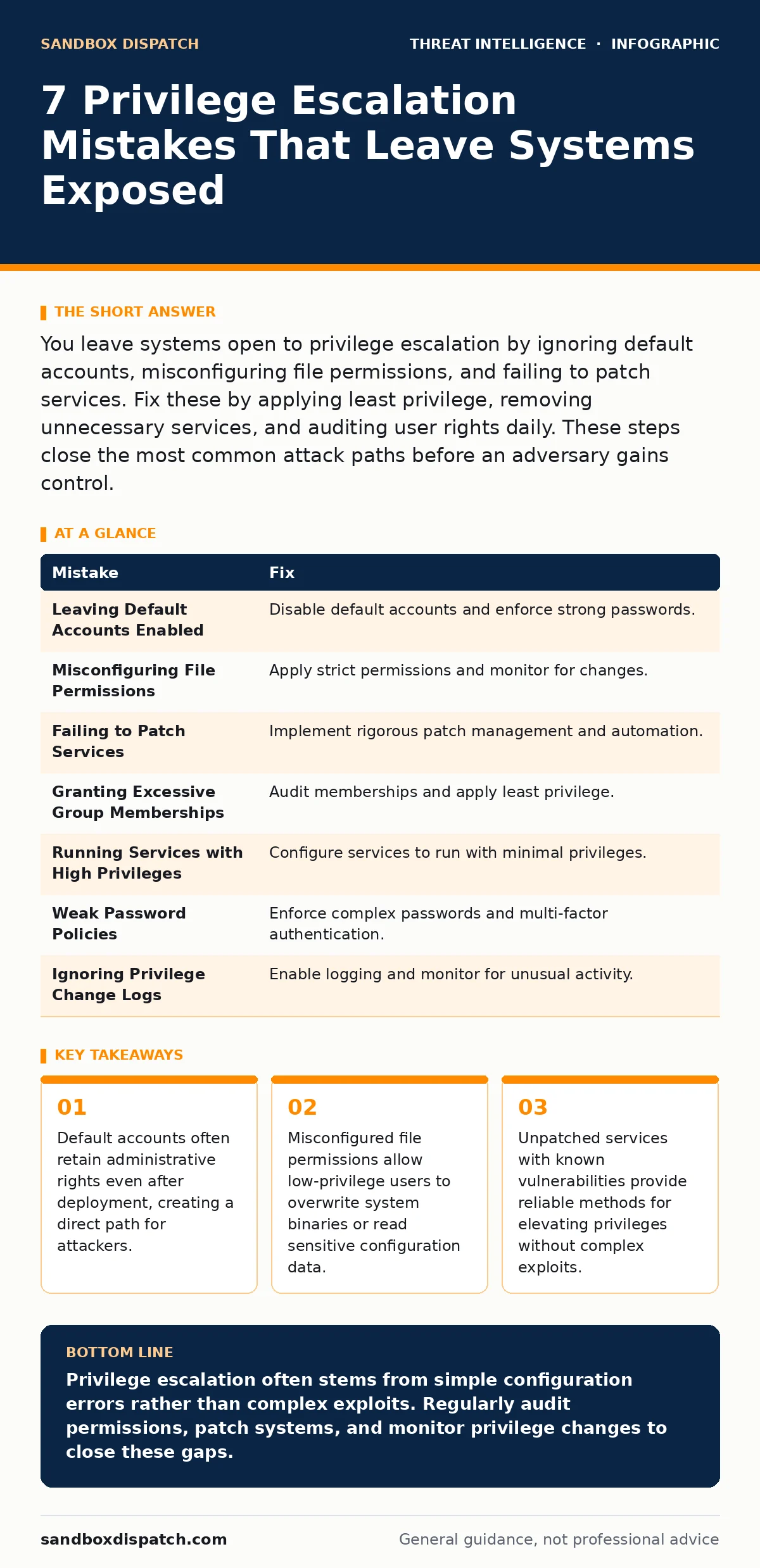
You leave systems open to privilege escalation by ignoring default accounts, misconfiguring file permissions, and failing to patch services. Fix these by applying least privilege, removing unnecessary services, and auditing user rights daily. These steps close the most common attack paths before an adversary gains control.
Mistake 1: Leaving Default Accounts Enabled
Default accounts often retain administrative rights even after initial deployment. Attackers target these known usernames because they bypass the need to discover valid credentials. Many systems ship with administrative accounts that remain active and sometimes lack password requirements. This creates a predictable entry point for adversaries who scan for common default credentials.
Why it hurts:
An attacker gains immediate administrative access without needing to exploit software vulnerabilities. This bypasses authentication controls entirely. The system assumes the account is managed, but it often sits idle until compromised. This silent access allows full control over the machine, including the ability to install persistence mechanisms or move laterally.
The fix:
Disable all default administrative accounts immediately after installation. Rename remaining administrative accounts to non-standard names. Enforce complex password requirements for any account that retains administrative rights. Regularly audit account status to ensure no new default accounts were introduced during updates. See how to handle pass-the-ticket attacks for related credential management issues.
Mistake 2: Misconfiguring File Permissions
File permissions define who can read, write, or execute specific files. Misconfigurations often allow standard users to modify system binaries or read sensitive configuration files. Attackers exploit this by replacing legitimate executables with malicious versions that run with elevated privileges. This technique works because the operating system trusts the file location, not the content.
Why it hurts:
A low-privilege user can overwrite a system binary with a malicious script. When the system executes this binary, the malicious code runs with system-level privileges. This allows the attacker to execute arbitrary commands, install rootkits, or capture credentials. The damage is immediate and often undetectable by standard integrity checks if they are not configured correctly.
The fix:
Apply strict file permissions using the principle of least privilege. Ensure only administrators can write to system directories. Use file integrity monitoring to detect unauthorized changes to critical binaries. Regularly audit permissions on sensitive files to ensure they have not been relaxed inadvertently. This prevents attackers from leveraging writable system files for escalation.
Mistake 3: Failing to Patch Services
Unpatched services often contain known vulnerabilities that allow privilege escalation. Attackers scan for these vulnerabilities because patches are publicly available and exploits are well-documented. Running outdated software leaves the system exposed to automated attacks that exploit these known weaknesses. This is one of the most common and easiest ways for attackers to gain higher access.
Why it hurts:
An attacker executes a public exploit against an unpatched service. The exploit bypasses security controls and grants administrative access. This happens without any interaction from the user. The system remains vulnerable until the patch is applied, leaving a window of exposure that attackers can exploit at any time. This undermines the entire security posture of the machine.
The fix:
Implement a rigorous patch management process. Apply security updates as soon as they are released. Test patches in a staging environment to avoid compatibility issues. Automate patch deployment to reduce the time between release and installation. Regularly scan for missing patches to identify vulnerable systems. This closes the most common attack paths before they can be exploited.
Mistake 4: Granting Excessive Group Memberships
Group memberships determine what resources a user can access. Adding users to excessive groups grants them more privileges than their role requires. Attackers exploit this by identifying users with unnecessary administrative rights. This violates the principle of least privilege and increases the attack surface. It allows attackers to move laterally and escalate privileges with minimal effort.
Why it hurts:
A user with unnecessary administrative rights becomes a high-value target. If their account is compromised, the attacker gains immediate access to sensitive resources. This allows the attacker to escalate privileges without needing to exploit additional vulnerabilities. The damage spreads quickly as the attacker leverages the excessive permissions to access other systems.
The fix:
Audit group memberships regularly. Remove users from groups they do not need for their role. Use role-based access control to assign permissions based on job functions. Implement just-in-time access for temporary administrative needs. Regularly review access rights to ensure they align with current responsibilities. This reduces the impact of compromised accounts and limits lateral movement.
Mistake 5: Running Services with High Privileges
Services often run with higher privileges than necessary. Attackers exploit this by targeting services that run as system or administrator. If a service is compromised, the attacker inherits its high privileges. This allows them to execute commands with elevated rights. Running services with minimal privileges limits the damage if a vulnerability is exploited.
Why it hurts:
A compromised service grants the attacker system-level access. This allows them to modify system files, install malware, or capture credentials. The attacker can use this access to persist on the system or move to other machines. The high privileges make detection and containment difficult. This amplifies the impact of a single vulnerability.
The fix:
Configure services to run with the lowest possible privileges. Use dedicated service accounts with limited rights. Avoid running services as system or administrator unless absolutely necessary. Regularly review service configurations to ensure they follow least privilege principles. This limits the damage if a service is compromised. See how scheduled task abuse can further exploit these high-privilege contexts.
See also: Incident Triage Meaning: How to Prioritize Alerts Fast
Mistake 6: Weak Password Policies
Weak password policies allow attackers to guess or brute-force credentials. Local accounts with weak passwords are particularly vulnerable. Attackers use these credentials to log in and escalate privileges. This bypasses other security controls and grants direct access. Strong password policies reduce the risk of credential-based attacks.
Why it hurts:
An attacker gains access to a local account with administrative rights. This allows them to escalate privileges without exploiting software vulnerabilities. The attacker can use this access to install persistence mechanisms or move laterally. The weak password policy makes this attack easy and repeatable. This undermines the security of the entire system.
The fix:
Enforce complex password requirements for all accounts. Implement account lockout policies to prevent brute-force attacks. Use multi-factor authentication where possible. Regularly audit password strength to ensure compliance. This reduces the risk of credential-based privilege escalation.
Mistake 7: Ignoring Privilege Change Logs
Privilege changes are often logged but not monitored. Attackers escalate privileges silently if no one reviews the logs. This allows them to operate undetected for extended periods. Monitoring privilege changes helps detect unauthorized access early. This is a critical step in incident response.
Why it hurts:
An attacker escalates privileges without triggering alerts. This allows them to move laterally and exfiltrate data. The lack of monitoring delays detection and containment. The attacker has more time to cause damage. This undermines the effectiveness of other security controls.
The fix:
Enable logging for all privilege changes. Monitor logs for unusual activity. Use automated tools to alert on suspicious events. Regularly review logs to identify potential threats. This helps detect privilege escalation attempts early. See how digital forensics and incident response can help analyze these logs.
| Mistake | Fix |
|---|---|
| Leaving Default Accounts Enabled | Disable default accounts and enforce strong passwords. |
| Misconfiguring File Permissions | Apply strict permissions and monitor for changes. |
| Failing to Patch Services | Implement rigorous patch management and automation. |
| Granting Excessive Group Memberships | Audit memberships and apply least privilege. |
| Running Services with High Privileges | Configure services to run with minimal privileges. |
| Weak Password Policies | Enforce complex passwords and multi-factor authentication. |
| Ignoring Privilege Change Logs | Enable logging and monitor for unusual activity. |
Key takeaways
- Default accounts often retain administrative rights even after deployment, creating a direct path for attackers.
- Misconfigured file permissions allow low-privilege users to overwrite system binaries or read sensitive configuration data.
- Unpatched services with known vulnerabilities provide reliable methods for elevating privileges without complex exploits.
- Excessive group memberships grant users more access than their role requires, violating the principle of least privilege.
Privilege escalation often stems from simple configuration errors rather than complex exploits. Regularly audit permissions, patch systems, and monitor privilege changes to close these gaps.
Frequently asked questions
How do I detect privilege escalation attempts?
Monitor system logs for unusual privilege changes and unexpected service configurations. Use file integrity monitoring to detect unauthorized modifications.
What is the principle of least privilege?
It means granting users and processes only the access they need to perform their tasks. This limits the damage if an account is compromised.
Why are default accounts dangerous?
Default accounts are predictable and
How this guide was produced: written by the Sandbox Dispatch editorial team with AI assistance, checked against the public references listed below, and reviewed when the facts change. See our editorial policy or report an error.